
Unified inbox and AI triage
Reads incoming mail, surfaces what needs attention, and groups work into a unified inbox so users can focus on messages that matter.

AI Emaily is an AI-native email client with Copilot and Autopilot modes for triaging, drafting, scheduling, and following up across major email providers. It supports web, macOS, iOS, and Android, with a free plan and paid options.
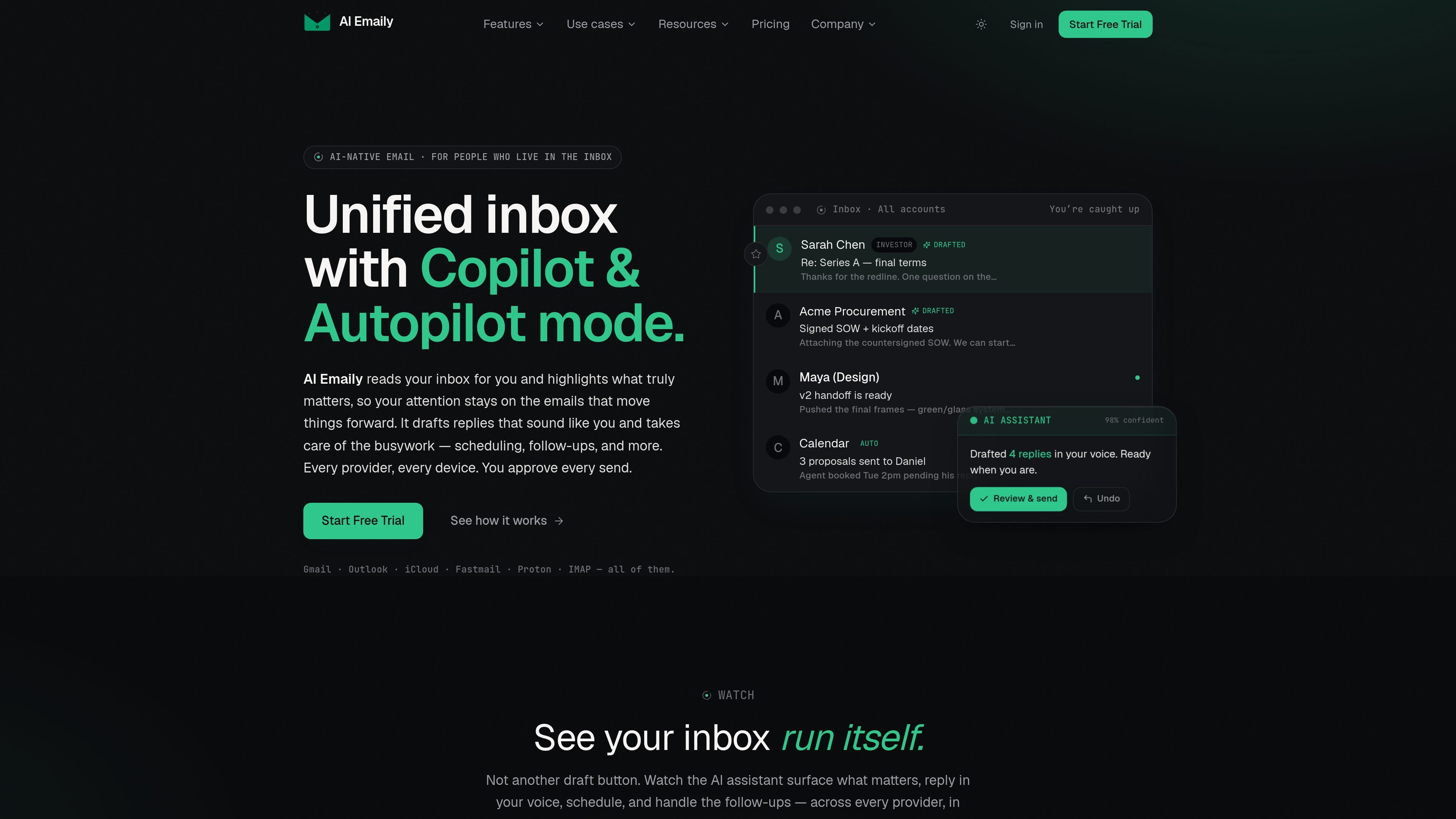
AI Emaily is an AI-native email client built around a unified inbox and an autonomous assistant. It works with Gmail, Outlook, iCloud, Fastmail, Proton, and IMAP, and it is available on web, macOS, iOS, and Android.
The product is designed to reduce the amount of email work a user has to do manually. In Copilot mode, it drafts, triages, and prepares actions for review; in Autopilot mode, it can send, schedule, and close loops within rules the user defines, with undo and audit logging described on the site.
Reads incoming mail, surfaces what needs attention, and groups work into a unified inbox so users can focus on messages that matter.
Generates replies in the user’s voice, with tools for rewrite, shortening, translation, and idea-to-email drafting from bullet points.
Supports Copilot and Autopilot workflows, letting the assistant stage replies or act within rules set per context, account, contact, or thread.
Handles scheduling, send-later, follow-ups, and loop-closing so routine email tasks can be completed without manual back-and-forth.
Includes context profiles, typed variables, living briefs, and templates so the assistant can use account-specific details and “don’t forget” notes.
Provides web, macOS, iOS, and Android access with offline and realtime sync, keyboard control, and an on-device AI option.
Founders and operators who spend large parts of the day in email can use the unified inbox and triage features to identify what needs action, then let Copilot or Autopilot handle routine replies and scheduling.
Investors and client-facing professionals can rely on voice-matched drafting, context profiles, and typed variables to produce replies that reflect the right names, numbers, and account details without rewriting every message.
Teams that share inboxes can use shared context, internal comments, @mentions, roles, and audit trails to coordinate handoffs and track who handled each thread.
People who want less repetitive email work can use scheduled briefs to Slack or Telegram, follow-up automation, and send-later tools to keep commitments moving without constant inbox checking.
Users who want tighter privacy controls can choose on-device AI or bring their own key, keeping sensitive triage and drafting closer to their own environment.
Yes. The free plan includes the full email client on every provider and platform, one connected account, and 10 AI credits per month to try summaries, drafting, and natural-language search. No card is required to start.
AI credits are used for agent features such as summaries, drafting, and search. Paid plans include larger monthly credit allowances, and the pricing page also notes that you can bring your own key on paid plans.
AI Emaily offers both Copilot and Autopilot modes. Copilot prepares replies and the user approves sending, while Autopilot can send, schedule, and close loops within rules the user defines.
The product supports Gmail, Outlook, iCloud, Fastmail, Proton, and IMAP, and it is available on web, macOS, iOS, and Android.
The security page says mail is not sold, not used for ads, and not used to train AI. It also states that users can export or delete their data, and that on-device and bring-your-own-key options are available.

Liam is an AI copilot for managing inboxes, writing replies, prioritizing email, and scheduling meetings. It is offered free for individuals, with custom pricing for teams and enterprise.

Dirac is an AI email assistant that prepares a morning brief, prioritizes important threads, and drafts replies in your voice. It is positioned for founders and other busy professionals who use Gmail and want to reduce morning inbox triage.

ClawCard gives AI agents a dedicated identity stack: email, US phone number, virtual cards, wallet, on-chain identity, and access to paid APIs. It is built for automated signups, checkouts, credential storage, and machine payments through CLI and REST workflows.

Goldfish is an AI memory app for macOS that helps you reply, write, summarize, and continue using the context already on your Mac. It stores memory locally and writes in your tone.

Biji ist eine vielseitige Plattform, die entwickelt wurde, um die Produktivität durch innovative Werkzeuge und Funktionen zu steigern.

Gemma AI is a phone call reminder app that calls you with scheduled reminders instead of push notifications. It helps people who want a more direct way to stay on schedule, with Google Calendar sync and conversational call interactions.