
No-code workflow automation
Albato positions its automation builder as AI-driven and no-code, so users can create workflows without writing code. The homepage frames this as a way to automate tools, workflows, and data.

Albato is an AI-driven no-code integration platform that connects apps and automates workflows for individuals, teams, and SaaS products. It includes Copilot-assisted setup, AI tools inside automations, and support for 1,000+ apps plus custom API connections.
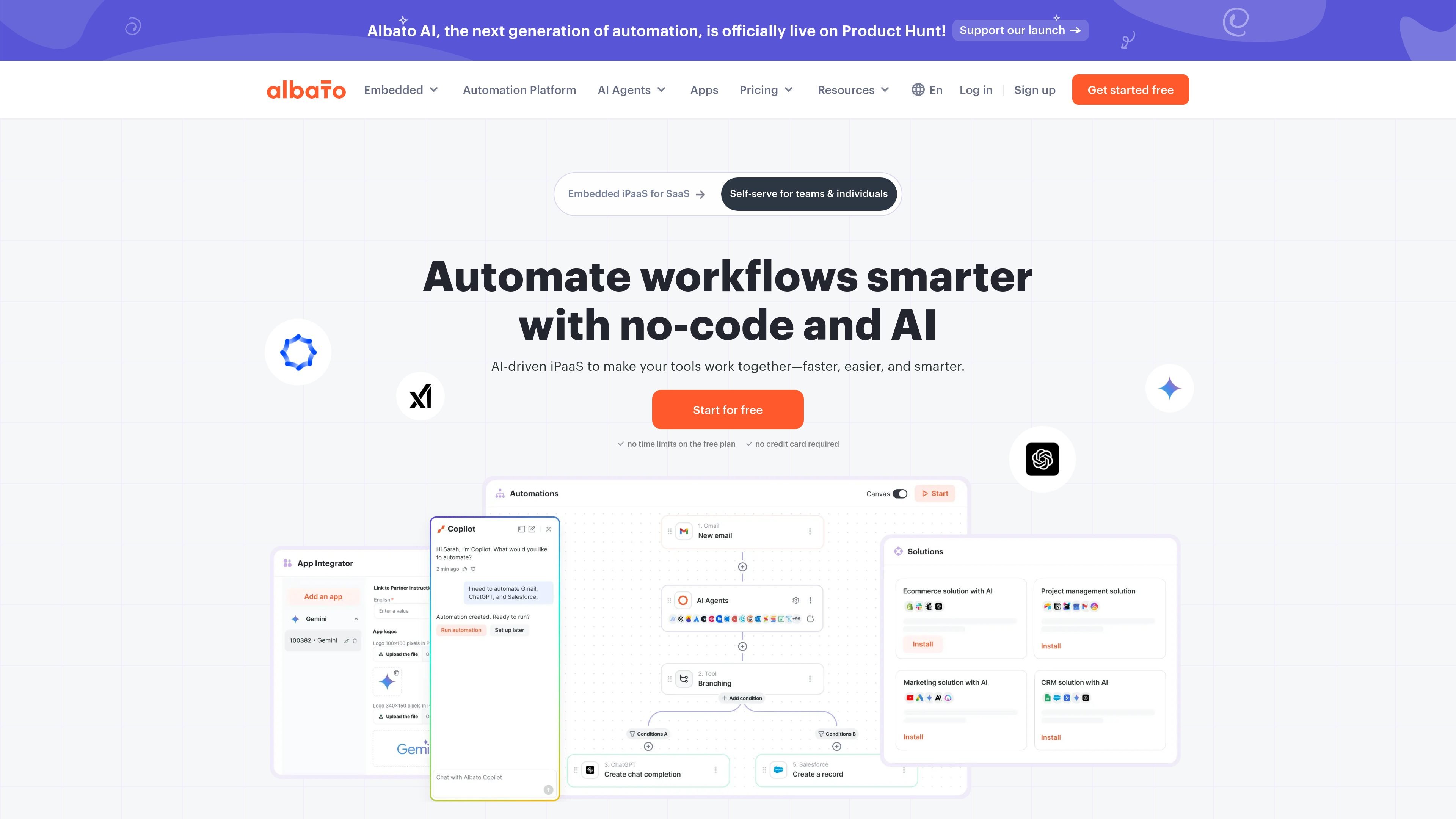
Albato is an AI-driven no-code integration platform, also described as an embedded iPaaS, for connecting apps and automating workflows. Its main job is to help individuals and teams move data, trigger actions, and coordinate steps across tools without writing code.
The homepage emphasizes AI-assisted automation through Albato Copilot, while the pricing page shows a freemium model with a free plan, trial, and paid tiers for more transactions, faster update intervals, and collaboration features. The platform also highlights 1,000+ app connections, custom app support, and workflow tools for data handling and logic.
Albato positions its automation builder as AI-driven and no-code, so users can create workflows without writing code. The homepage frames this as a way to automate tools, workflows, and data.
Albato Copilot can build workflows from a description by asking questions, mapping fields, suggesting logic, and launching the scenario. It is presented as a guided setup assistant inside the chat interface.
The platform includes built-in tools such as webhook handling, find and replace, filter row elements, JSON parsing, date and time modification, and mathematical operations. These tools help shape and transform data inside a workflow.
Albato AI is positioned for in-workflow tasks such as rewriting product descriptions, summarizing feedback, drafting replies, and analyzing sentiment. This places AI actions directly inside automations instead of as a separate step outside the platform.
The pricing page states support for parallel scenario execution, execution logs, and log storage ranging from 7 to 60 days depending on plan. These controls are relevant for monitoring and operating automations at different scales.
The platform supports 1,000+ apps and also mentions custom apps and any API through its apps integrator and webhook/API options. This makes it suitable for connecting standard SaaS tools as well as custom endpoints.
Connect CRMs, email tools, support systems, and other business apps so that one event in one app can trigger actions in another without manual copying.
Use Albato Copilot to describe a workflow in plain language and have the platform help assemble the steps, fields, and logic needed to launch it.
Apply built-in tools such as JSON parsing, date/time modification, filtering, and find-and-replace when data needs cleanup or transformation before it moves to the next app.
Use Albato AI to generate replies, summarize feedback, rewrite text, or analyze sentiment within an automation instead of switching to a separate AI tool.
Choose the embedded iPaaS offering when a SaaS product needs native-looking integrations that can be presented inside the product experience.
Albato includes a free plan with 100 transactions and a 15-minute automation update interval. Paid plans add more transactions, faster update intervals, longer log storage, and advanced features such as AI support and AI Agents.
The pricing page says you can start with a 14-day trial, and the homepage also states that you can start for free with no credit card required.
Albato is designed for individuals, small teams, and teams that need collaboration features. The pricing page separates Pro for individuals and small teams from Teams for collaboration-focused work, while the homepage describes the platform as self-serve for teams and individuals.
Albato Copilot can ask questions, map fields, suggest logic, create and launch workflows, fix errors with tips, and work in any language. The platform also includes built-in automation tools, AI tools, and AI Agents for more complex workflows.
The source material does not list hard limits on supported apps beyond 1,000+ apps, and it does not describe every integration in detail. It also does not provide a complete setup guide or a full list of workflow constraints.

Awish is an AI-powered no-code automation platform that turns natural-language requests into automated workflows across connected apps. It serves individuals and teams that want to automate repetitive tasks, chat-based assistants, and workflow updates without manual configuration.

ByteAsk is a terminal-first AI coding agent for C and C++ that edits repositories and verifies changes with the real compiler, debugger, sanitizers, and tests before showing a diff. It offers a free tier plus paid plans, with editor connectors and zero-retention handling described in the source.

CreateOS Sandbox is an isolated compute environment for running code and agent workloads inside Firecracker micro-VMs. It is designed for workflows that need machine-level isolation, private networking between sandboxes, and programmatic control through SDK, CLI, or MCP.

Codex Plugins bundle reusable skills, app integrations, and MCP servers into workflows you can install in the Codex app or use from Codex CLI. They help extend Codex with connected-service tasks, reusable instructions, and shared team workflows.

Struere is an AI-native platform for turning spreadsheet data into structured operational software with dashboards, alerts, and automations. It is aimed at teams that want to replace manual spreadsheet workflows without building custom tools from scratch.

hob is an independent workspace for coding agents that keeps agent sessions, terminals, history, and follow-up work organized around the tools and providers you already use. It is aimed at developers who want local control over routing, history, and workspace structure rather than a bundled model stack.