
Markdown editor with structured writing tools
Write in a focused Markdown editor with syntax highlighting. The page also lists task lists, tables, wiki links, footnotes, highlights, math, images, and attachments for richer notes.

Bamboo: AI Markdown Notes is a Markdown-first note-taking app for capturing ideas, tasks, research, and meeting notes. It supports organization, web clipping, and optional AI and sync features through Bamboo Pro.
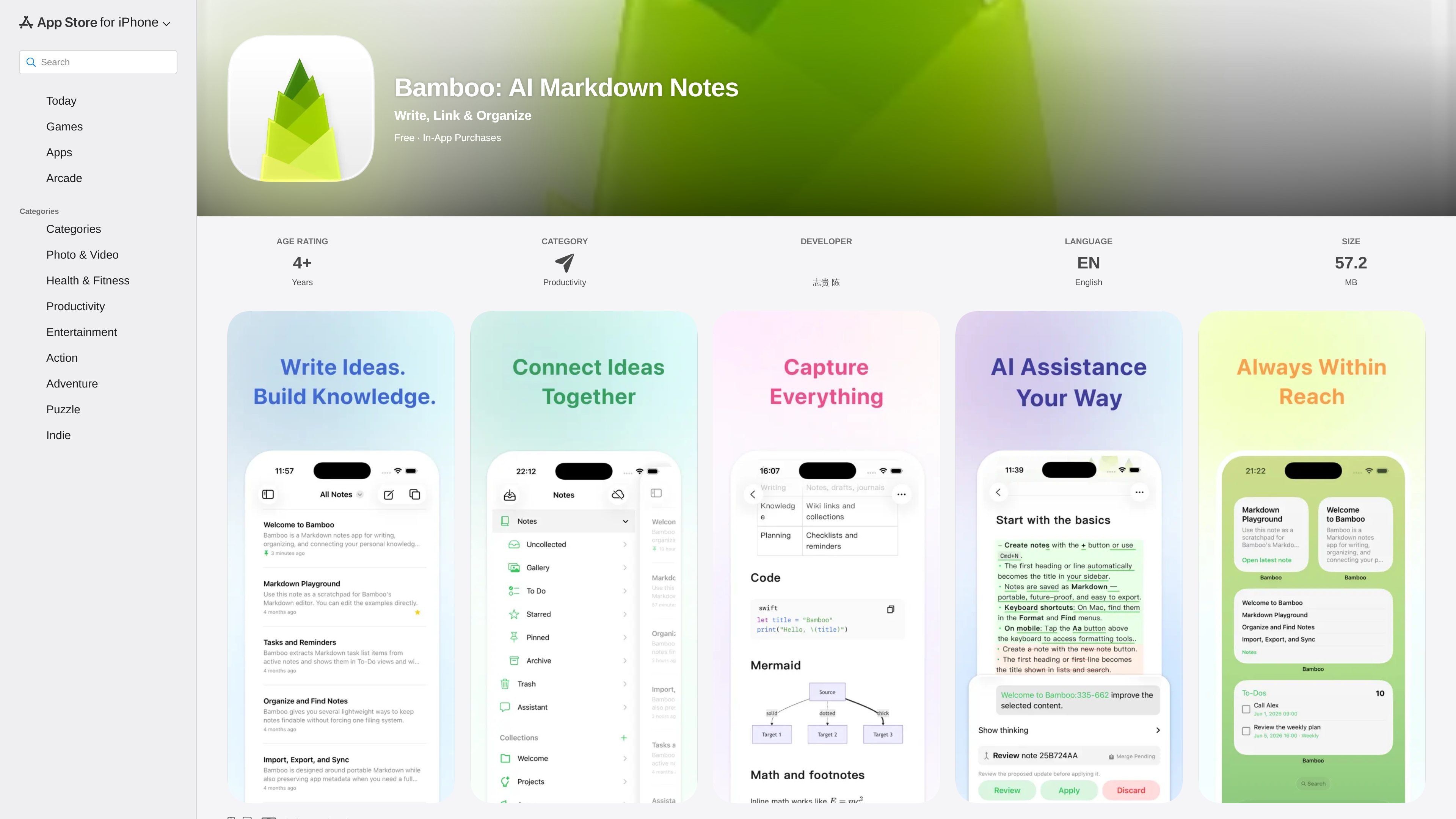
Bamboo: AI Markdown Notes is a note-taking app for writing, organizing knowledge, and using AI inside your notes. The App Store page positions it as a Markdown-first workspace for capturing ideas, tasks, research, meeting notes, and reading highlights while keeping content readable and portable.
The product is available on iPhone, iPad, and Mac, and the page also mentions web clipper support. Its core workflow centers on writing in Markdown, organizing notes into collections, linking related ideas, and using optional Bamboo Pro features for AI assistance, iCloud Sync, and export options.
Write in a focused Markdown editor with syntax highlighting. The page also lists task lists, tables, wiki links, footnotes, highlights, math, images, and attachments for richer notes.
Keep notes in collections for projects, areas, archives, or research spaces. Wiki links, pinned notes, and starred favorites help connect related material as a knowledge base grows.
Capture quick notes, long-form documents, tasks, reminders, research, meeting notes, and reading highlights in the same app. The product is designed to keep writing and planning together.
Bamboo Pro supports connected AI providers and assistant actions inside notes. The page mentions drafting, rewriting, summarizing, and brainstorming with selected content.
Notes stay in Markdown, which the page describes as portable and easy to back up. Bamboo also lists import/export, backups, and optional HTML and PDF export through Pro.
The app page says Bamboo is available on iPhone, iPad, and Mac, with web clipper support and optional iCloud Sync in Bamboo Pro for keeping work available across devices.
Use Bamboo to capture ideas, drafts, and longer notes in Markdown so the same content can be edited, searched, and backed up later without leaving a plain-text format.
Collect research notes, reading highlights, and source material into collections, then use wiki links to connect related pages as a growing knowledge base.
Keep meeting notes, action items, reminders, and task lists together in one place so follow-up work stays attached to the discussion that created it.
Clip useful web content into Bamboo and continue working across supported devices, with iCloud Sync available through Pro for keeping content in step.
Use the built-in AI workflow to rewrite, summarize, or brainstorm from selected content when you need help shaping notes without switching apps.
Bamboo is available on iPhone, iPad, and Mac, and the page also lists support for Apple Vision with a required version note. The app description emphasizes continuing work across devices, with optional iCloud Sync available through Bamboo Pro.
The App Store page lists Bamboo as free to download with optional in-app purchases. It also shows monthly and annual Pro subscriptions, with Bamboo Pro features including iCloud Sync, HTML export, PDF export, and AI provider support.
The app uses a Markdown editor with syntax highlighting and supports task lists, tables, wiki links, footnotes, highlights, math, images, and attachments. This makes it suitable for structured notes as well as longer documents.
The product page says Bamboo Pro lets you connect supported AI providers and use assistant features directly in your notes. You can draft, rewrite, summarize, and brainstorm without leaving the workspace, while choosing the provider and model you use.
The app page describes import and export, backups, search across notes, recent work access, pinning, starring, collections, and wiki links. It is positioned for personal knowledge management rather than team collaboration, and the source does not mention shared editing or workspace administration.

Goldfish is an AI memory app for macOS that helps you reply, write, summarize, and continue using the context already on your Mac. It stores memory locally and writes in your tone.

Dcyde is a decision log for product teams that captures what was decided, the reasoning behind it, and the source in one shared place. It supports pinning decisions from Slack, Figma, or inside Dcyde and keeps the record searchable over time.

recall is an AI flashcard app that turns reading and notes into study cards through Claude, ChatGPT, or another MCP client. It uses one-time lifetime access pricing and spaced repetition review.

Lasso is an ecommerce product data platform for enriching catalog records, processing supplier files, generating product content, and monitoring competitors. It combines a web app with a REST API, SDK, and MCP server for teams and developers.

Biji ist eine vielseitige Plattform, die entwickelt wurde, um die Produktivität durch innovative Werkzeuge und Funktionen zu steigern.

Struere is an AI-native platform for turning spreadsheet data into structured operational software with dashboards, alerts, and automations. It is aimed at teams that want to replace manual spreadsheet workflows without building custom tools from scratch.