
Generates prioritized task backlogs
Tasks reads connected company data and existing dashboards to generate a small batch of high-leverage work items, grouped by priority.

Basedash Tasks turns connected business data into a prioritized backlog of actionable tasks, each with evidence for why it matters, an expected outcome, and execution instructions. It is built for teams that want to move from dashboards to concrete operational follow-up.
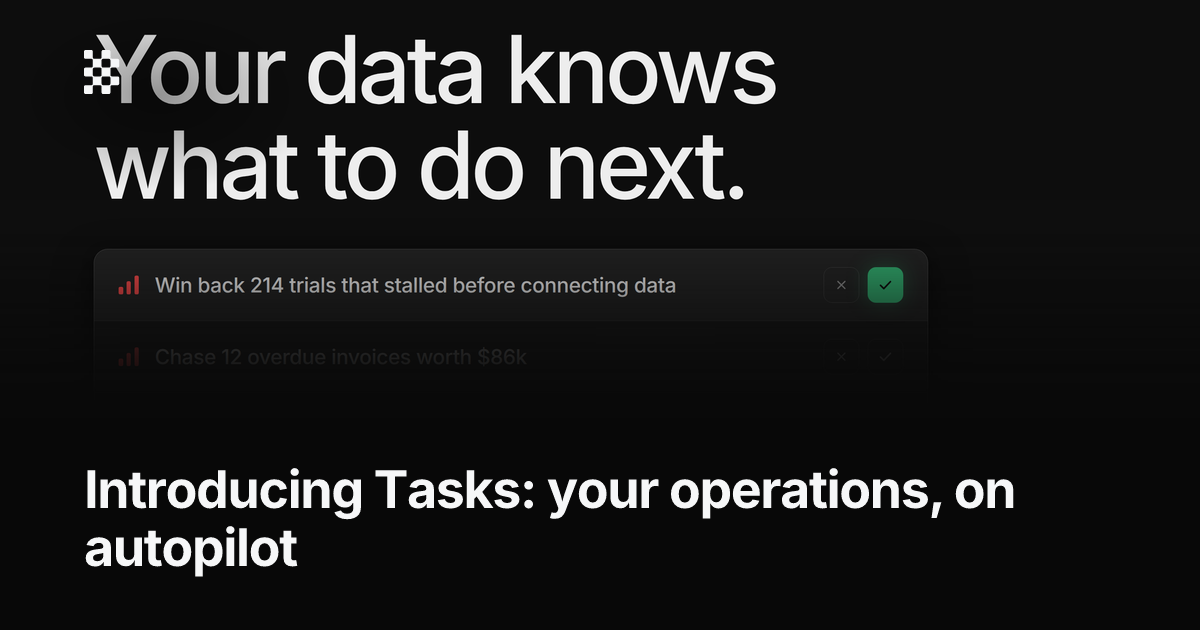
Basedash Tasks is an AI feature inside the Basedash business intelligence platform that turns company data into a prioritized to-do list. It looks through connected data sources and existing dashboard context, then generates concrete tasks aimed at improving metrics such as revenue, churn, activation, and pipeline.
Each task is presented with three parts: why it matters now, the outcome it is expected to move, and instructions for how to do the work. Basedash says the feature is in research preview, with the core generate-execute-refill loop available now and the learning layer still evolving.
Tasks reads connected company data and existing dashboards to generate a small batch of high-leverage work items, grouped by priority.
Each task includes why now, the expected outcome, and step-by-step instructions so the recommendation is tied to evidence and action.
Tasks can be copied as a structured brief into Linear or another tracker, or pasted into agents like Claude, ChatGPT, and Cursor.
The Basedash agent can also start some data-related tasks directly, such as building a winback segment, drafting a dashboard, or setting up an alert.
When tasks are marked done, Basedash keeps watching the metrics they were meant to move and uses those results to refine future recommendations.
Teams can set a refill threshold so Basedash generates the next batch automatically when the pending backlog gets too small.
Operations, growth, or product teams can use Tasks to turn metric drops or bottlenecks into a concrete backlog instead of manually assembling action items from dashboards.
A team can generate a task, copy the structured brief into Linear, and hand the work to the person already responsible for execution.
Analysts and operators can paste the task brief into Claude, ChatGPT, or Cursor when they want an AI assistant to carry out the next step.
Teams that want recurring work surfaced automatically can set a refill threshold so new tasks appear when the backlog runs low.
Teams using Basedash for data work can let the Basedash agent begin implementation tasks such as setting up an alert or drafting a dashboard.
Tasks is the operations layer in Basedash. It uses the data you already connect to generate a prioritized backlog of work, with an evidence-backed rationale, expected outcome, and execution instructions for each task.
Tasks can be copied into an issue tracker, pasted into an AI assistant such as Claude, ChatGPT, or Cursor, or handed to the Basedash agent for execution. The launch post also says you can enable automatic refill so new tasks are generated when your backlog falls below a threshold.
The launch post says Tasks is in research preview. The core loop is available, but the impact-tracking and learning side is still early and expected to improve over time.
Basedash says Tasks joins AI chat for ad-hoc questions, Insights for daily findings, and Automations for recurring analyses. Tasks is positioned as the layer that turns what Basedash knows about your business into prioritized next actions.
The pricing page says Basedash offers a 14-day free trial, with a Startup plan and custom Enterprise plans. It also states that self-hosting, SSO, SCIM, audit logs, embedding, and other controls are available on the Enterprise side.

Biji ist eine vielseitige Plattform, die entwickelt wurde, um die Produktivität durch innovative Werkzeuge und Funktionen zu steigern.

PromptScout tracks how ChatGPT, Gemini, Google AI Overviews, and Perplexity mention your brand or competitors, then pairs those results with source analysis and website audits. It helps teams decide what to fix in content, positioning, or site readiness next.

Goldfish is an AI memory app for macOS that helps you reply, write, summarize, and continue using the context already on your Mac. It stores memory locally and writes in your tone.

SaveMRR is a Stripe retention tool for SaaS teams that scans billing data for churn and MRR leaks, then automates recovery through dunning, cancel-save offers, win-back emails, and onboarding nudges. It is built for founders and bootstrapped teams using Stripe.

Hype is a web tool for finding trending YouTube topics by category, time range, and scoring mode. It helps creators spot emerging ideas, inspect source videos, and decide what to cover next.

ArtDeck is a visual reference board app for iPhone, iPad, and Mac that lets artists collect mixed reference material on one canvas and study it with ToolBox lenses. It works offline, supports optional iCloud sync, and is sold as a one-time purchase with no account required.