
Wallpaper-based clock
Cadran draws clock faces on the wallpaper layer, so the clock stays visible behind icons without opening a window or adding a widget.
Cadran is a macOS wallpaper clock app with animated faces, screen saver mode, and optional desktop complications. It offers a free download and a one-time Pro upgrade for advanced controls and per-monitor customization.
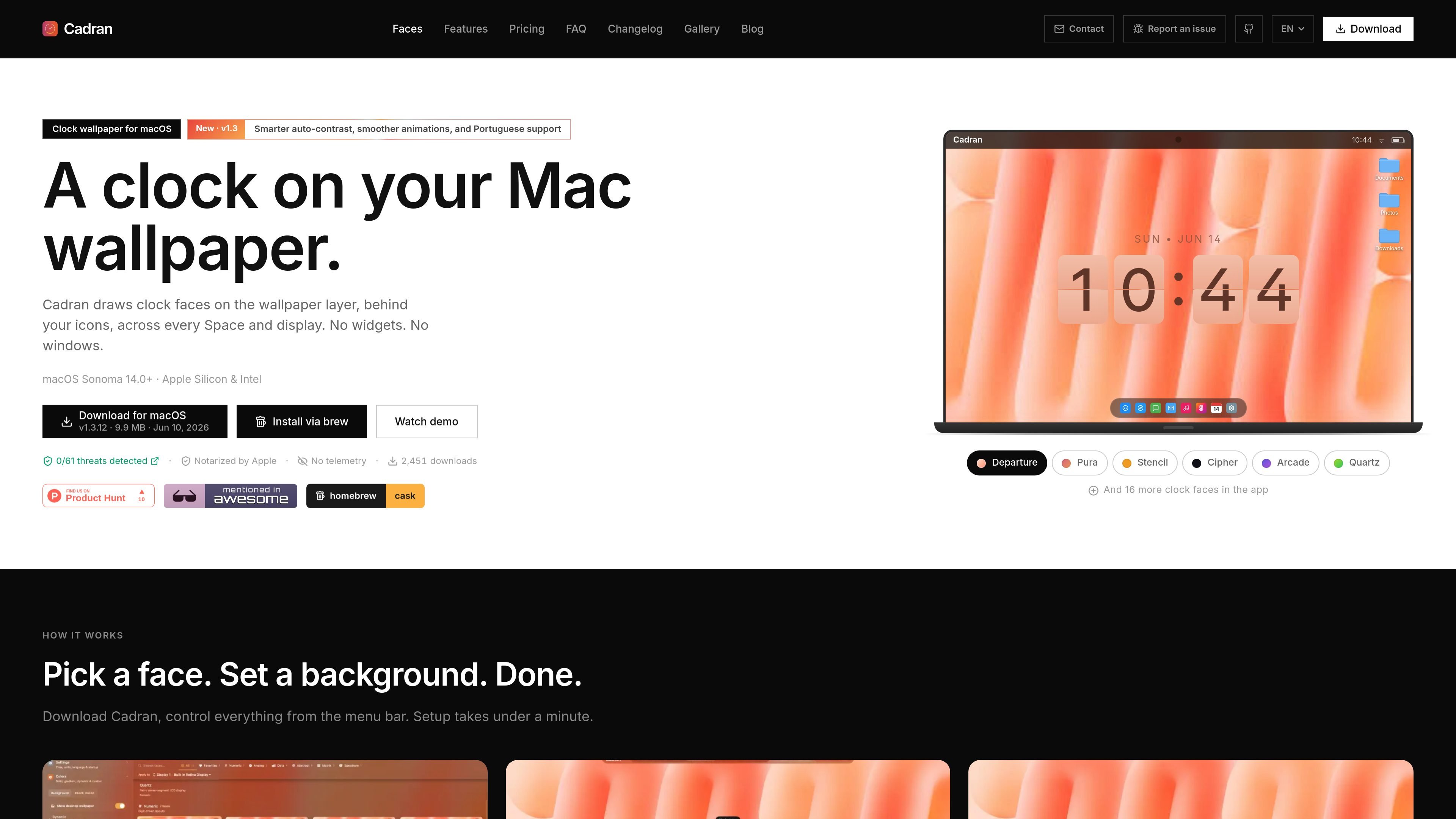
Cadran is a macOS desktop clock app that places animated clock faces directly on the wallpaper layer, behind icons and across every Space and display. It is designed to stay visible without using a window or widget, and the site positions it as a native Mac app.
The product centers on visual customization and low-friction setup: users pick a face, choose a background or transparent mode, and control the app from the menu bar. The homepage also highlights screen saver mode, automatic updates, and support for Apple Silicon, Intel Macs, and macOS Sonoma 14.0+.
Cadran draws clock faces on the wallpaper layer, so the clock stays visible behind icons without opening a window or adding a widget.
The app includes 22 animated faces, grouped into Numeric, Analog, Data, Abstract, Matrix, and Spectrum styles.
Users can choose a preset background or switch to transparent mode to keep an existing wallpaper visible.
Cadran supports per-monitor setup, including different faces and colors on each display in Pro.
Supported faces can show live data such as weather, date, battery, and moon phase, with Apple WeatherKit used for weather faces.
The app offers screen saver mode, automatic updates, multilingual clock text, and stealth options such as hiding seconds or the Dock icon.
Keep a clock visible on the desktop without adding a widget or opening a separate window.
Choose a different face, palette, or even a different face per monitor when you want each screen to look distinct.
Use the screen saver mode when you want the clock to fill the screen while the Mac is idle.
Show extra information such as date, weather, battery, or moon phase on supported faces for at-a-glance status.
Use transparent mode or background presets to keep Cadran compatible with an existing wallpaper setup.
Yes. The homepage and pricing section say Cadran is free to download, and the pricing page describes a free tier with six free clock faces, basic complications, background presets, and screen saver mode.
The homepage says Cadran works on macOS Sonoma 14.0+ and supports both Apple Silicon and Intel Macs.
The homepage says Cadran can be set to launch at login and lives in the menu bar rather than the Dock. The contact page also presents it as a native macOS app.
The pricing page says Cadran Pro license covers up to 3 devices, and the contact page says to reach support for more devices.

Goldfish is an AI memory app for macOS that helps you reply, write, summarize, and continue using the context already on your Mac. It stores memory locally and writes in your tone.

ArtDeck is a visual reference board app for iPhone, iPad, and Mac that lets artists collect mixed reference material on one canvas and study it with ToolBox lenses. It works offline, supports optional iCloud sync, and is sold as a one-time purchase with no account required.

Biji ist eine vielseitige Plattform, die entwickelt wurde, um die Produktivität durch innovative Werkzeuge und Funktionen zu steigern.

Malyatko is a baby tracker for logging feeding, sleep, growth, teething, and milestones in one app. It works on iPhone, Apple Watch, and widgets, with no sign-up, offline use, and family sharing through iCloud.

Redline is a budgeting tool for Claude Code that paces sessions to stay within time, token, cost, or plan-percentage limits. It uses Claude Code’s native hooks and statusline to help sessions finish with a usable result instead of stopping abruptly.

Claude Overlay is a Windows desktop overlay for Claude Code that reads your screen so you can ask questions, inspect content, and request edits without leaving the current app. It runs on your existing Claude subscription through the Claude CLI, so no separate API key is required.