
Automatic background tracking
Didon runs quietly in the background and captures a screenshot every 30 seconds so it can infer activity without manual timers.

Didon is an AI time tracker for Mac that automatically logs work by analyzing screenshots on your device. It helps users replace manual timers with local AI-based work logs, project breakdowns, and daily summaries.
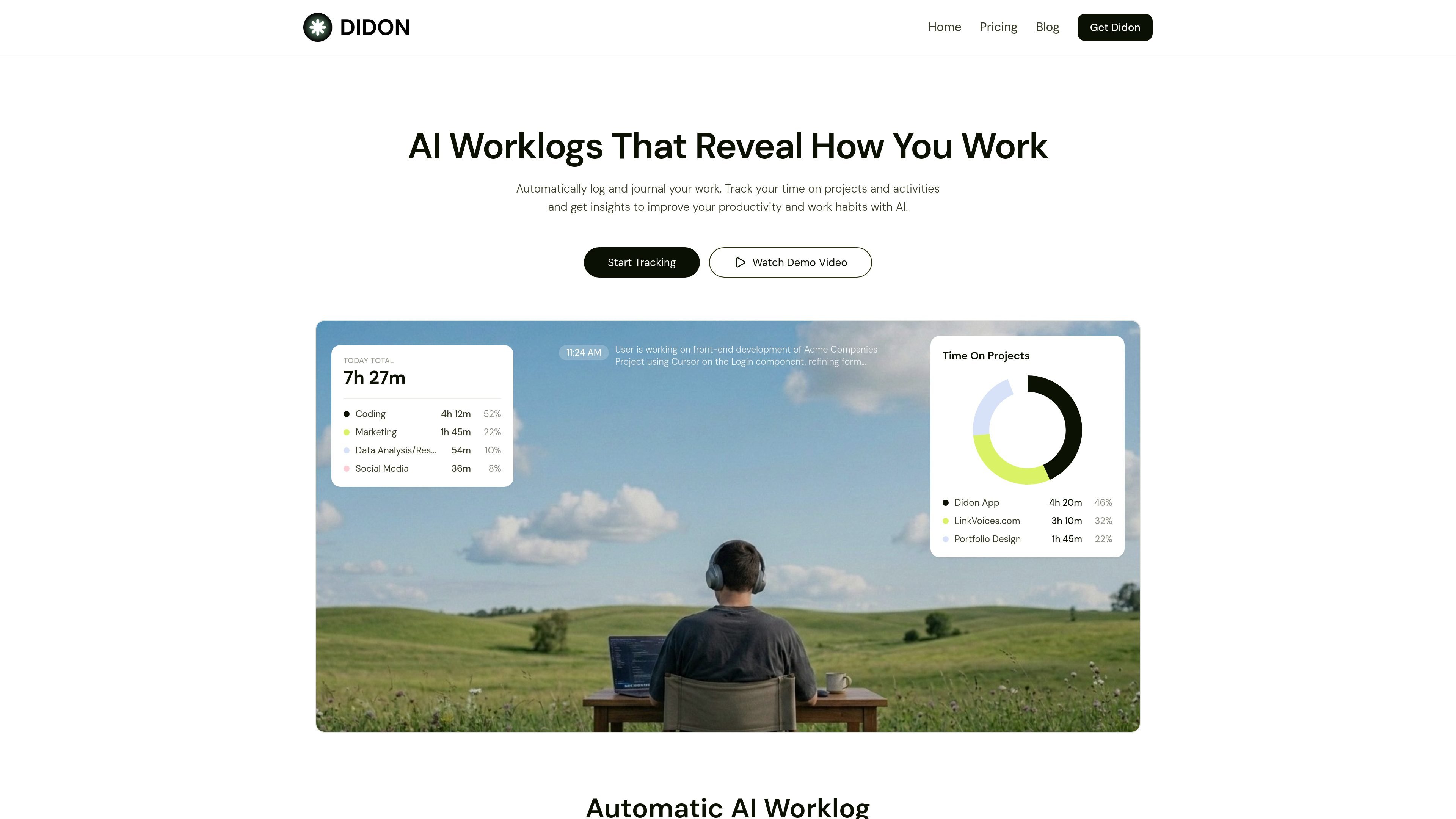
Didon is an AI time tracker for Mac that automatically logs work by analyzing screenshots on your device. It is designed to reduce manual time entry and turn your activity into a daily work log, project breakdown, and summary report.
The product asks you to define projects and categories first, then monitors your screen in the background every 30 seconds. Its local AI model reads window titles, visible text, and on-screen context to infer what you are doing, classify the work, and save logs locally for later review. The site also positions the app as a way to understand work habits, not just count hours.
Didon runs quietly in the background and captures a screenshot every 30 seconds so it can infer activity without manual timers.
You can define projects and activity categories up front, and the AI uses that context to classify work and build statistics based on your setup.
The app analyzes screenshots locally on your Mac with a local LLM (Qwen-3-VL:2b), which keeps screen data on-device rather than sending it to the cloud.
Didon identifies windows, file names, apps, and visible task context to generate a structured work journal and daily work log.
The app saves exports locally, including per-day CSV work logs and a daily summary report file, making it easier to review or reuse the data later.
Didon starts with your system and pauses when your Mac sleeps, so tracked time is meant to follow your active work session automatically.
Useful for freelancers and independent workers who want a running record of how much time went to coding, marketing, research, or other task categories without starting a timer each time they switch tasks.
Helpful when you want to review where your time actually went after the day is over, using project totals, category breakdowns, and local CSV reports as a work history.
Fits users who want their current projects classified against a defined list, so work tied to a client or internal project can be separated from uncategorized activity.
Appropriate for privacy-conscious users who want AI-assisted analysis without sending screenshots to a cloud service, since the site says processing stays on the Mac.
Useful for people trying to spot work habits and productivity patterns, since the product is positioned to reveal focus time, activity distribution, and workday trends.
Didon captures a screenshot of your screen every 30 seconds while monitoring is active. Each screenshot is analyzed locally on your Mac, using visible window titles, text, and context to infer what you are working on.
You add your active projects in the Configuration tab as comma-separated names. Didon compares those names with what appears on screen, including file names, project names, and browser tab titles, and labels work that does not match as "Other".
Didon saves local exports in ~/Documents/Didon/. The source mentions detailed work logs in WorkLogs/YYYY-MM-DD.csv and summary reports in Daily-Reports.csv, and says you can review them for productivity analysis.
Didon is currently available for Mac on Apple Silicon (M1+). The site also says a Windows version is planned and that users can join a waitlist for early access.
The site says all screenshot analysis and data processing happen locally on your Mac, and that screenshots and activity logs never leave your machine. It also notes the local model loads briefly during analysis and uses around 2 GB of RAM.

Biji ist eine vielseitige Plattform, die entwickelt wurde, um die Produktivität durch innovative Werkzeuge und Funktionen zu steigern.

PromptScout tracks how ChatGPT, Gemini, Google AI Overviews, and Perplexity mention your brand or competitors, then pairs those results with source analysis and website audits. It helps teams decide what to fix in content, positioning, or site readiness next.

Goldfish is an AI memory app for macOS that helps you reply, write, summarize, and continue using the context already on your Mac. It stores memory locally and writes in your tone.

Sleek Analytics is a privacy-friendly web analytics tool with real-time visitor tracking, Core Web Vitals, and revenue attribution. It helps site owners understand traffic and conversions without cookie banners or a heavy setup.

MacSpoof ist ein MAC-Adressenwechsler für macOS: WLAN-MAC ändern oder randomisieren, um Verbindungen zu erneuern und die Protokollierung auf öffentlichem WLAN zu reduzieren.

ClawTick is an AI agent automation platform for scheduling jobs from the CLI, dashboard, or REST API. It is aimed at developers and teams running LangChain, CrewAI, webhook, or custom agent workflows that need monitoring, alerts, and logs.