
Behavioural Living Twin
Builds a personal behavioural model described as a Living Twin, intended to update with the user and represent behavioural context over time.
Dots-In is a personal AI and productivity app that builds a behavioural “Living Twin” to connect conversations, goals, health, productivity, and online activity. It is available through iOS and Android apps, with a Chrome extension for contextual web personalization.
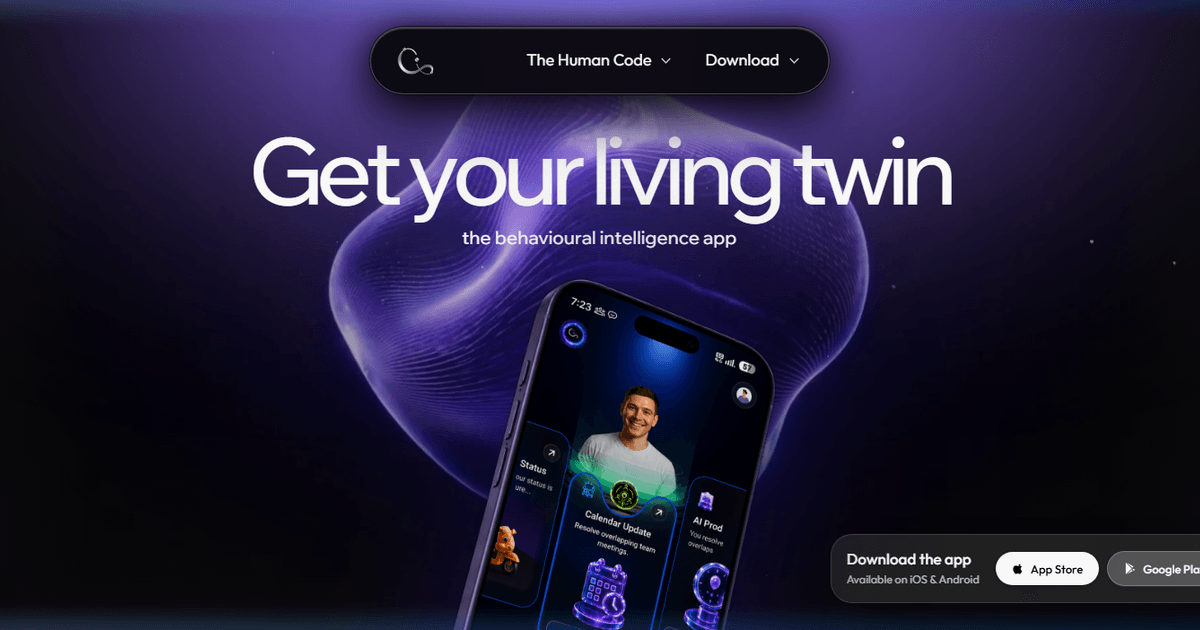
Dots-In is a personal behavioural-intelligence product built around a “Living Twin”—a model of a user's behavioural context. Its site describes the underlying approach as a Large Behavioural-Omics Model using regime-aware causal reasoning, with the aim of connecting experiences, choices, habits, health, productivity, and outcomes in one system.
The product combines a mobile app for iOS and Android with a Chrome extension. It is designed to turn conversations into summaries and tasks, relate health and productivity signals, rank content using behavioural context, and provide adaptive guidance through goals and recommended next actions. The site does not establish a complete list of supported data sources, detailed onboarding steps, or pricing terms.
Builds a personal behavioural model described as a Living Twin, intended to update with the user and represent behavioural context over time.
Captures meeting summaries, speakers, causal context, and follow-up tasks across conversations, turning calls into items that can be reviewed and acted on.
Connects calls, priorities, health information, and productivity in a single view so users can examine these areas together rather than as isolated records.
Uses a Relevancy Score and Behavioral State Vector to rank short-form content according to the user's current context and predicted interests.
Maps causal links between experiences, behaviours, choices, and outcomes through a CBG Graph, giving users a way to inspect patterns rather than only view isolated events.
Provides personalized action and goal tracking, including a future-self definition and suggested steps toward goals; a Chrome extension extends contextual personalization into websites.
After calls or meetings, users can review automatically captured summaries, speakers, causal context, and tasks instead of reconstructing follow-up work manually.
Users who want to understand connections among habits, health signals, productivity, and outcomes can use the unified view and CBG Graph to inspect behavioural patterns in context.
People managing longer-term goals can define a future self and use the product's suggested actions and steps to track progress toward that direction.
While browsing or consuming online content, users can use the Chrome extension and contextual recommendation features to receive relevance-ranked content and opportunities based on their behavioural context.
Dots-In is presented as an app available on iOS and Android, with a Chrome extension that brings its Living Twin into websites. The site does not provide detailed onboarding steps or a complete list of supported platforms.
The product describes a Living Twin that updates with the user and uses behavioural context to connect conversations, priorities, health information, productivity, recommendations, and goals. Specific outputs can include meeting summaries, speaker identification, causal context, captured tasks, recommendation relevance, and goal steps.
The site says Dots-In can unify health data and identify patterns, but it does not specify all supported health-data sources or the connection method. Users should verify compatibility before relying on a particular device or service.
The available site content does not provide confirmed pricing or plan limits. The pricing URL currently presents a page-not-found message, while the home page says the app is available for free; the terms of that availability are not detailed.

Malyatko is a baby tracker for logging feeding, sleep, growth, teething, and milestones in one app. It works on iPhone, Apple Watch, and widgets, with no sign-up, offline use, and family sharing through iCloud.

Yattayo: Slider To-Do Board is a productivity app that turns tasks into a physical-style slider board with sticky notes, widgets, reminders, and iCloud sync. It helps people who want a more tactile way to manage to-dos and, in Premium, recurring habits.

ConscioussAI is an AI assistant for macOS, Windows, iOS, and Android that helps execute tasks across apps, files, the browser, and messages. It is aimed at people who want permission-based help on both desktop and mobile.
MealTime ist Ihr persönlicher, offline-fähiger Rezeptbegleiter, der Ihnen hilft, Mahlzeiten zu speichern, zu organisieren, zu planen und intelligente Einkaufslisten zu erstellen, während Ihre Daten privat bleiben.

Goldfish is an AI memory app for macOS that helps you reply, write, summarize, and continue using the context already on your Mac. It stores memory locally and writes in your tone.

ArtDeck is a visual reference board app for iPhone, iPad, and Mac that lets artists collect mixed reference material on one canvas and study it with ToolBox lenses. It works offline, supports optional iCloud sync, and is sold as a one-time purchase with no account required.