
Video upload and Drive links
Upload a video directly from the page or paste a Drive link to start a shared review.

Eddie Review is a web-based video review tool for sharing one link and collecting frame-exact comments from collaborators. It also adds timestamped AI notes, and the public pages advertise a free review flow with no signup, card, or login.
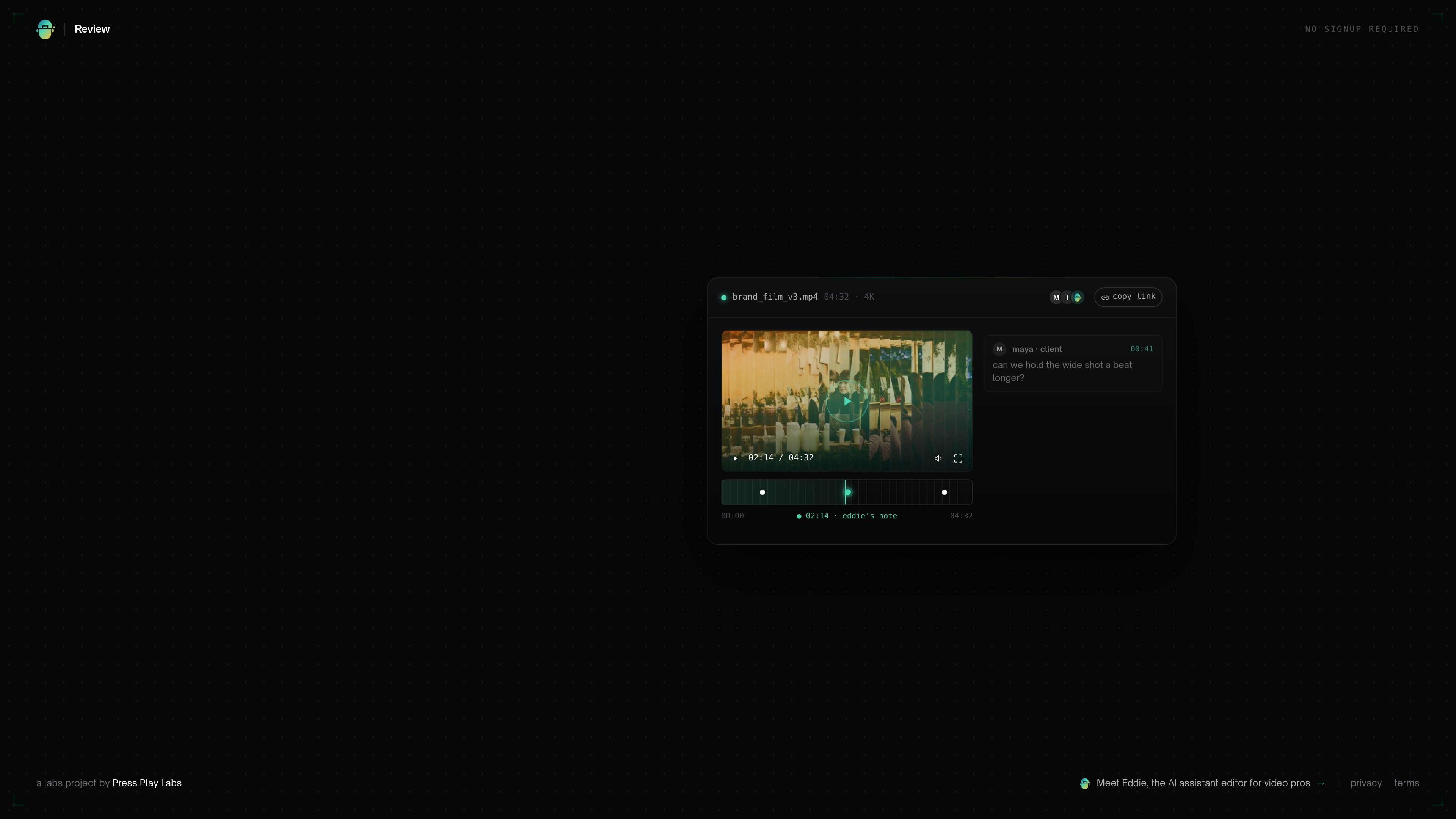
Eddie Review is a video review page for sharing one link and collecting comments tied to exact frames. It is designed for teams and clients who need to react to a cut without jumping between separate messaging threads or markup tools.
The page also positions Eddie as an AI assistant editor for video professionals. In practice, that means the product combines collaborative review with timestamped AI notes, so feedback can include both human reactions and machine-generated observations about pacing or scene changes.
Upload a video directly from the page or paste a Drive link to start a shared review.
Share one review link so collaborators can open the same video and add feedback in one place.
Notes attach to the exact frame, which keeps comments tied to the moment being discussed.
Eddie adds its own timestamped notes alongside human feedback to help surface editing issues.
The embedded player supports playback with visible timestamps and notes, making it easier to review timing and pacing.
The page shows a simple drag-and-drop upload area and a copy-link flow for an existing review, suggesting a lightweight review handoff.
An editor can upload a cut, share one link, and gather client notes directly on the relevant frame instead of translating vague feedback from email or chat.
A video team can use the same link to collect internal feedback on pacing, shot order, and scene-level adjustments before export.
For asynchronous approvals, reviewers can leave comments when they are available and the editor can revisit the exact moment each note refers to.
When a project needs a second pass, Eddie’s timestamped notes can highlight pacing or structure issues that may be easy to miss in a quick watch-through.
Eddie Review lets you upload a video or paste a Google Drive link, then share a single review link with collaborators. Comments pin to the exact frame, and Eddie can add timestamped AI notes during the review.
The home page says anyone with the link can comment, and it highlights no signup required, no card, and no login for the free review flow.
The source shows a file upload option and a Drive link option. It does not list other import sources or export destinations.
The pricing page did not show a plan table. It returned a not found message, so the public source only confirms that the product page advertises a free review flow.
The product is positioned for video review and is described as an AI assistant editor for video pros. It appears focused on frame-level feedback rather than general document collaboration.

Biji ist eine vielseitige Plattform, die entwickelt wurde, um die Produktivität durch innovative Werkzeuge und Funktionen zu steigern.

hob is an independent workspace for coding agents that keeps agent sessions, terminals, history, and follow-up work organized around the tools and providers you already use. It is aimed at developers who want local control over routing, history, and workspace structure rather than a bundled model stack.

Dcyde is a decision log for product teams that captures what was decided, the reasoning behind it, and the source in one shared place. It supports pinning decisions from Slack, Figma, or inside Dcyde and keeps the record searchable over time.

runevr is a connected workspace for creative teams that combines boards, media review, chat, recordings, drive, calls, and AI agents in one room-based environment. It is designed to reduce tool switching and keep project context together.

Video Effects SDK adds real-time webcam effects such as background blur, background replacement or removal, denoising, framing, beautification, and color grading. It is built for teams shipping live video experiences on web, desktop, and mobile platforms.

recall is an AI flashcard app that turns reading and notes into study cards through Claude, ChatGPT, or another MCP client. It uses one-time lifetime access pricing and spaced repetition review.