
Expert-built skills
Expertise presents individual workflows as skills that can be previewed, installed, and run inside a user's workspace. The skill pages describe them as proven playbooks packaged by experts rather than generic prompts.

Expertise is a platform for building and installing expert-made AI skills and agents, with a strong focus on sales and GTM workflows. It includes previewable skills, workspace installation, and credit-based pricing across Free, Pro, Team, and Enterprise options.
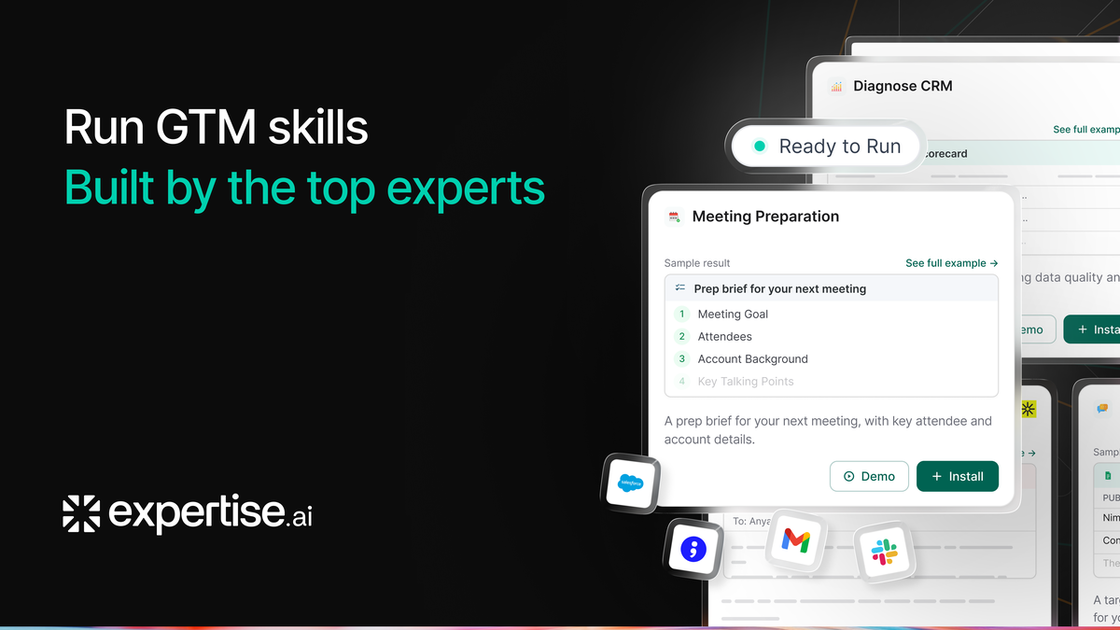
Expertise is a platform for building, sharing, installing, and running AI agents and expert-made skills. The site positions skills as packaged workflows that experts publish and businesses can use inside their own workspace or AI agents.
On the public pages, Expertise is shown primarily through sales and revenue-operations examples such as deal rescue, email scoring, pre-call prep, outbound diagnostics, and MEDDICC-style deal analysis. The platform also uses a credit-based pricing model, with a Free plan, a Pro plan, and custom Team and Enterprise options.
The product pages emphasize that skills can be previewed before purchase, installed into a workspace, and adapted to the connected tools already in use. Some pricing-page tiers also reference website deployment, visitor intelligence, HubSpot handoff and sync, CRM integrations, and enterprise controls such as SSO and dedicated hosting.
Expertise presents individual workflows as skills that can be previewed, installed, and run inside a user's workspace. The skill pages describe them as proven playbooks packaged by experts rather than generic prompts.
The home and skills pages show skills for tasks such as stalled deal rescue, cold email grading, pre-call preparation, and outbound diagnostics. These examples indicate the platform is aimed at GTM and sales operations work.
The pricing page says skills can be trained on a knowledge base and deployed on a website, with conversation limits and training-material limits on the Free preview plan. Business and Enterprise plans add more usage and broader capability tiers.
Pricing includes credit-based usage tracking, with included credits, daily or monthly allowances, and live dashboard visibility into credit burn. The FAQ explains that different actions consume different amounts of credits based on complexity.
Higher plans mention HubSpot live chat handoff, two-way HubSpot sync, visitor intelligence, active engagement, and CRM integrations such as Salesforce, Marketo, and LeanData. Enterprise also lists API access, SSO, dedicated hosting, and custom data retention.
The expert pages say skills can be updated by the creator and that users receive the improvements automatically. The page also says the expert can see that a skill was installed and how often it runs, but not what it runs on.
A sales rep or manager can use a skill to diagnose why a deal is stalled, identify the blocker, and generate a recovery plan. The site frames this around specific open-opportunity situations such as stale proposal stages and unresolved objections.
A team can paste a cold email into a skill and get line-level feedback against a sales rubric. The example shows the skill checking length, pain focus, CTA quality, subject line, and other criteria before rewriting.
Before a buyer meeting, a user can run a prep skill to assemble a brief with call objective, account context, likely buyer priorities, and risks. The page describes this as a two-minute cheat sheet for a specific upcoming call.
An outbound leader can enter funnel numbers and have the platform diagnose where the campaign is breaking down. The example produces a weekly report with stage performance, the binding constraint, and a next-week fix.
A RevOps or sales operations user can analyze opportunities and call transcripts with a MEDDICC framework. The skill page says it supports connected CRM and conversation-intelligence data, uploaded exports, and pasted transcripts.
Expertise combines AI-agent building with a skill marketplace and workflow runner. The site describes skills as protected, monetizable AI playbooks that businesses can install and run on their own agents.
The pricing page shows a Free plan, a Pro plan at $50 per user per month, and custom Team and Enterprise-style options. It also notes bonus credits and pay-as-you-go overage for Pro users.
The site says users can try skills for free before paying, install free skills right away, and have paid skills available through checkout. Skills adapt to the connected tools in the user's workspace.
The source mentions HubSpot, Salesforce, Marketo, LeanData, webhooks, API access, SSO, and dedicated hosting on higher plans or in plan descriptions. The public pages do not provide a full integration catalog or setup guide.
The site presents skills as workflows packaged by experts that can be run on AI agents, installed in a workspace, and updated when the expert improves them. It also says the expert does not see the user's data.

AgentMail is an email inbox API for AI agents that lets developers create, send, receive, and search messages through REST APIs and SDKs. It supports agent workflows such as threaded replies, verification, customer support, scheduling, and inbox-based approvals.

Lasso is an ecommerce product data platform for enriching catalog records, processing supplier files, generating product content, and monitoring competitors. It combines a web app with a REST API, SDK, and MCP server for teams and developers.

CreateOS Sandbox is an isolated compute environment for running code and agent workloads inside Firecracker micro-VMs. It is designed for workflows that need machine-level isolation, private networking between sandboxes, and programmatic control through SDK, CLI, or MCP.

Codex Plugins bundle reusable skills, app integrations, and MCP servers into workflows you can install in the Codex app or use from Codex CLI. They help extend Codex with connected-service tasks, reusable instructions, and shared team workflows.

Botacts is a web directory for finding AI bots and agents you can contact by phone, email, SMS, WhatsApp, Telegram, or Signal. It also lets creators suggest bots for manual review before publication.

Wallie is an open-source AI streamer that watches your screen, hears chat, and generates live commentary in a configurable persona. It runs locally on your machine with your own keys and is aimed at faceless content, autonomous streams, and real-time reactions.