
Unified growth data workspace
Connects GA4, Search Console, Google Trends and competitor intelligence in one workspace so traffic, queries, search demand and rival movement can be reviewed together.

Fabbit is a website growth intelligence product that connects GA4, Search Console, Google Trends and competitor intelligence, then turns changes into ranked actions. It is aimed at SEO, growth and marketing teams that want one workspace for monitoring traffic, search demand, site health and competitor movement.
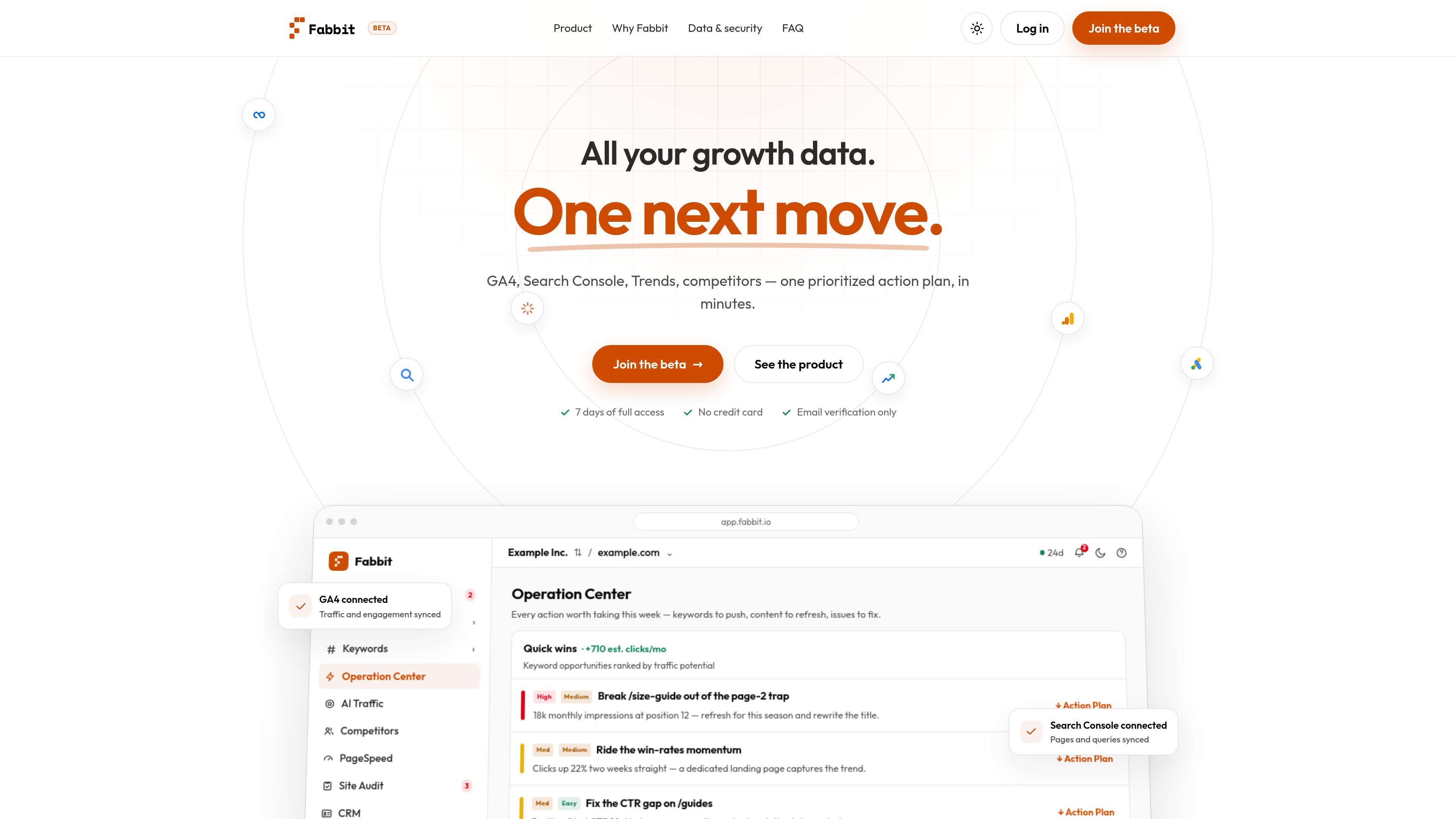
Fabbit is a website growth intelligence product that connects search, analytics, trend and competitor signals and turns them into a prioritized action plan. The homepage describes it as a way to see traffic, pages, channels and search in one workspace, then decide what to fix first.
The product combines Google Analytics 4, Google Search Console, Google Trends and competitor intelligence, with additional modules for site audits, index coverage and AI traffic reporting. It is presented as beta software with seven days of full access, no credit card required, and read-only connections to the underlying data sources.
Connects GA4, Search Console, Google Trends and competitor intelligence in one workspace so traffic, queries, search demand and rival movement can be reviewed together.
Shows period-over-period performance, rising and declining pages, keyword changes and page-level context so users can see where a change started.
Generates a plain-language executive brief with three ranked priorities and expected impact, helping teams decide what to do next without assembling a manual report.
Tracks keyword momentum, commercial terms and competitor gaps, using trend data and search position comparisons to surface opportunities and losses.
Includes site audit and index coverage monitoring with site score, indexed pages and issue surfacing so technical health is evaluated alongside growth signals.
Reports on AI traffic sources such as ChatGPT, Perplexity, Gemini and Copilot, alongside website and search metrics.
Review traffic, pages and channels in one place when performance changes and you need to understand whether the issue started with a page, keyword set or channel.
Track commercial queries, search position changes and competitor gaps to decide which content opportunities are worth pushing next.
Use the daily executive brief and ranked priorities to tell a team what to fix first, without building a report from multiple dashboards.
Monitor index coverage, site score and page health alongside search data when technical issues may be affecting discoverability.
Look at AI traffic from assistants such as ChatGPT, Perplexity, Gemini and Copilot when evaluating whether referral sources are shifting.
Fabbit connects Google Analytics 4, Search Console, Google Trends and competitor intelligence, then turns those signals into a daily ranked action plan. The source also says Google Ads and CRM integrations are developed and moving through interface integration and testing.
The beta access flow gives full access for seven days with email verification and no credit card. After day 8, paid features pause until a plan is chosen, but nothing is deleted.
Fabbit uses read-only access for connected data sources. It does not need permission to change GA4 or Search Console configuration.
Customer data is stored on infrastructure located in the European Union, and connected sources can be disconnected. The site also says account or stored-data deletion can be requested.
The product appears aimed at growth, SEO and marketing teams that want one place to review traffic, rankings, site health and competitor movement. It is positioned as a workflow that explains what changed and ranks the next actions, rather than as a generic reporting dashboard.

PromptScout tracks how ChatGPT, Gemini, Google AI Overviews, and Perplexity mention your brand or competitors, then pairs those results with source analysis and website audits. It helps teams decide what to fix in content, positioning, or site readiness next.

ClayHog ist eine KI-Sichtbarkeitsplattform für die Suche, die zeigt, wie Marken in ChatGPT, Gemini, Perplexity, Claude und Google AI Overviews erscheinen.

beehiiv is a newsletter platform for creators, publishers, and brands that want to build, grow, and monetize email newsletters and websites from one place. It offers a free Launch plan, plus paid tiers for more advanced growth, monetization, and support features.

Growth Brain is an AI growth-operations platform that connects a team’s existing data, marketing, and customer tools to identify audiences, activate approved workflows, and measure results. It is designed for growth and go-to-market teams that want an always-on decision loop without replacing their current stack.

Skayle is a content and AI search visibility platform that researches topics before writing, publishes structured content to a CMS, and tracks whether brands are cited in AI search. It is aimed at teams that want one system for publishing, schema-rich content, and visibility monitoring.

SaveMRR is a Stripe retention tool for SaaS teams that scans billing data for churn and MRR leaks, then automates recovery through dunning, cancel-save offers, win-back emails, and onboarding nudges. It is built for founders and bootstrapped teams using Stripe.