
Avatar-based movement
Participants walk, jump, or fly around spaces using keyboard controls and approach other avatars to start conversations.

flat.social is a browser-based virtual meeting and event platform where participants move through avatar-based spaces, talk using proximity-based audio and video, collaborate in shared rooms, and join activities. It supports remote teams, online classes, social gatherings, workshops, and virtual events without requiring guest downloads.
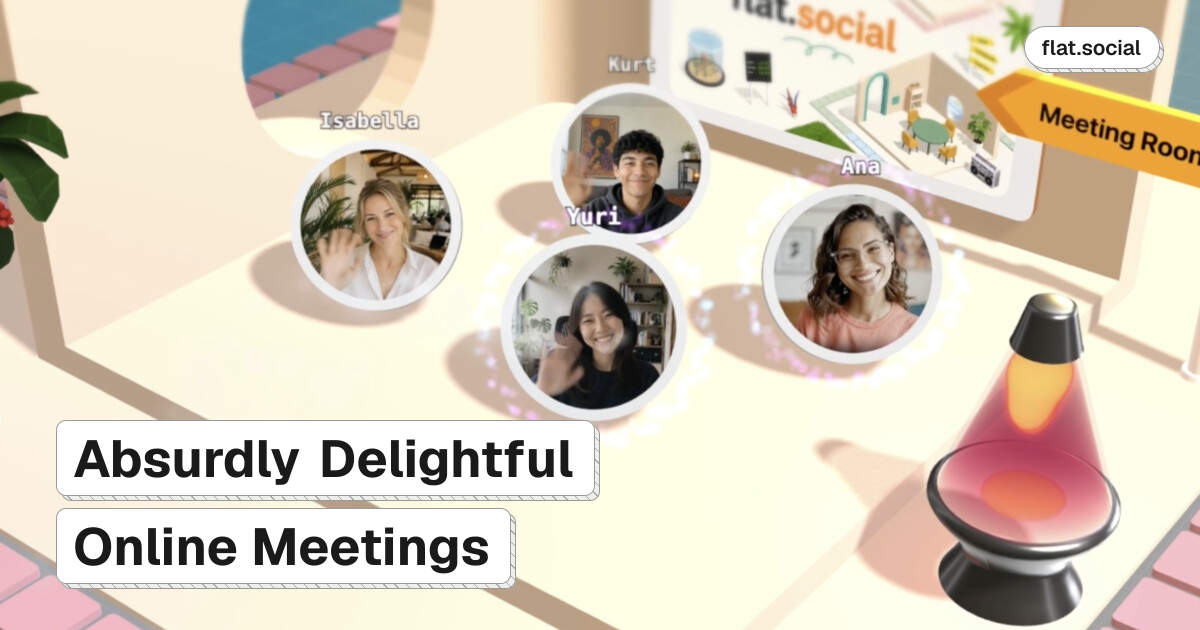
flat.social is a browser-based virtual space for online meetings, social gatherings, classes, and events. Instead of keeping participants in a fixed video grid, it lets them move through rooms as avatars and approach people or groups to start proximity-based conversations.
A flat can combine spaces for casual mingling, presentations, and text chat. It also includes shared collaboration tools, built-in activities, screen sharing, and room customization, giving organizers a way to structure both informal interactions and more directed sessions without requiring attendees to install software.
Participants walk, jump, or fly around spaces using keyboard controls and approach other avatars to start conversations.
Audio and video become louder or more prominent as participants move closer and fade as they move away, allowing multiple nearby conversations.
Open Spatial, Conference, and Chat rooms support mingling, presentations with screen sharing, and text conversations in the same flat.
Shared whiteboards and sticky notes support drawing, writing, and image placement for collaborative workshops and brainstorming.
Hosts can place furniture, walls, signs, 3D text, billboards, NPCs, and interactive objects, or begin with a template; changes appear live for participants.
Built-in activities include football, chess, surfing, dice, and arcade cabinets, while reactions provide lightweight visual expression without speaking.
Create a shared digital office where distributed colleagues can drop by work areas, hold informal watercooler conversations, and maintain an ongoing team presence across time zones.
Organize happy hours, parties, icebreakers, and team-building sessions using movable avatars, proximity conversations, built-in games, and customizable rooms.
Structure lessons around group activities and collaboration: students can move between areas, raise their hands, and work together rather than only watching a lecture.
Run conferences, meetups, and networking events with presentation rooms, screen sharing, booths or breakout areas, and spaces for attendees to mingle.
Use spatial rooms, whiteboards, sticky notes, and room layouts for workshops, brainstorming, project kickoffs, and other interactive working sessions.
Create a space, choose or customize rooms, and invite people with a link. Guests can join in a supported browser without installing an app; the site also offers a no-signup live demo.
flat.social runs in Chrome, Edge, Firefox, and Safari. The supplied feature information describes browser-based access and does not establish detailed mobile-device support.
The Free plan supports up to 5 people at once. Monthly plans support capacities from 10 to 100 people, while a Day Pass supports up to 100 people for 24 hours; larger capacity is handled through a contact flow.
Yes. The Free plan is listed at $0 forever for up to 5 people, with unlimited session length, spatial audio and video rooms, maps, a look, and an embed button. Paid plans add higher capacity and additional administration and branding features.
A flat can include Open Spatial rooms for proximity-based conversations, Conference rooms for presentations and screen sharing, and Chat rooms for text-based communication. These room types can be mixed within one space.

Biji ist eine vielseitige Plattform, die entwickelt wurde, um die Produktivität durch innovative Werkzeuge und Funktionen zu steigern.

hob is an independent workspace for coding agents that keeps agent sessions, terminals, history, and follow-up work organized around the tools and providers you already use. It is aimed at developers who want local control over routing, history, and workspace structure rather than a bundled model stack.

Dcyde is a decision log for product teams that captures what was decided, the reasoning behind it, and the source in one shared place. It supports pinning decisions from Slack, Figma, or inside Dcyde and keeps the record searchable over time.

runevr is a connected workspace for creative teams that combines boards, media review, chat, recordings, drive, calls, and AI agents in one room-based environment. It is designed to reduce tool switching and keep project context together.

Carbon Voice is an asynchronous voice messaging app for teams and individuals, with transcripts, AI catch-up, and cross-device access. It helps people and agents communicate without needing a live call.

BotBoard is a task-management layer for AI agents that helps teams assign work, track progress, and review output. It supports CLI, MCP, and HTTP connections for tools like OpenClaw, Codex, Claude Code, and Cursor.