
Screen-edge panel with keyboard shortcut
Open a full rich-text editor from the screen edge or with the default ⌥⌘N shortcut. The panel stays over your work, then slides away when you step back.

Flyout is a macOS notes app that opens from the edge of the screen for quick capture, rich-text editing, reminders, and folder-based organization. It stores notes as plain Markdown, supports optional iCloud sync, and works on macOS 14 Sonoma and later.
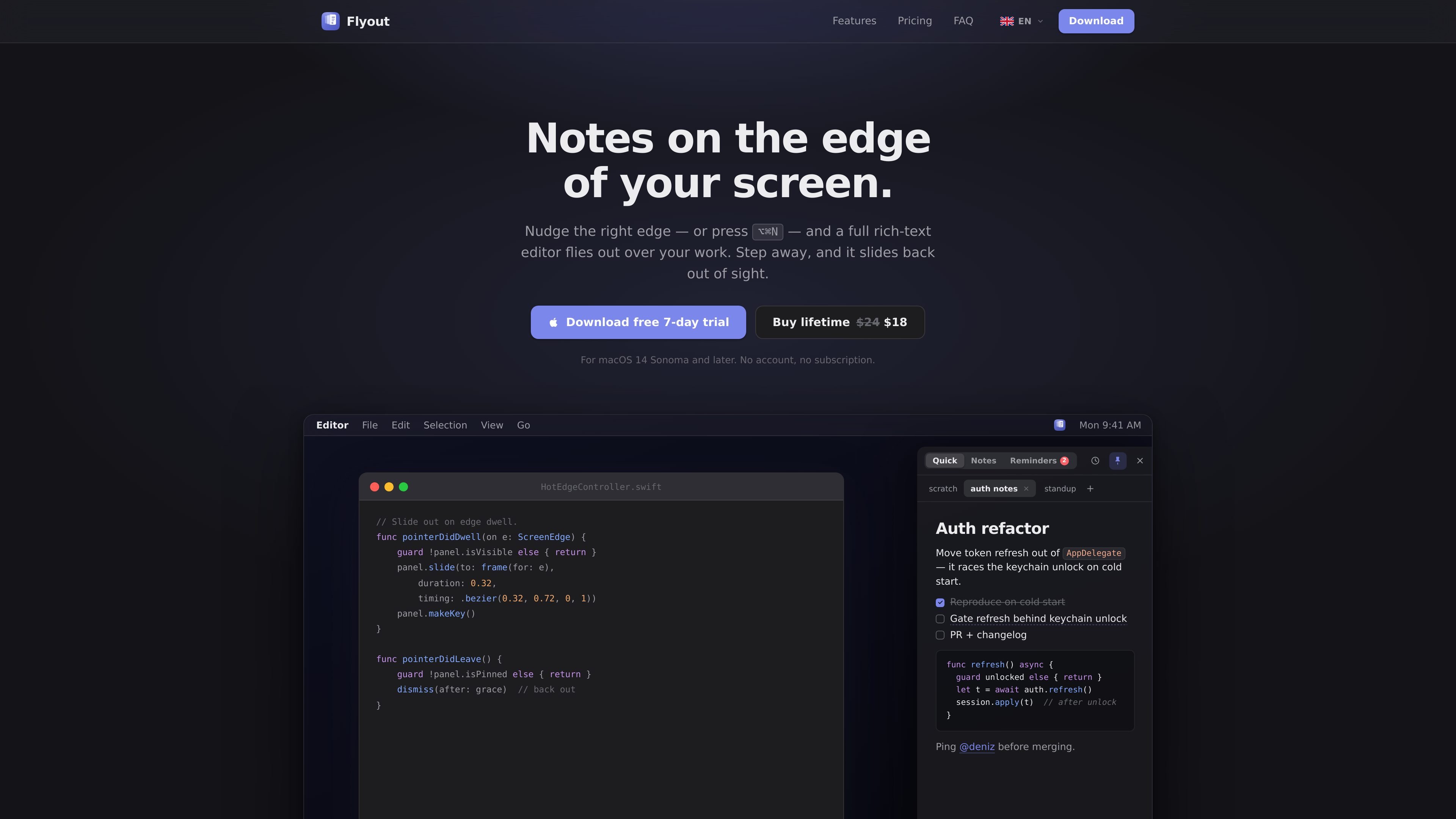
Flyout is a macOS notes app that opens as a panel from the edge of your screen. It is designed for quick capture and for notes that stay close to your work without forcing you into a separate window, Dock app, or browser-based editor.
The app combines a rich-text editor with note management features such as tabs, folders, reminders, and iCloud sync. According to the site, notes are stored as plain Markdown on your Mac, the app works offline, and it is available for macOS 14 Sonoma and later.
Open a full rich-text editor from the screen edge or with the default ⌥⌘N shortcut. The panel stays over your work, then slides away when you step back.
Write notes with headings, checklists, syntax-highlighted code blocks, inline images, color, highlight, and slash commands. The editor is designed to handle more than plain text.
Create reminders on an entire note or on a selected line. Reminders can be overdue, today, upcoming, or completed, and you can snooze from the notification.
Organize notes into folders and tabs. Folders fold open in the note list, and notes can be dragged in or out without opening a separate window.
Keep notes in sync across Macs through iCloud. Sync uses your own iCloud account and works offline, with notes stored locally as Markdown.
Use the app as a native menu-bar tool built with AppKit and SwiftUI. It is notarized by Apple and uses a translucent surface that follows macOS appearance.
Keep a note visible while you work on something else, then pin it when you need to copy details back and forth without losing context.
Capture short-lived thoughts, call notes, and quick reminders from anywhere on the Mac without switching apps or hunting for an existing window.
Maintain checklists, code snippets, screenshots, and reminders in one place when a simple text pad is not enough.
Organize ongoing notes into folders and tabs for topics such as projects, personal notes, or recurring meetings, while keeping the list uncluttered.
Keep notes synchronized across more than one Mac while still having access to them offline through local storage and your own iCloud account.
Flyout opens from the right edge of the screen or with the default shortcut, ⌥⌘N. The panel appears over your current work and slides back when you step away.
Yes. Flyout stores notes as plain Markdown on your Mac, and the source says you can copy them into other tools or scripts without being locked into a proprietary format.
Yes. The source says Flyout uses iCloud sync through your own iCloud account, with nothing passing through Flyout's servers, and it continues to work offline.
Flyout is for macOS 14 Sonoma and later, on both Apple Silicon and Intel Macs.
No. Flyout is sold as a lifetime license, and the source says updates are included for one year, with optional renewal after that.

Goldfish is an AI memory app for macOS that helps you reply, write, summarize, and continue using the context already on your Mac. It stores memory locally and writes in your tone.

Dcyde is a decision log for product teams that captures what was decided, the reasoning behind it, and the source in one shared place. It supports pinning decisions from Slack, Figma, or inside Dcyde and keeps the record searchable over time.

recall is an AI flashcard app that turns reading and notes into study cards through Claude, ChatGPT, or another MCP client. It uses one-time lifetime access pricing and spaced repetition review.

Lasso is an ecommerce product data platform for enriching catalog records, processing supplier files, generating product content, and monitoring competitors. It combines a web app with a REST API, SDK, and MCP server for teams and developers.

Biji ist eine vielseitige Plattform, die entwickelt wurde, um die Produktivität durch innovative Werkzeuge und Funktionen zu steigern.

Struere is an AI-native platform for turning spreadsheet data into structured operational software with dashboards, alerts, and automations. It is aimed at teams that want to replace manual spreadsheet workflows without building custom tools from scratch.