
Automatic foreground tracking
The desktop app logs foreground activity so you can see what apps and supported browser domains were active during the day without starting and stopping a timer manually.

FocusStack is a focus and time tracking product for solo knowledge work. It combines automatic desktop logging with web-based dashboards, timelines, calendars, and reports, and includes one-click stacks and focus sessions for distraction-free work.
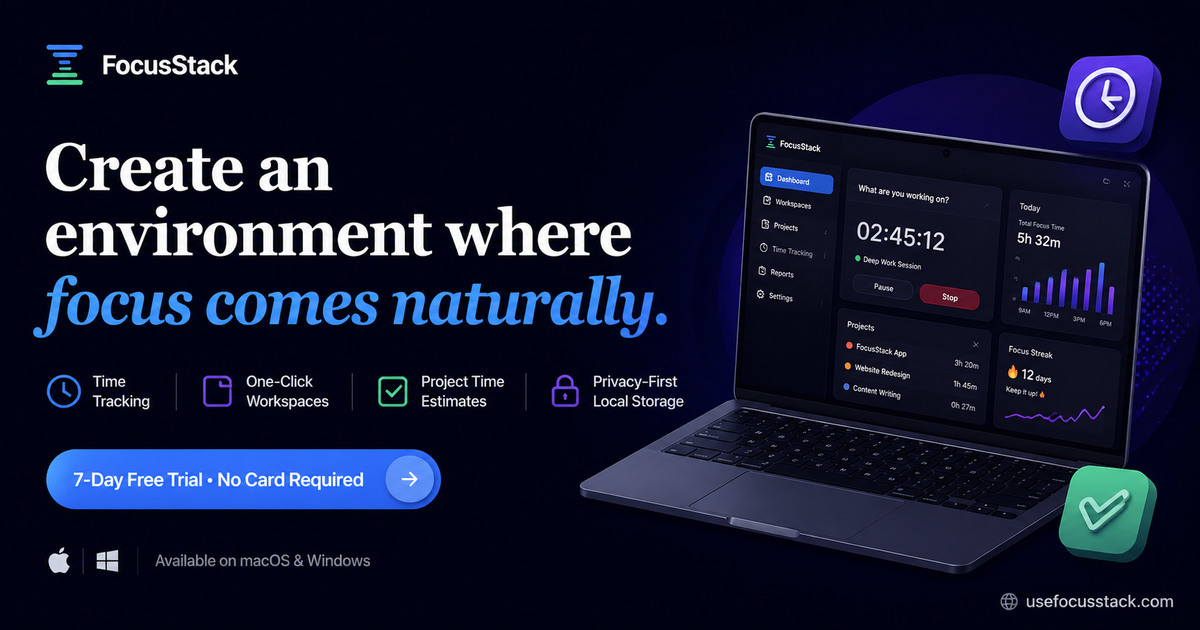
FocusStack is a focus and time tracking product for solo knowledge work. It combines automatic foreground tracking in a desktop app with browser-based dashboards, timelines, calendars, and reports so you can see how your workday is actually spent.
The product is built for people who want clarity without relying on a manual timer. It also includes one-click stacks for launching app and website sets, focus sessions for distraction-free work, project time estimates, and productivity insights, with desktop apps for macOS and Windows and a browser app for review.
The desktop app logs foreground activity so you can see what apps and supported browser domains were active during the day without starting and stopping a timer manually.
The web app turns tracked activity into dashboards, timelines, calendars, and reports so you can review patterns instead of raw logs.
Stacks let you launch one-click app and website sets, which is useful for starting a work session with the tools you need already grouped together.
Focus sessions are available for working without distraction, giving the product a separate mode for focused blocks rather than only passive tracking.
Project time estimates and productivity insights are included in the product description, giving you planning and reflection tools alongside tracking.
The product emphasizes privacy-first local storage in its positioning, while the about page says data stays tied to your account and the app avoids screen recording and keystroke logging.
Track the apps and sites you actually use during the day, then review the resulting timeline or report to understand where your time went.
Open a saved stack before starting work so your common apps and websites launch together in one step.
Use focus sessions when you want to work without distraction and keep your attention on a single task block.
Review calendar, dashboard, and report views to spot patterns, compare days, and identify where distractions or time drift show up.
Use the waitlist if you are evaluating the product for an organization, since team management is listed as coming soon.
FocusStack uses automatic foreground tracking on the desktop app. It logs the apps and supported browser domains that are active while you work, then the web app turns that data into timelines, dashboards, calendars, and reports.
The source describes FocusStack as a focus and time tracker for solo knowledge work. It is built for people who want clarity, distraction awareness, and a way to understand where their day goes without using a manual timer all day.
The download page lists desktop apps for macOS Apple Silicon, macOS Intel, and Windows 64-bit. It also notes that the web app works in the browser for reviewing data.
The about page says FocusStack does not use screen recording or keystroke logging. It also says the data stays tied to your account and points to the Privacy Policy for more detail.
The pricing page says teams are coming soon and offers a waitlist for organizations. Current purchase flow is centered on the lifetime plan for individual use.

Biji ist eine vielseitige Plattform, die entwickelt wurde, um die Produktivität durch innovative Werkzeuge und Funktionen zu steigern.

PromptScout tracks how ChatGPT, Gemini, Google AI Overviews, and Perplexity mention your brand or competitors, then pairs those results with source analysis and website audits. It helps teams decide what to fix in content, positioning, or site readiness next.

Goldfish is an AI memory app for macOS that helps you reply, write, summarize, and continue using the context already on your Mac. It stores memory locally and writes in your tone.

SaveMRR is a Stripe retention tool for SaaS teams that scans billing data for churn and MRR leaks, then automates recovery through dunning, cancel-save offers, win-back emails, and onboarding nudges. It is built for founders and bootstrapped teams using Stripe.

Hype is a web tool for finding trending YouTube topics by category, time range, and scoring mode. It helps creators spot emerging ideas, inspect source videos, and decide what to cover next.

Sleek Analytics is a privacy-friendly web analytics tool with real-time visitor tracking, Core Web Vitals, and revenue attribution. It helps site owners understand traffic and conversions without cookie banners or a heavy setup.