
Two-line SDK instrumentation
Wrap the model once and instrument every `generateText` and `streamText` call in two lines. The product is positioned as a lightweight observability layer for AI agent runs.

Foglamp is an observability layer for AI agents built on the Vercel AI SDK. It helps teams track cost, latency, traces, eval scores, and alerts for production `generateText` and `streamText` calls.
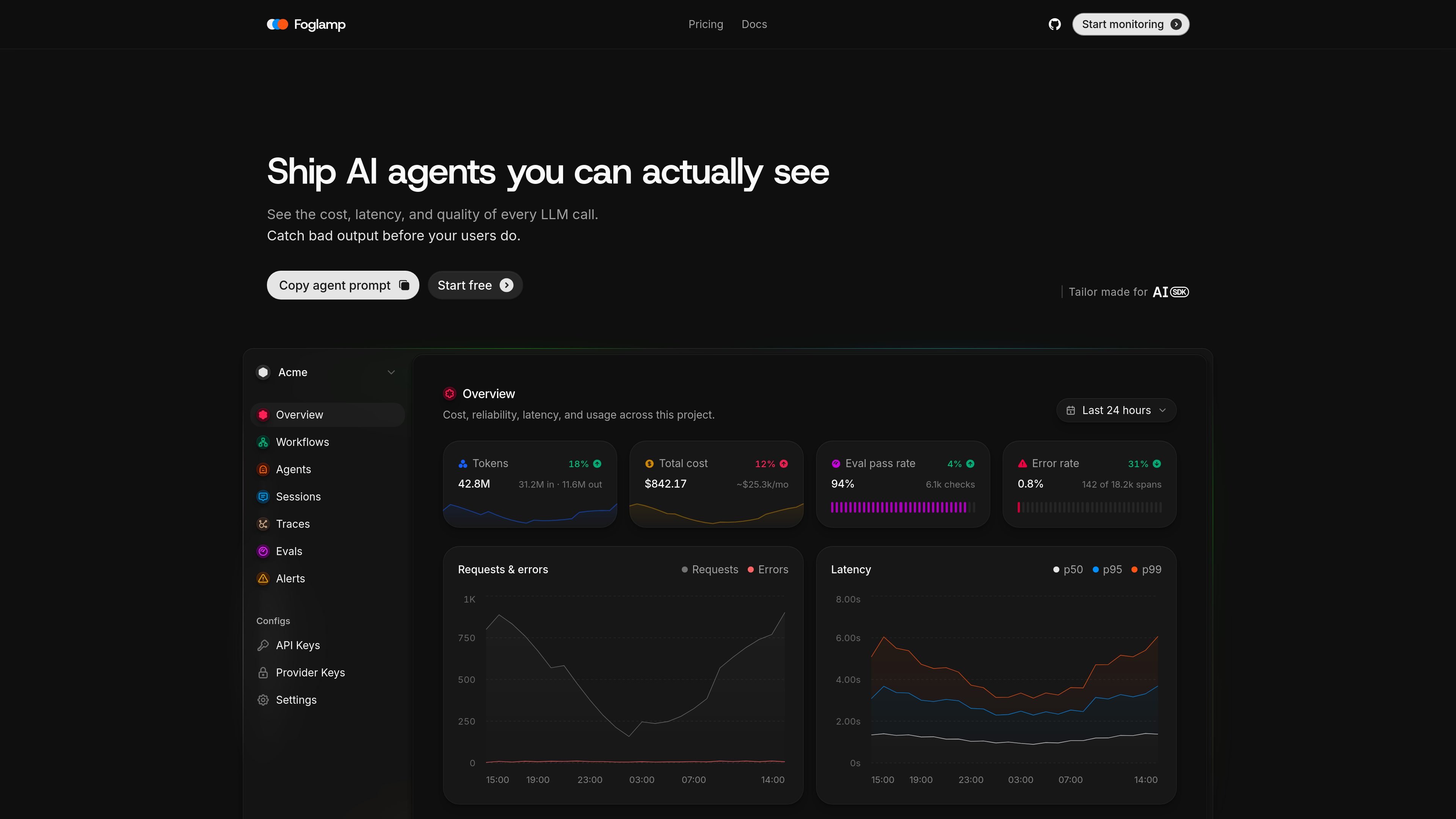
Foglamp is an observability layer for AI agents on the Vercel AI SDK. It is designed to show the cost, latency, token usage, traces, eval scores, and alerts for each `generateText` and `streamText` call.
The product focuses on production agent workflows: instrument once, then inspect runs, score sampled traffic, and set alert rules when cost, error rate, latency, or quality drift. The source positions it as a way to understand what AI agents are doing in real time and to catch bad output before users do.
Wrap the model once and instrument every `generateText` and `streamText` call in two lines. The product is positioned as a lightweight observability layer for AI agent runs.
Track per-agent spans, latency, and spend across the full call flow, including orchestrator and downstream agents. This helps teams see where time and cost accumulate in a workflow.
Measure production quality with code checks and LLM judges on live traffic. Evals run on a 0–1 scale with pass thresholds, and the source notes checks such as valid JSON, no PII, tone, and groundedness.
Set threshold rules on cost, latency, error rate, and eval scores. Foglamp checks these rules every minute and can scope them to an agent, model, or project.
Attribute cost by model, agent, workflow, and individual customer using live provider pricing. The product says it uses real token usage and supports breakdowns that match billed usage more closely.
Jump from an alert or failed score directly to the traces behind it. The source also highlights waterfall-style traces with the exact prompt and response per span.
Track latency, cost, and trace data for each production agent run so teams can see what changed after a deploy and identify the exact model or step involved.
Monitor spend by model, agent, workflow, or customer and set daily or threshold-based limits to catch regressions before they show up on a bill.
Score live traffic with code checks and LLM judges to measure pass rate, then trend quality over time for specific agents or workflows.
Receive email or Slack alerts when cost, latency, error rate, or eval scores cross a threshold, then inspect linked traces to investigate the spike.
Review waterfall traces with exact prompts and responses per span to understand how an orchestrated agent chain produced an outcome.
Foglamp is built around the Vercel AI SDK and instruments `generateText` and `streamText` calls. The source does not describe other supported SDKs or frameworks.
The pricing page shows a Free plan, a Pro plan, and an Enterprise plan. Free includes 10,000 spans per month and 3 days of retention; Pro is $49 per month; Enterprise is custom pricing.
Yes. The source says alerts can be scoped to an agent, model, or the whole project, and delivered to email and Slack.
Foglamp scores sampled production traces on a 0–1 scale using code checks and LLM judges, and the source says you can sample a fixed rate or score everything.
The source emphasizes real-time cost attribution, distributed traces, alerts, and evals for production agent runs, but it does not describe support for unrelated observability stacks or non-Vercel SDKs.

ByteAsk is a terminal-first AI coding agent for C and C++ that edits repositories and verifies changes with the real compiler, debugger, sanitizers, and tests before showing a diff. It offers a free tier plus paid plans, with editor connectors and zero-retention handling described in the source.

CreateOS Sandbox is an isolated compute environment for running code and agent workloads inside Firecracker micro-VMs. It is designed for workflows that need machine-level isolation, private networking between sandboxes, and programmatic control through SDK, CLI, or MCP.

hob is an independent workspace for coding agents that keeps agent sessions, terminals, history, and follow-up work organized around the tools and providers you already use. It is aimed at developers who want local control over routing, history, and workspace structure rather than a bundled model stack.

Manta AI is an autonomous web app testing tool for teams that want to map application behavior, catch regressions, and generate tests without writing scripts or maintaining selectors. It works from a URL and supports plain-English test flows, run results with screenshots, and scheduled or deployment-triggered checks.

SonOf connects to your repo and PM tool, audits the codebase and surrounding product context, and turns approved work into shipped tickets with senior engineering review. It is aimed at founders and engineering leaders who need backlog help without hiring a full team immediately.

Ghost ist ein terminalbasierter KI-Assistent für Chats, Code-Generierung und Aufgaben direkt in der Kommandozeile. Mit kostenlosen Modellen, Linux, macOS und Windows. Open Source.