
Date selection plus signing in one flow
Send one booking link and let the client pick dates before anything is confirmed. The home page shows the booking step, then contract review and signing in the same flow.

Hardbook is a web tool for day-rate freelancers to send one link for date selection, contract signing, and optional deposit collection before a booking is confirmed. It supports browser-based client access, Google Calendar sync, and paid tiers with branding controls.
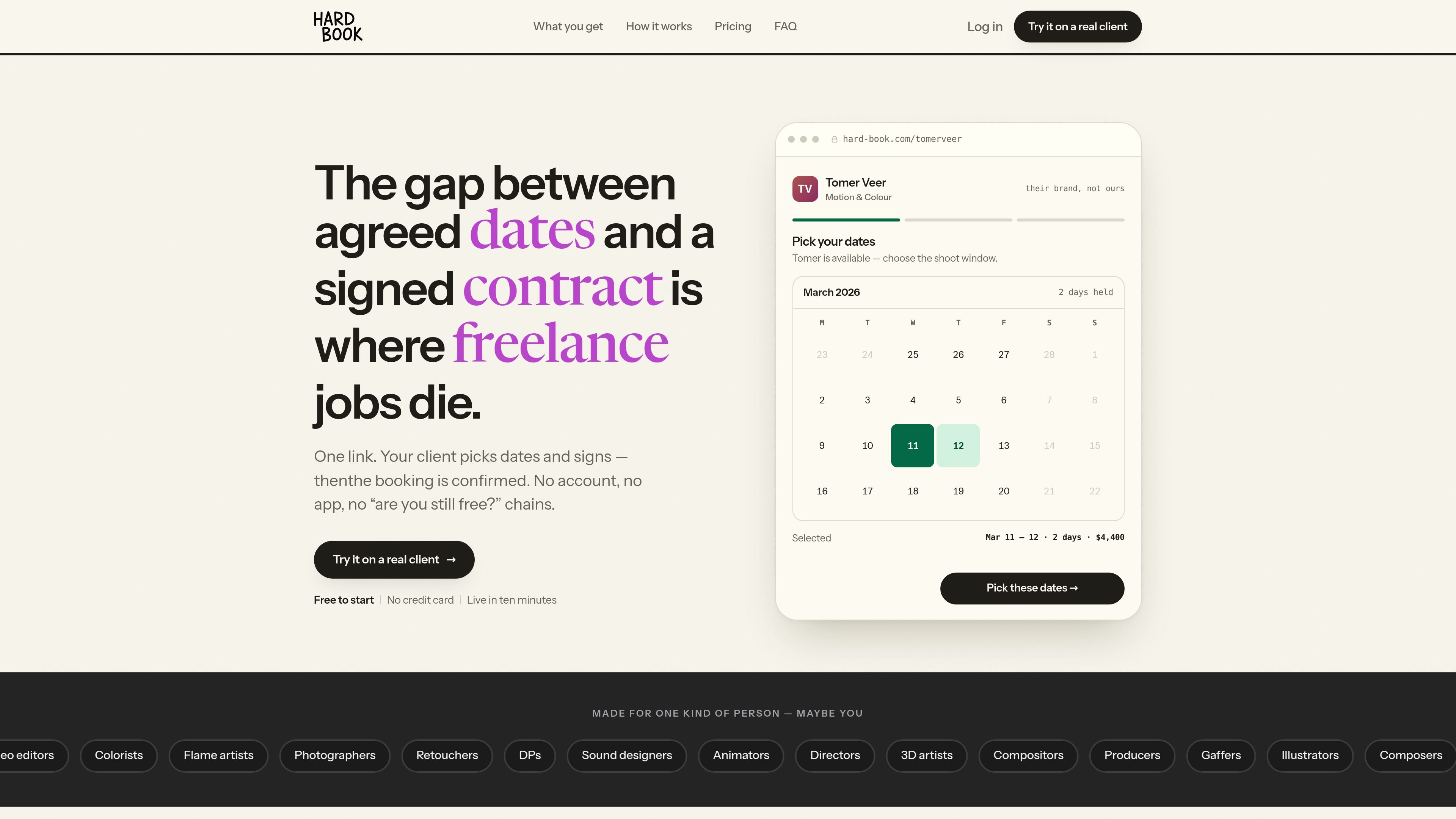
Hardbook is a booking and contract-signing tool for day-rate freelancers who need a client to pick dates and sign before the job is confirmed. It combines scheduling, contract capture, and optional deposit collection into one shared link.
The site positions it as a way to close the gap between an agreed shoot or session and a signed agreement. Instead of moving between separate scheduling and e-signature tools, the freelancer sends one portal that the client can open in a browser with no app or account.
Send one booking link and let the client pick dates before anything is confirmed. The home page shows the booking step, then contract review and signing in the same flow.
Hardbook supports contract templates, including MSA and SOW workflows, so the agreement can be generated from the booking details instead of typed from scratch each time.
The product can collect an optional deposit at signing through the freelancer’s own Stripe account, so the booking is tied to payment as well as signature.
It connects to Google Calendar and places the booked dates on the calendar after signing, reducing the chance that held dates and signed work drift apart.
Plans on the pricing page include branding controls such as a portal link, image or video background, a custom domain on Studio, and removal of Hardbook branding on higher tiers.
Higher plans add email reminders, auto-approval, performance reporting, income forecasting, and AI contract drafts, with plan-specific limits listed on the pricing page.
Use Hardbook when a client has agreed in principle and you want one link to handle availability, signature, and confirmation without back-and-forth messages.
For repeat clients, use the template system to send the appropriate contract type without recreating the agreement every time.
If your booking should require money down, collect an optional deposit at the moment of signing through your own Stripe account.
Freelancers who manage dates in Google Calendar can keep the confirmed booking aligned with their calendar instead of tracking holds in a separate place.
Studios or freelancers who want a branded client experience can use higher-tier branding controls such as custom domains and removal of Hardbook branding.
No. The site says clients open a link in the browser, with no app, no account, and no charge to them.
Hardbook supports an MSA for new clients and an SOW for repeat ones. The site says you write the templates once, and Hardbook picks the right one for each booking automatically.
If the client does not sign, the booking is not confirmed and the date stays open.
Yes. The pricing page says you can cancel monthly or yearly, and your signed contracts and booking history stay yours to export when you leave.
The pricing page says Free is a free plan forever, with one active portal, and Pro and Studio are paid plans for higher-volume use and branding controls.

ClawEase is an AI business operator that captures requests across calls, email, SMS, WhatsApp, LINE, and web forms, then completes booking and service workflows in existing web systems. It is aimed at appointment-based businesses that need intake, follow-up, and execution without API changes.

Liam is an AI copilot for managing inboxes, writing replies, prioritizing email, and scheduling meetings. It is offered free for individuals, with custom pricing for teams and enterprise.

Gemma AI is a phone call reminder app that calls you with scheduled reminders instead of push notifications. It helps people who want a more direct way to stay on schedule, with Google Calendar sync and conversational call interactions.

ClawTick is an AI agent automation platform for scheduling jobs from the CLI, dashboard, or REST API. It is aimed at developers and teams running LangChain, CrewAI, webhook, or custom agent workflows that need monitoring, alerts, and logs.

Jotform Sign is electronic-signature software for converting PDFs or preparing documents, sending them to stakeholders, collecting signatures on any device, and tracking progress. It is designed for digital document workflows and is available through ChatGPT and Claude.

VForms lets you place questionnaires directly inside YouTube videos so viewers answer in context instead of switching to a separate form. It is aimed at collecting feedback and insights through timestamped, embeddable video forms.