
Multi-machine command center
Bring agents running on laptops, desktops, servers, and cloud machines into one interface, with machine status and latency visible from the app.

Harness is a command center for running and monitoring AI agents across laptops, desktops, servers, and cloud machines. It helps developers and technical creators dispatch tasks, manage parallel work, and follow agent activity through desktop, mobile, voice, and dedicated-display interfaces.
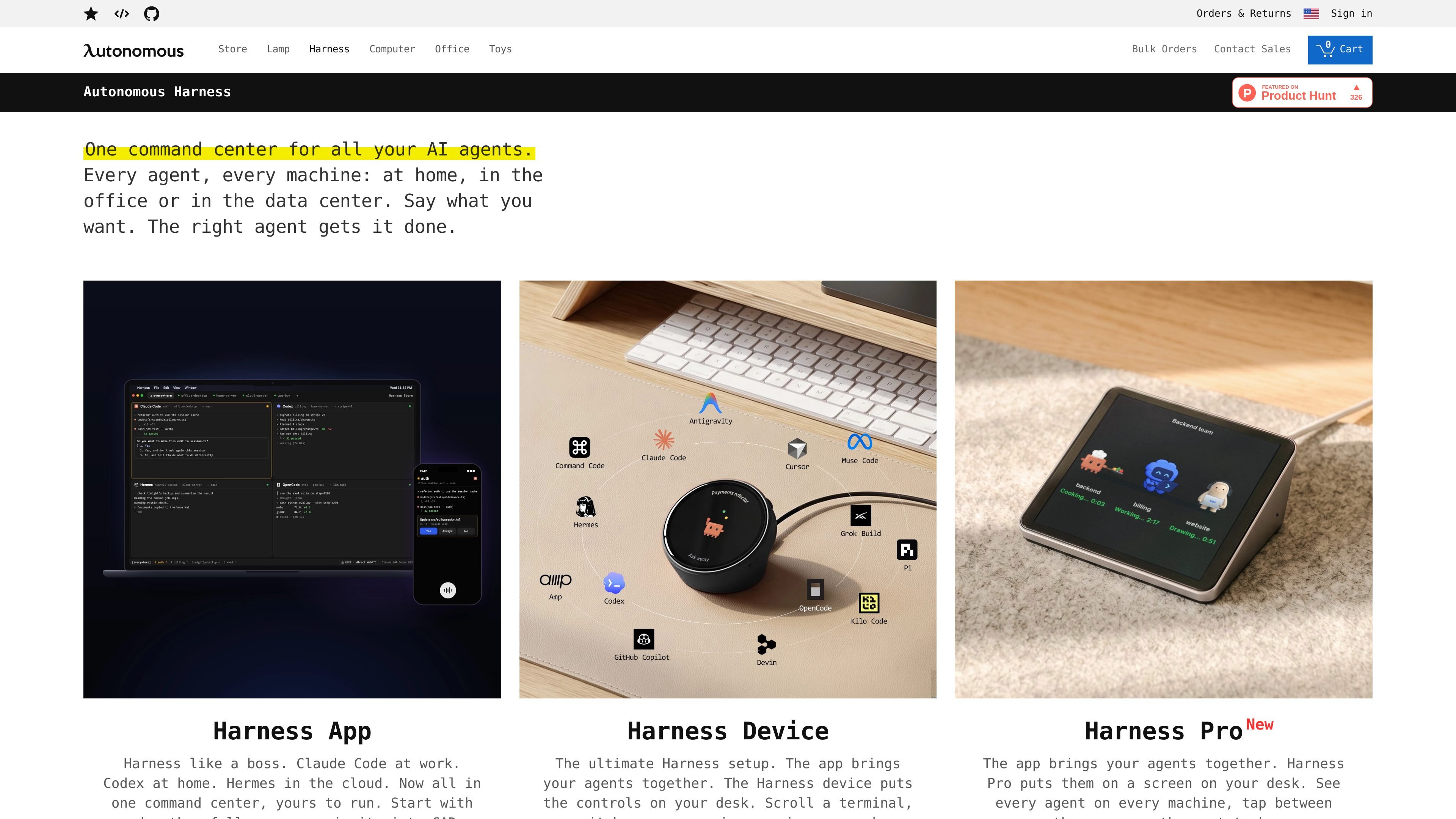
Harness is a multi-device command center for AI agents. Its app brings agents such as Claude Code, Codex, Cursor, and OpenCode together across laptops, desktops, servers, and cloud machines, so users can see activity and send work without switching between separate environments.
The wider Harness product family includes the free Harness App, Harness Device, and Harness Pro. The app focuses on managing agents and machines; the Device adds a round, always-on desk display with voice and touch controls; Pro places agent views on a desk screen. Harness also supports workflows beyond software development through live tool environments for design, circuits, robotics, games, music, chemistry, documents, and data.
Bring agents running on laptops, desktops, servers, and cloud machines into one interface, with machine status and latency visible from the app.
Run agents in separate worktrees so parallel tasks can work on their own branches without clashing.
Use keyboard shortcuts, tap controls, or voice input to send tasks, answer waiting agents, and start work without manually selecting a machine.
Follow terminal activity, task progress, completed work, and approval requests across agents from desktop, mobile, or an always-on desk display.
Connect coding agents to live tools and viewers for Blender, CircuitJS, MuJoCo, Godogen, Strudel, RDKit, Typst, and Jev Sheets workflows.
Keep repositories and agent execution on the connected machine, with encrypted connections and direct WebRTC paths described in the app materials.
Keep Claude Code, Codex, or other agents working on separate branches and worktrees while monitoring terminal output and test results in one window.
Send work to the appropriate laptop, office desktop, home server, GPU box, or cloud machine without first navigating to that computer.
Use live viewers and real tools to iterate on Blender designs, simulate robots in MuJoCo, test circuits in CircuitJS, or build playable games with Godogen.
Step away from the app or close a laptop while agents continue running, then review finished work or respond when an agent needs a decision.
Use the Device or Pro display at a desk to see which agent needs attention and provide the next instruction with a tap or voice command.
Harness App is available as a free download for Mac. The source also lists Linux as in progress and provides mobile app references for iOS and Android workflows.
Harness connects agents running across laptops, home machines, office desktops, servers, and cloud machines. The app presents those machines and agents in one command center.
The source lists Claude Code, Codex, Cursor, OpenCode, Pi, Hermes, Command Code, Devin, Muse, Amp, Kilo, Grok, Antigravity, and Copilot, with more agents joining. Exact support may vary by app or device workflow.
The Harness App lets agents continue working after the app is closed. The Device and Pro products provide at-desk status and interaction options, while the app shows running, completed, and waiting work.
Harness is designed to keep files, diffs, commits, logs, and repositories on the machine where the agent runs. The source says its relay forwards data it cannot read and that direct machine-to-machine WebRTC connections can be used.

SonOf connects to your repo and PM tool, audits the codebase and surrounding product context, and turns approved work into shipped tickets with senior engineering review. It is aimed at founders and engineering leaders who need backlog help without hiring a full team immediately.

ByteAsk is a terminal-first AI coding agent for C and C++ that edits repositories and verifies changes with the real compiler, debugger, sanitizers, and tests before showing a diff. It offers a free tier plus paid plans, with editor connectors and zero-retention handling described in the source.

Epherem is a static security scanner for web apps built with AI coding tools such as Lovable, Bolt, v0, Replit, Cursor, and Claude Code. It checks source files and dependencies for common security mistakes, then provides categorized findings and suggested fixes without running the app.

Lasso is an ecommerce product data platform for enriching catalog records, processing supplier files, generating product content, and monitoring competitors. It combines a web app with a REST API, SDK, and MCP server for teams and developers.

CreateOS Sandbox is an isolated compute environment for running code and agent workloads inside Firecracker micro-VMs. It is designed for workflows that need machine-level isolation, private networking between sandboxes, and programmatic control through SDK, CLI, or MCP.

Biji ist eine vielseitige Plattform, die entwickelt wurde, um die Produktivität durch innovative Werkzeuge und Funktionen zu steigern.