
Fast event creation
Create events from an empty time slot or with `⌘N`, then set title, time, calendar, location, description, and conference link. Events appear immediately in the app before sync confirmation.

hora Calendar is a native macOS Google Calendar client built with SwiftUI. It helps Mac users manage calendars quickly with direct Google sync, keyboard shortcuts, and native meeting-link workflows.
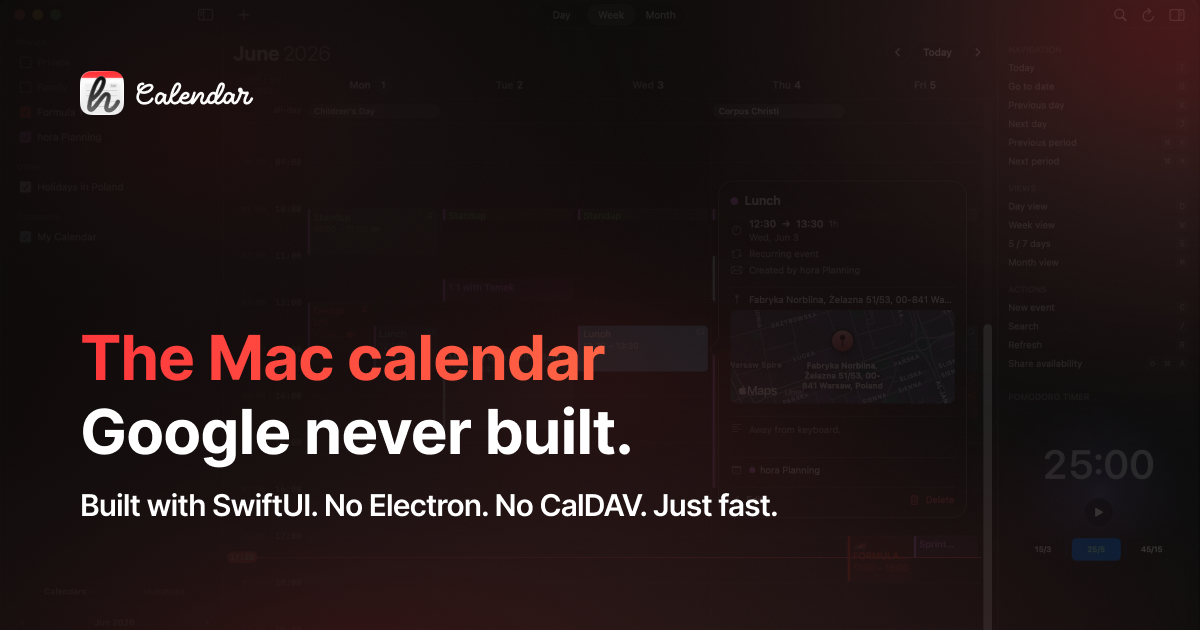
hora Calendar is a native macOS calendar client built specifically for Google Calendar. It is written in Swift and SwiftUI, connects directly to the Google Calendar API, and intentionally avoids CalDAV, Electron, and web views.
The app is designed for keyboard-driven calendar management on Mac, with day, week, and month views; direct event editing; multi-account sync; meeting links; and menu bar access for staying on top of the next event without switching apps.
Create events from an empty time slot or with `⌘N`, then set title, time, calendar, location, description, and conference link. Events appear immediately in the app before sync confirmation.
Edit, delete, drag, and resize events across day, week, and month views. Recurring events, single instances, and full series edits are supported with real-time sync back to Google Calendar.
Work across multiple Google accounts with color-coded calendars, incremental sync, and configurable sync intervals from 30 seconds to manual. The app connects directly to the Google Calendar REST API.
Create and join Google Meet links, and use native support for Zoom and Microsoft Teams meeting links. Meeting details stay visible inside the calendar workflow.
Use keyboard shortcuts, go to today, jump to any date, and share availability with Google's FreeBusy API. The app also includes a menu bar widget, a Pomodoro timer, and a built-in mini calendar for fast navigation.
Choose light, dark, or automatic appearance, use the app in nine languages, and rely on native notifications, SwiftUI, and no Electron or web views for a more Mac-like experience.
For people who live in Google Calendar on a Mac and want a desktop app instead of a browser tab, hora provides native views, shortcuts, and menu bar access in one place.
When a schedule changes often, you can drag events between time slots, resize durations, edit recurring series, and sync changes back to Google Calendar without leaving the app.
Users with both work and personal Google accounts can sign in to multiple accounts, color-code calendars, and toggle them independently while keeping the same workflow.
For teams and individuals who frequently share availability or join meetings, hora supports Google's FreeBusy API plus native Google Meet, Zoom, and Microsoft Teams link handling.
People who prefer keyboard-driven workflows can create events, jump between dates, and navigate views without relying on the mouse, while still using familiar calendar concepts.
hora is a native macOS desktop app for Google Calendar. It connects directly to the Google Calendar API, without CalDAV, web views, or Electron.
hora is currently in public beta on TestFlight. The site says an App Store launch is planned later, but the exact launch date is not stated.
Not at the moment. hora is built specifically for Google Calendar, and support for Outlook or iCloud calendars is not available in the current beta.
The current beta is free to join on TestFlight. At launch, the site says hora will be a paid app with a limited-time one-time purchase option and an annual subscription, both including Family Sharing.
It needs access to read calendars, create and update events, manage invitations, and keep the app in sync with Google Calendar.

Liam is an AI copilot for managing inboxes, writing replies, prioritizing email, and scheduling meetings. It is offered free for individuals, with custom pricing for teams and enterprise.

Gemma AI is a phone call reminder app that calls you with scheduled reminders instead of push notifications. It helps people who want a more direct way to stay on schedule, with Google Calendar sync and conversational call interactions.

ClawTick is an AI agent automation platform for scheduling jobs from the CLI, dashboard, or REST API. It is aimed at developers and teams running LangChain, CrewAI, webhook, or custom agent workflows that need monitoring, alerts, and logs.

SelectPrism is an agentic AI hiring platform for high-volume recruiting teams. It automates screening, scheduling, first-round interviews, and structured evaluation to help teams move candidates through hiring with less manual coordination.

Fountain is a frontline workforce platform for hiring, onboarding, sourcing, and scheduling at high-volume employers. It combines Frontline OS with partner integrations and AI-assisted workflows to help teams move candidates and workers through frontline operations.

SocialEcho is an all-in-one social media AI workspace for publishing, engagement, listening, analytics, and automation across major networks. It is built for creators, brand teams, agencies, and businesses that want to manage multiple accounts from one system.