
IDE and browser extensions
Extensions can be installed for VS Code, Chrome, and Firefox; the developer workflow also references Cursor and Windsurf.

Idlen is an advertising network for AI-assisted development that shows relevant developer-tool ads during AI processing in IDEs, browsers, and chat apps. Developers can earn from participating, while advertisers target technical audiences and AI publishers integrate chat ads.
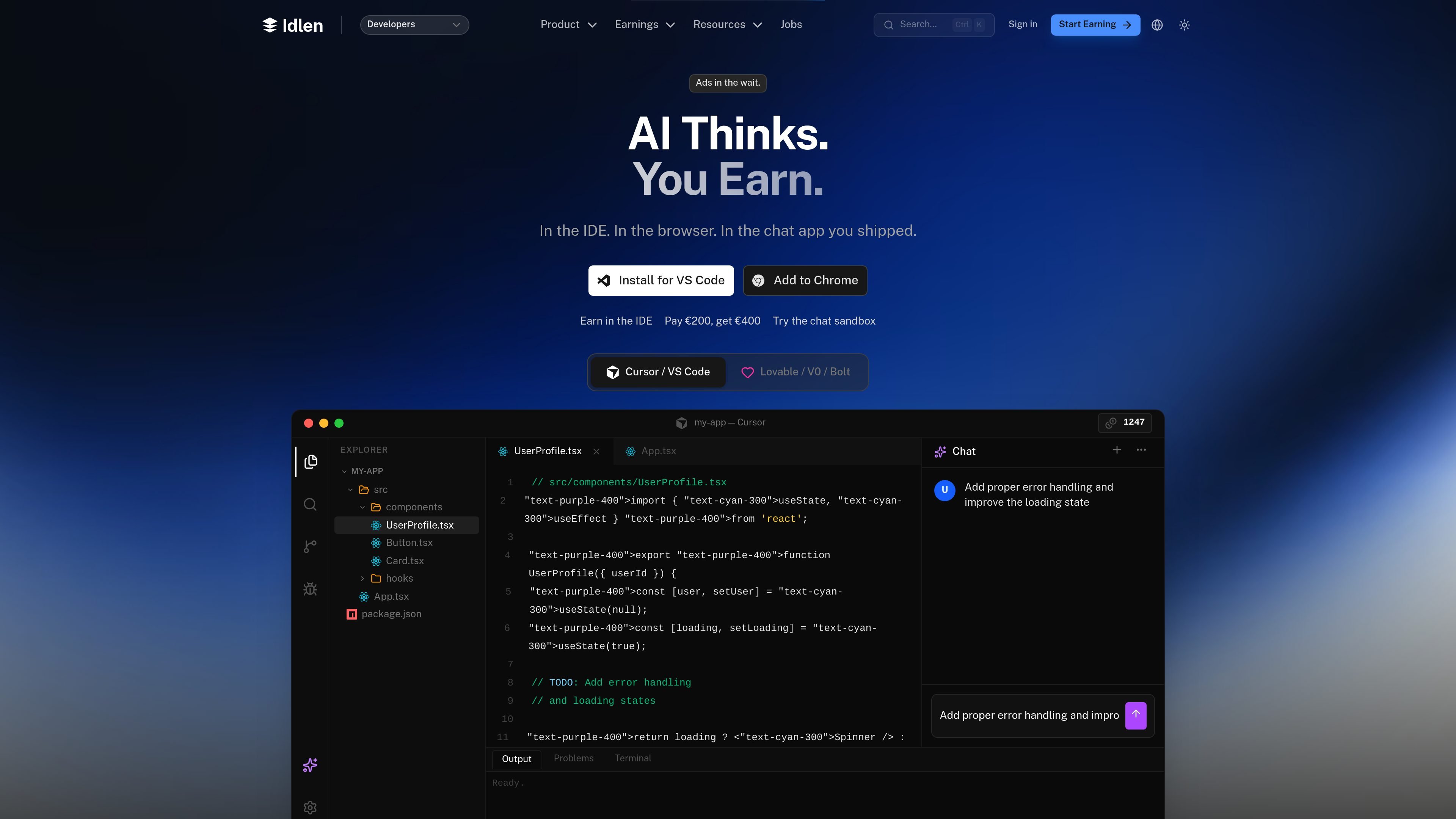
Idlen is an advertising network for AI-assisted development. It places developer-tool ads in the waiting time while AI processes requests in an IDE, browser, or AI chat application, and shares revenue with participating users. Its site also provides campaign tools for advertisers and an SDK for publishers embedding AI chat experiences.
For developers, the core workflow is to install an extension, create an account, connect a payout method, and continue using AI tools normally. Idlen says ads appear in a small sidebar during processing rather than blocking code or output. For publishers, the chat sandbox demonstrates how a message can be analyzed for topics and matched with a native ad before integrating the SDK.
Extensions can be installed for VS Code, Chrome, and Firefox; the developer workflow also references Cursor and Windsurf.
Relevant developer-tool ads are shown in a small sidebar while an AI request is processing and disappear when the response arrives.
The product says source code never leaves the machine. Package.json and dependency names are analyzed locally, with ad requests using sanitized tags such as React or TypeScript.
Developer earnings can be withdrawn through Stripe or PayPal, or converted to API credits with a stated 10% bonus; the developer page lists a €50 minimum cash-out.
Advertisers can target technologies such as React, Python, AWS, and Kubernetes, set daily caps, and monitor impressions, clicks, and conversions through live analytics.
AI app publishers can preview an ad match in the sandbox and use the @idlen/chat-sdk React hook to request ads from chat context.
Install the extension and continue coding with supported AI tools while relevant ads appear during processing time. The site presents this as a passive earning workflow with no change to the coding routine.
Use stack signals such as React, Python, AWS, or Kubernetes to reach developers in the IDE, browser, or AI chat context. Campaign controls include daily caps and the ability to stop a campaign.
Paste a developer question into the sandbox to inspect extracted topics, intent, and the ad format that would match. This provides a preview before connecting the live auction.
Add the chat SDK to an AI product so ads can be requested from message context and displayed as native chat advertising. The published React example uses useIdlenAd with fetchAd, a publisher key, raw text, and a session ID.
Idlen offers extensions for VS Code, Chrome, and Firefox. Its developer page also names Cursor and Windsurf in the installation flow, while the site lists compatibility with AI tools including Claude, ChatGPT, Copilot, V0, Bolt, Lovable, and Replit.
The developer flow is: install an extension, create an account with email or GitHub, connect a payout method, and use AI as usual. Ads appear while the AI is processing and disappear when it responds.
The site says Idlen does not read, store, or transmit source code. Package.json is analyzed locally for ad relevance, and ad requests contain sanitized technology tags rather than identifiable code patterns.
The developer page lists Stripe and PayPal payouts, with a €50 minimum cash-out. It also says earnings can be converted to API credits with a 10% bonus.
Publishers can test an ad match in the chat sandbox and integrate the React hook from @idlen/chat-sdk using a publisher API key. The sandbox is a catalog example unless a publisher key is supplied for the real auction.

Topple.lol is a public pay-to-rank leaderboard where listings start at $1 and their bid balance decays over time and with clicks. It helps makers and marketers buy short-term visibility for product sites or X profiles while tracking live board stats.

Wisry is an AI advertising studio for ecommerce brands that researches competitor ads, develops evidence-backed campaign concepts, and generates static and video creatives. It also supports editing and connected campaign workflows for Meta and Google.

Krev AI is an ecommerce platform with role-based AI employees for market research, creative production, ad planning, and social publishing. It is built for brands that want product and brand context carried through connected growth workflows.

NanoCorp is a web-based autonomous AI company platform that turns a single prompt into a running business. It includes a free tier, a paid Founder plan, and tools for building, payments, outreach, ads, and reporting.

Rekreate is an AI product photography platform for e-commerce teams that generates studio-style product creatives from uploads or marketplace URLs. It supports marketplace-ready sizing, brand-guideline reuse, and transliterated outputs in 11 languages.

AdTrigger automates Google Ads and Meta Ads campaigns based on weather, live sports, performance metrics, or custom webhooks. It is aimed at marketers and agencies that want rule-based campaign changes without constant manual monitoring.