
Live bilingual suggestions
While you type in Chinese, Keysake shows corresponding English expressions alongside your input in real time, so you can discover alternatives without pausing to search.

Keysake is a Mac input method for Chinese speakers learning English. It shows English expressions while users type in Chinese, then lets them save words, phrases, and sentences for grammar-focused review.
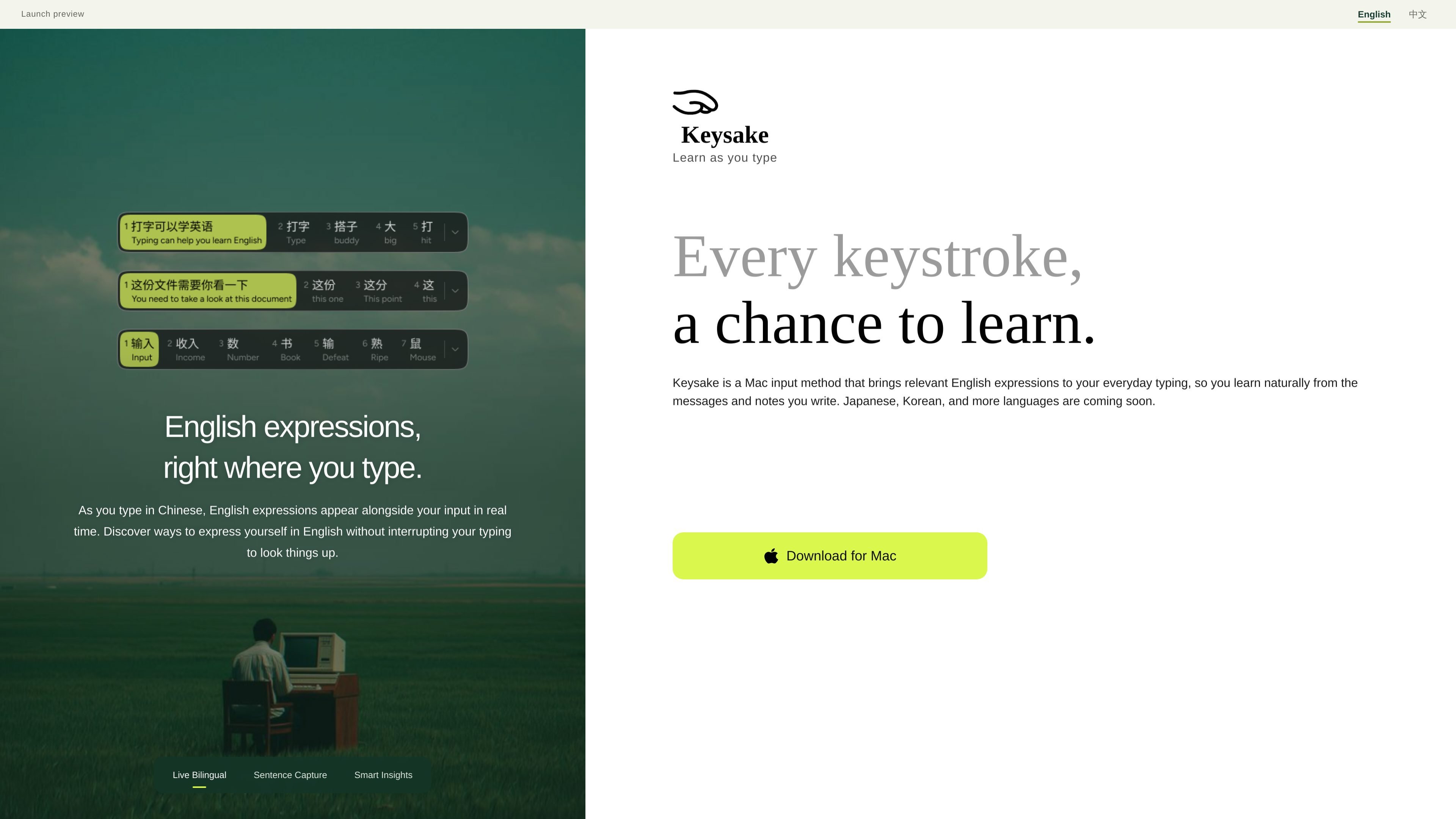
Keysake is a Mac input method for Chinese speakers learning English. It adds relevant English expressions alongside Chinese text as you type, helping you explore how to express a message, note, or thought without leaving the writing flow to look up translations.
The product also turns everyday writing into a review collection. Users can save individual words and phrases from the interface or double-tap the space bar to save a complete sentence, then revisit saved sentences with explanations of sentence structure and grammar. Keysake currently focuses on Chinese input and English learning; broader language support is planned but not yet available.
While you type in Chinese, Keysake shows corresponding English expressions alongside your input in real time, so you can discover alternatives without pausing to search.
Hover over an individual word or phrase, right-click, and choose Save to add it to your collection.
Double-tap the space bar after typing to have Keysake recognize and save the complete sentence for later learning.
Review saved sentences with automatic explanations of sentence structure and grammar, including roles such as subject, predicate, and object.
Apple’s on-device translation technology generates English translations locally on the Mac instead of sending input to the cloud for translation.
Type a Chinese message as usual and use the accompanying English expressions to find a natural way to communicate the same thought without opening a separate translation tool.
Write an email draft or note in Chinese, capture useful wording as you go, and build a collection tied to the situations in which the expressions matter.
Save a full sentence after finishing a thought, then return later to study its grammatical structure and the meaning of phrases such as “need to” or “take a look at.”
Use local translation processing when working with text that users prefer not to send to a cloud translation service, subject to Apple’s on-device translation availability.
Keysake currently runs on Mac with a Chinese-language interface. Type in Chinese to see corresponding English expressions, then collect words, phrases, and sentences for later review.
Hover over a word or phrase, right-click, and choose Save. To save a complete sentence, double-tap the space bar after typing it.
Keysake uses Apple’s on-device translation technology to generate English translations locally on your Mac, without sending your input to the cloud for translation.
English input, English-to-Chinese learning, and additional languages are not available yet. The product says Japanese, Korean, and more languages are planned.

Microsoft Translator is a Bing translation web app for translating short text between English and more than 100 languages. It also supports image capture translation and basic output actions like listen and copy.

Google Translate is a free translation service from Google for text, speech, images, documents, and web pages. It helps people translate and understand content across more than 100 languages in the browser or app.

LangPanda is a browser extension for learning languages from streaming video and other supported sites. It combines instant subtitle lookup, flashcard creation, vocabulary tracking, and spaced-repetition review for 36 languages.

Asụsụ Ọma is a free guided Igbo learning app for beginners, with short lessons, native-speaker audio, memory practice, games, and speaking rehearsal. It is designed for adult and young-adult learners, diaspora learners, children, and families studying Igbo at home or abroad.

Talkpal is an AI-powered language learning web and mobile app for practicing speaking, listening, writing, and pronunciation. It offers guided courses, roleplays, and call-style conversation practice across 130+ languages.

MagicSlides is an AI presentation generator that turns text, topics, documents, URLs, and videos into slide decks. It creates presentations in Google Slides by default and supports PowerPoint export, with multilingual output and AI-assisted editing.