
Text-to-speech generation
Converts written words into speech using the app’s AI voice engine, with the listing describing the output as natural and lifelike.

Labs AI : Text to Speech is an iPhone app that turns written text into natural-sounding speech with customizable voices and multi-language support. It is aimed at creators and professionals who need quick voiceovers or dubbed audio from text.
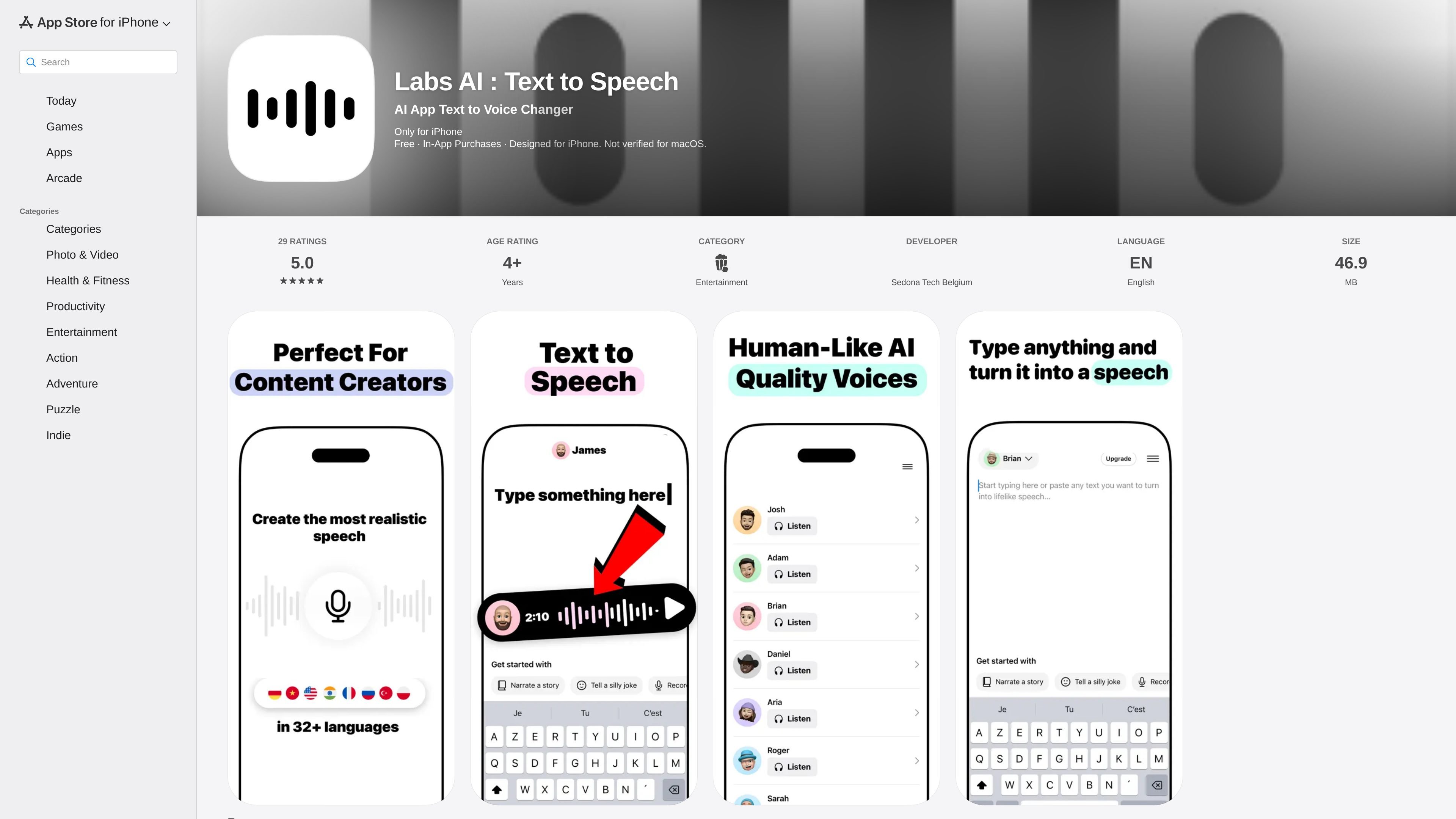
Labs AI : Text to Speech is an iPhone app from Sedona Tech Belgium that converts written text into AI-generated speech. The App Store listing describes it as an advanced text-to-speech tool that creates natural, lifelike voices and is designed for iPhone.
The product is positioned for people who need voice output for content workflows, especially content creators and professionals making voiceovers or dubbing video. The listing also highlights customizable voice options and multi-language support, which points to a voice-selection workflow rather than a simple single-voice reader.
Recent update notes add more voices, language and theme filters, an Australian English accent, brief voice descriptions, and sharing from the menu. The page also shows the app as free with in-app purchases and lists an age rating of 4+.
Converts written words into speech using the app’s AI voice engine, with the listing describing the output as natural and lifelike.
Provides customizable voice options so users can choose between different voice styles when creating audio.
Supports multiple languages, and the update notes show added voices across Russian, Turkish, Polish, Filipino, and Indonesian.
Includes filters for browsing voices, including an All Languages view and themes such as Meditation and ASMR / Whisper.
Shows a brief description under each voice to make it easier to compare options before generating audio.
Lets users share the app directly from the menu, based on the latest release notes.
Use the app to turn scripts, notes, or short passages into spoken audio when you need a quick voice track without recording your own voice.
Use the app to dub short video content with AI-generated speech that matches the language or accent you want to present.
Browse the voice catalog when you want to compare styles, themes, and languages before choosing a voice for a project.
Use the app when you need speech in more than one language, since the listing and update notes both point to multilingual support.
Use the sharing option in the menu when you want to send the app to someone else or share it from within the interface.
It is an iPhone app on the App Store. The listing says it is designed for iPhone, and the compatibility section also notes support information for Mac and Apple Vision based on Apple’s platform requirements.
The App Store listing says the app is free with in-app purchases. The pricing section shows in-app purchase options including a 1 week plan, Voice Clone, Pro, and a 1 month plan, but it does not clarify from the page alone whether each is a subscription or one-time purchase.
The description says the app turns written text into natural, lifelike speech and includes customizable voice options and multi-language support.
The listing highlights use by content creators and professionals who want to create voiceovers or dub videos. Those are the most clearly supported use cases from the page.
The release notes mention new voices, language filters, themes such as Meditation and ASMR / Whisper, and a share option from the menu. The page does not provide a full export or integration list.

Wallie is an open-source AI streamer that watches your screen, hears chat, and generates live commentary in a configurable persona. It runs locally on your machine with your own keys and is aimed at faceless content, autonomous streams, and real-time reactions.

Fylom is an AI podcast generator that turns a topic or question into a researched narrated episode. It supports typed or spoken prompts, voice selection, and recurring show-style listening.

BeFreed is a personalized audio learning app that turns books and other knowledge sources into narrated listening experiences. It helps people learn on demand through interactive audio, voice selection, and built-in learning tools.

Gemini 3.1 Flash TTS is Google’s preview text-to-speech model for generating expressive AI speech with fine-grained control over style and delivery. It is available across the Gemini API, Google AI Studio, Vertex AI, and Google Vids.

蓝藻AI是一款在线AI配音与语音合成产品,可将文字转成语音,并支持自助声音克隆。页面信息显示它面向短视频、有声书等需要配音的内容场景。

Speko is a voice AI router that benchmarks speech models by language and routes STT, LLM, and TTS through one API. It also offers a packaged infrastructure option and an enterprise contract path.