
Calendar synchronization
Connect Apple Calendar and Google Calendar in one place, then search events by title or calendar name and hide or color-code calendars for easier scanning.

Meeting Alarms: Calerto turns events from Apple Calendar and Google Calendar into dedicated alarms with configurable preparation time. It is designed for people who need more prominent reminders for meetings, classes, and other scheduled events on iPhone, iPad, or Mac.
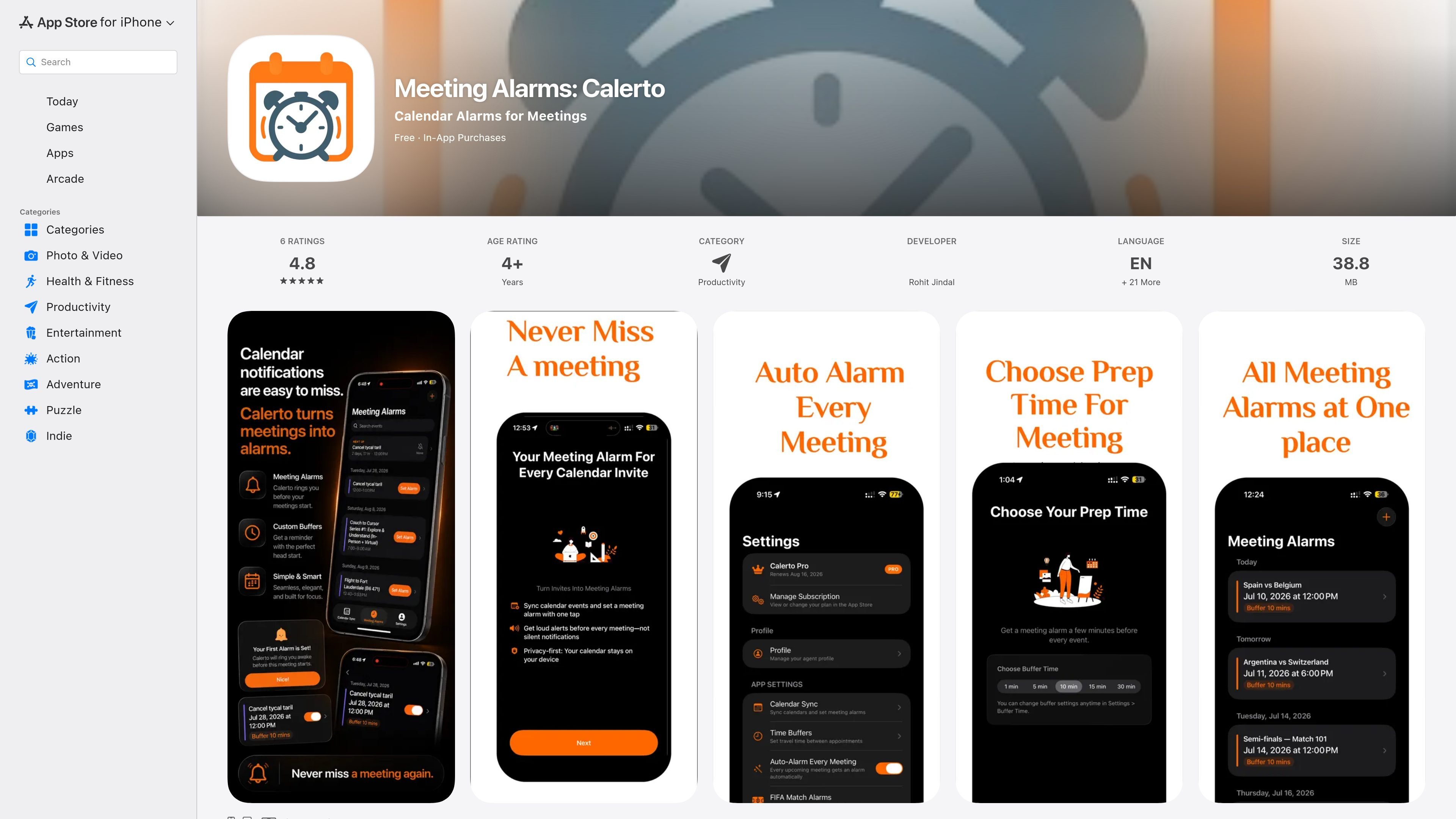
Meeting Alarms: Calerto is a calendar alarm app for iPhone, iPad, and Mac. It reads upcoming meetings from connected Apple Calendar and Google Calendar accounts and turns selected events into dedicated alarms with a configurable preparation buffer.
The app is intended for people who find ordinary calendar notifications too easy to miss. Alongside alarms, it provides a countdown for the next meeting, Lock Screen visibility through Live Activities, and access to meeting links from alarm rows. The listing states that calendar data stays on the device and is not modified, sold, or shared.
Connect Apple Calendar and Google Calendar in one place, then search events by title or calendar name and hide or color-code calendars for easier scanning.
Arm an alarm for an individual calendar event with one tap or swipe, without an extra confirmation step.
Choose a preparation buffer from common presets, or use the custom-time option described in the version history to set a more specific lead time.
Uses iOS AlarmKit for alerts designed to sound through Do Not Disturb and silent mode. Live Activities keep the next meeting visible on the Lock Screen.
An optional auto-alarm mode arms meetings scheduled in the next seven days. Individual alarms can be paused or removed, with pause rescheduling the alarm rather than deleting the event.
Alarm rows can surface video-conference links from calendar events, including Zoom, Google Meet, Microsoft Teams, Webex, and other supported links. Join is described as becoming available five minutes before the meeting.
Set a buffer before each call so there is time to open the invite, review notes, and use the Join control when it becomes available.
Connect multiple calendars, search by calendar or event title, and use color coding to distinguish client appointments from other commitments.
Arm alarms for classes, study groups, or campus events when a conventional calendar notification may not provide enough preparation time.
Use the seven-day auto-alarm option to prepare a week of scheduled meetings, while pausing individual alarms when plans change without deleting the underlying event.
Calerto reads upcoming events from connected Apple Calendar and Google Calendar accounts, then lets you arm an alarm for an event. The App Store listing says calendar data stays on the device and that the app does not modify, sell, or share the schedule.
When adding an alarm, you can choose a preset buffer such as 1, 5, 10, 15, 30, or 60 minutes. The version history also says custom prep times can be entered, up to one day, where that feature is available.
Alarm rows can show Join buttons for Zoom, Google Meet, Microsoft Teams, Webex, and other video-conference links found in calendar events. The Join button is described as becoming active five minutes before the meeting starts.
Yes. The app is listed for iPhone, iPad, and Mac. The listing does not provide detailed device-specific behavior or system requirements.
The App Store identifies the app as free with in-app purchases and mentions Calerto Pro. The supplied listing does not show exact prices or a complete breakdown of Pro features.

Goldfish is an AI memory app for macOS that helps you reply, write, summarize, and continue using the context already on your Mac. It stores memory locally and writes in your tone.

ArtDeck is a visual reference board app for iPhone, iPad, and Mac that lets artists collect mixed reference material on one canvas and study it with ToolBox lenses. It works offline, supports optional iCloud sync, and is sold as a one-time purchase with no account required.

Biji ist eine vielseitige Plattform, die entwickelt wurde, um die Produktivität durch innovative Werkzeuge und Funktionen zu steigern.

Malyatko is a baby tracker for logging feeding, sleep, growth, teething, and milestones in one app. It works on iPhone, Apple Watch, and widgets, with no sign-up, offline use, and family sharing through iCloud.

Liam is an AI copilot for managing inboxes, writing replies, prioritizing email, and scheduling meetings. It is offered free for individuals, with custom pricing for teams and enterprise.

Gemma AI is a phone call reminder app that calls you with scheduled reminders instead of push notifications. It helps people who want a more direct way to stay on schedule, with Google Calendar sync and conversational call interactions.