
Window-scoped desktop automation
Relay lets you describe a desktop job, choose the windows it can access, inspect the plan, and save successful work as a mission that can be verified, scheduled, and replayed.

Meterless is a local-first AI suite for desktop automation, persistent workspaces, and on-device tools. It helps people turn repeatable tasks into reusable missions and keep projects, evidence, and artifacts across sessions.
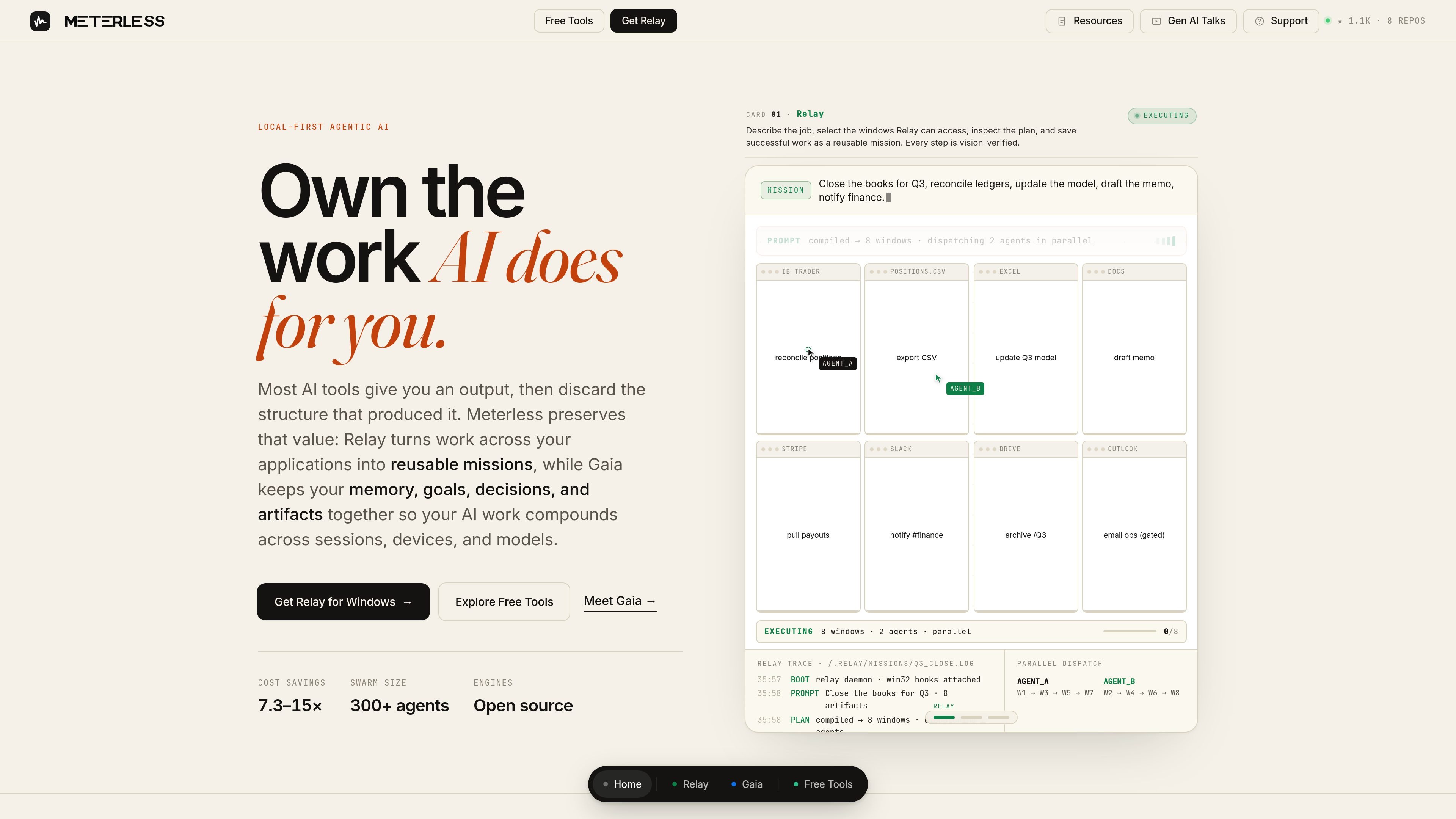
Meterless is a local-first AI product suite built around ownership of the work AI does for you. The site presents three main pieces: Relay for desktop automation, Gaia for a persistent AI workspace, and free local tools such as Swarms and document/media utilities.
Relay is positioned as a way to turn repeatable desktop work into missions that can be verified, scheduled, and replayed on Windows 10/11. Gaia extends that idea into a workspace that keeps memory, projects, research, and artifacts connected across sessions, while the free tools focus on local processing and browser-based agent workflows.
Relay lets you describe a desktop job, choose the windows it can access, inspect the plan, and save successful work as a mission that can be verified, scheduled, and replayed.
Relay is built around vision-verified steps and approval gates, so the action sequence can be checked against the rendered pixels of the selected windows before it continues.
Relay stores mission history and supports cadence-based runs, letting repeatable workflows such as reconciliation, inbox triage, or scheduled reporting run on a set rhythm.
Gaia keeps projects, memory, missions, research, and artifacts connected across sessions so work can continue from what was learned previously instead of starting over.
Gaia can break a plain-language goal into an inspectable plan, gather evidence, and return results for review, while keeping the mission and artifacts available to rerun or adapt later.
The free tools section includes Swarms, Anyfile, Anymedia, PDF Workbench, Image Batch Studio, Watermark Remover, and a coming-soon WEBtoAPK packager.
Use Relay when a desktop workflow spans several open apps and you want to keep the action limited to selected windows, then save the result as a mission for later replay or scheduling.
Use Gaia when work should survive beyond a single session, such as research, project planning, or ongoing operational notes that need memory, evidence, and artifacts carried forward.
Use Swarms when you want to turn a single objective into a parallel agent graph in the browser and then edit or rerun individual branches as the task evolves.
Use the local tools when you need file conversion, PDF editing, batch image processing, audio/video conversion, or watermark cleanup without uploading files to a remote service.
Use the mission and scheduling features when a task needs approval gates, cadence-based execution, or a human check before a final action is taken.
Relay runs on Windows 10/11 and is described as local control by default. You describe the job, choose the windows it can access, inspect the plan, and then save successful work as a reusable mission.
Gaia is a persistent, local-first AI workspace. It keeps projects, memory, missions, research, and artifacts connected across sessions and is described as exportable, auditable, and under your control.
Swarms is a free, open-source tool that turns one goal into an auto-generated agent graph and runs the work locally in the browser. The graph can be edited, rerun, and refined.
The site says Meterless offers local-first tools that process files on your device and do not upload them for processing. An internet connection may still be needed to load the application.
The pricing page returned 404 in the collected sources, so no current pricing, plan structure, or paid tiers could be confirmed from the evidence provided.

Codex Plugins bundle reusable skills, app integrations, and MCP servers into workflows you can install in the Codex app or use from Codex CLI. They help extend Codex with connected-service tasks, reusable instructions, and shared team workflows.

Goldfish is an AI memory app for macOS that helps you reply, write, summarize, and continue using the context already on your Mac. It stores memory locally and writes in your tone.

CreateOS Sandbox is an isolated compute environment for running code and agent workloads inside Firecracker micro-VMs. It is designed for workflows that need machine-level isolation, private networking between sandboxes, and programmatic control through SDK, CLI, or MCP.

ArtDeck is a visual reference board app for iPhone, iPad, and Mac that lets artists collect mixed reference material on one canvas and study it with ToolBox lenses. It works offline, supports optional iCloud sync, and is sold as a one-time purchase with no account required.

Biji ist eine vielseitige Plattform, die entwickelt wurde, um die Produktivität durch innovative Werkzeuge und Funktionen zu steigern.

Malyatko is a baby tracker for logging feeding, sleep, growth, teething, and milestones in one app. It works on iPhone, Apple Watch, and widgets, with no sign-up, offline use, and family sharing through iCloud.