
Structured project planning
Plan work in a fixed Project → Milestone → Task structure instead of building custom databases or templates. Milestones is designed so you can start planning immediately.

Milestones is a native project planning app for iPhone, iPad, and Mac. It uses milestones and tasks to help busy people, indie developers, and freelancers plan work privately through iCloud.
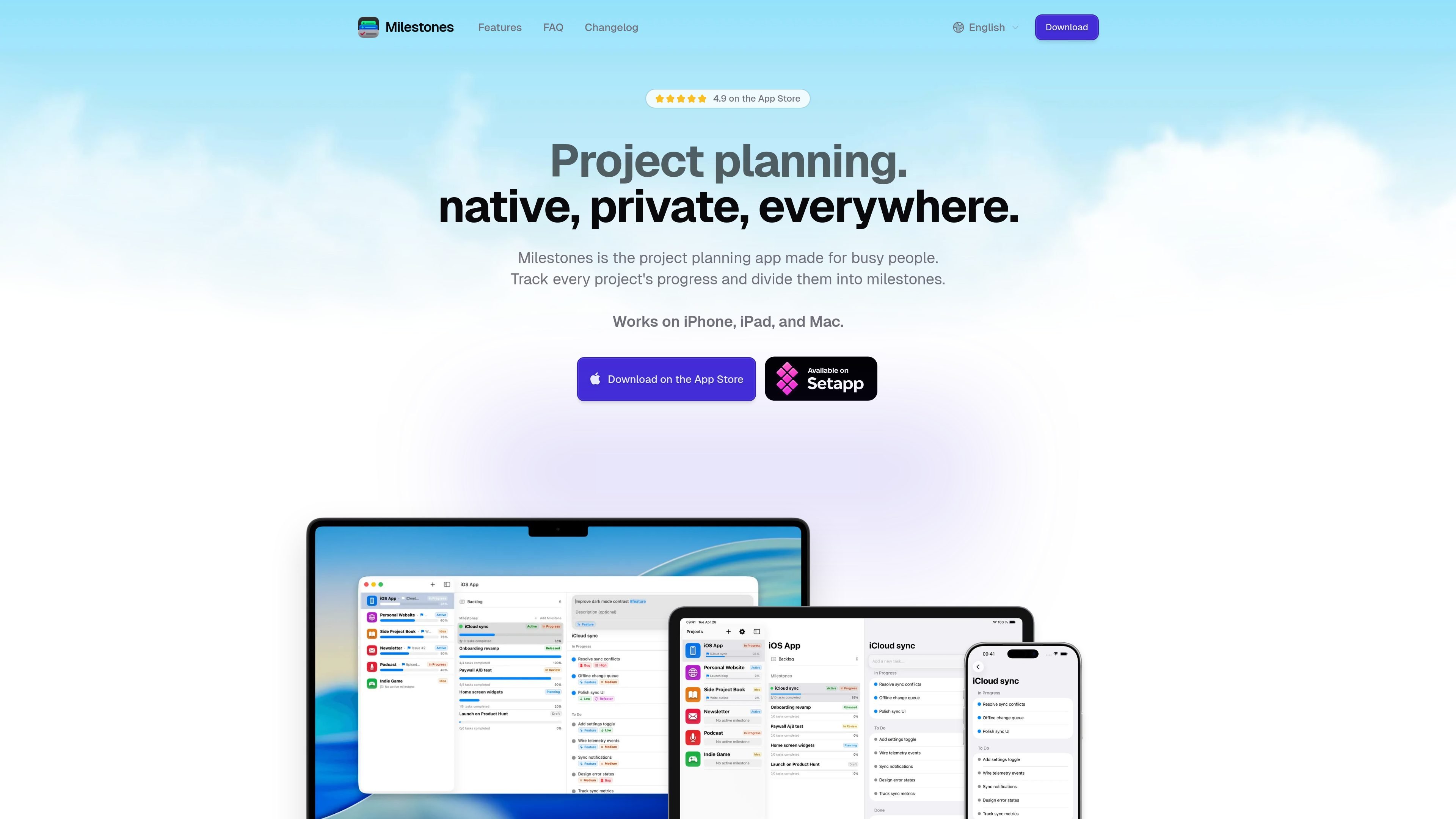
Milestones is a native project planning app for Apple devices. It uses a simple Project → Milestone → Task structure to help users track progress, break work into manageable stages, and keep the next step visible without building a custom system first.
The product is positioned for busy people, solo developers, freelancers, and other Apple users who want a private planning tool that stays in iCloud and works offline. The source emphasizes a focused workflow over documents, team collaboration, or configurable databases.
Plan work in a fixed Project → Milestone → Task structure instead of building custom databases or templates. Milestones is designed so you can start planning immediately.
Keep the current focus clear by working with one active milestone per project. The app surfaces Today and Upcoming views that merge work across projects by deadline.
Run the app natively on iPhone, iPad, and Mac with SwiftUI. The source highlights instant launch, instant typing, and a three-column iPad layout.
Store projects, milestones, and tasks in your own iCloud account. The product pages say there are no accounts, no servers, and no telemetry of your tasks.
Work without an internet connection and sync changes when you are back online. The app is described as local-first with offline editing.
Organize work with colorful tags such as bug, feature, refactor, and high priority. Tags can be used across projects to find related tasks quickly.
Map each project to a small set of milestones such as prototype, MVP, beta, and launch, then keep one milestone active so the app always shows the next stage of work.
Create one project per client, add milestones for deliverables or phases, and use tasks for the actual work so status updates can be built from what has already been checked off.
Use tags like waiting-on-client, scope-creep, or revision to surface patterns across projects and find work that needs attention without opening each project individually.
Keep planning on the devices you already use by switching between iPhone, iPad, and Mac while your projects stay synced through iCloud.
Milestones is single-user. The source describes it as private, iCloud-synced planning with no collaboration features, comments, or @mentions.
No. The comparison page says Milestones uses a fixed Project → Milestone → Task structure, while notes and rich documents are not part of the product today.
It works on iPhone, iPad, and Mac, and the source says it is native on iOS, iPadOS, and macOS.
Milestones is free to download and use for personal projects, with an optional Pro upgrade that unlocks advanced capabilities such as project archive and custom icons.
The product pages describe private iCloud sync and local-first storage, so you can work offline and let sync run when you reconnect.

Biji ist eine vielseitige Plattform, die entwickelt wurde, um die Produktivität durch innovative Werkzeuge und Funktionen zu steigern.

Goldfish is an AI memory app for macOS that helps you reply, write, summarize, and continue using the context already on your Mac. It stores memory locally and writes in your tone.

Redline is a budgeting tool for Claude Code that paces sessions to stay within time, token, cost, or plan-percentage limits. It uses Claude Code’s native hooks and statusline to help sessions finish with a usable result instead of stopping abruptly.

Claude Overlay is a Windows desktop overlay for Claude Code that reads your screen so you can ask questions, inspect content, and request edits without leaving the current app. It runs on your existing Claude subscription through the Claude CLI, so no separate API key is required.

SonOf connects to your repo and PM tool, audits the codebase and surrounding product context, and turns approved work into shipped tickets with senior engineering review. It is aimed at founders and engineering leaders who need backlog help without hiring a full team immediately.

Macuse is a macOS app that lets AI assistants control native Mac apps through MCP and use Computer Use for any app. It works with clients like Claude Desktop, Cursor, and Raycast, and keeps automation on-device.