
Multiple tool categories
Browse tools by category or search for a specific task such as PDF conversion, image compression, JSON formatting, or password generation.

MyToolsHub is a free browser-based collection of tools for PDF, image, text, developer, calculator, and generator tasks. It works without an account and is designed for quick one-off jobs in modern desktop and mobile browsers.
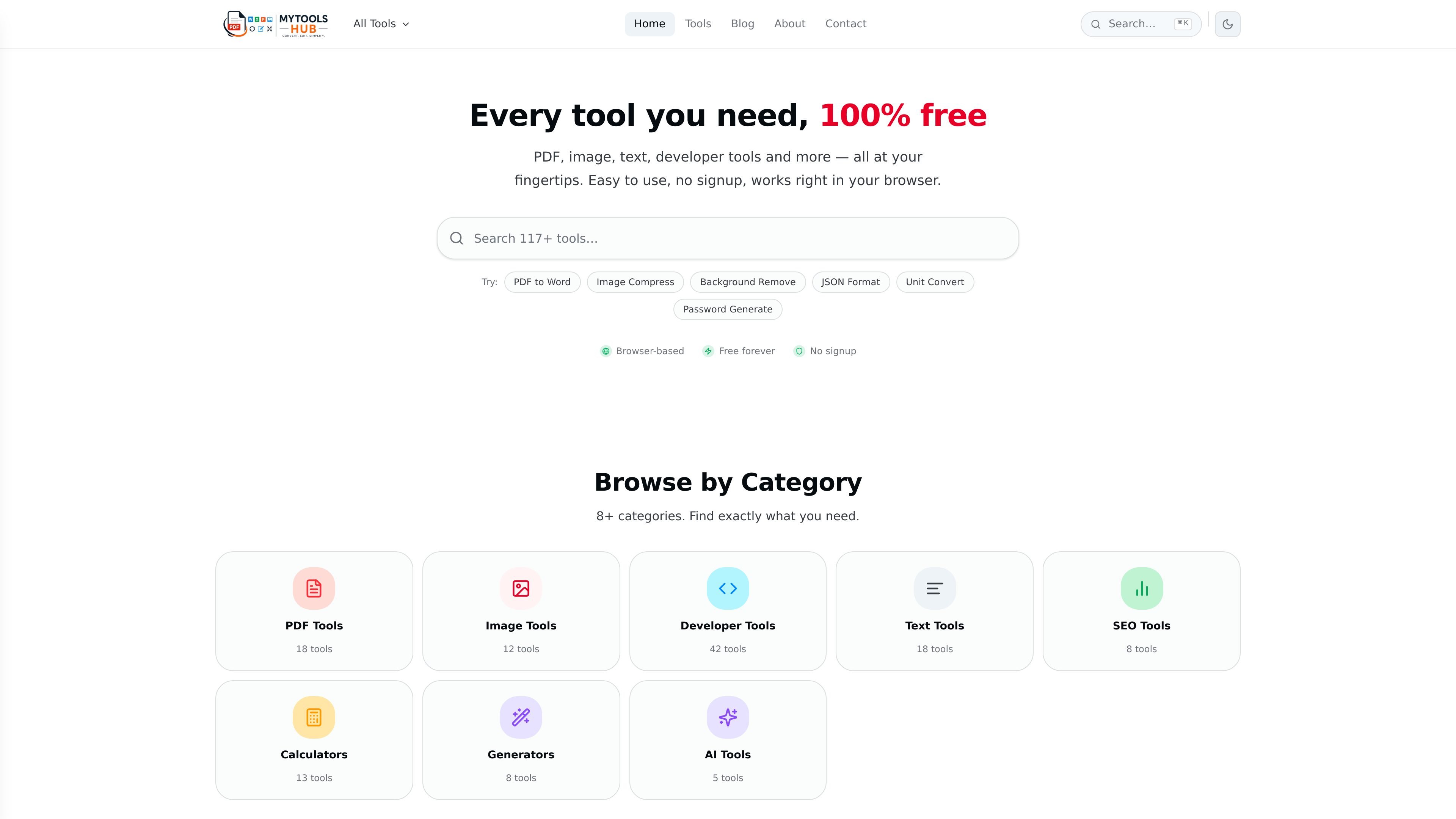
MyToolsHub is a collection of free online utilities for common PDF, image, text, developer, calculator, generator, SEO, and AI-related tasks. The site positions the tools as fast to use, available directly in the browser, and usable without creating an account.
The public pages show a mix of active and recently added tools, including PDF conversion and editing, image compression and resizing, JSON formatting, Base64 encoding, UUID generation, password generation, and text counting. The product is aimed at people who need quick, one-off digital tasks without installing software.
Browse tools by category or search for a specific task such as PDF conversion, image compression, JSON formatting, or password generation.
The tools run directly in the browser, so the site works without installation and the basic workflow is available on desktop, tablet, and mobile.
The site highlights a no-signup workflow for using active tools immediately, which reduces setup before common file and text tasks.
The platform presents tools for PDFs, images, text, developer utilities, SEO, calculators, generators, and AI tasks, with 117 active tools listed on the tools page.
Common actions include merging and splitting PDFs, compressing files, converting formats, formatting JSON, encoding Base64, and generating UUIDs or passwords.
The site states that files are processed in isolated environments or entirely in the browser and deleted immediately after use, depending on the page description.
Use the PDF tools to merge, split, compress, convert, protect, or extract pages from documents when you need a quick edit without desktop software.
Use the image tools to compress, resize, convert, crop, rotate, watermark, or adjust images for sharing and publishing workflows.
Use the developer tools for tasks such as JSON formatting, JWT decoding, Base64 conversion, regex testing, URL encoding, and hash generation.
Use the text tools to count words, change case, or handle short editing tasks on copied content without opening a local editor.
Use the generators and calculators for items such as passwords, UUIDs, QR codes, or unit-style conversion workflows that need an immediate browser result.
Yes. The site states that every tool is 100% free, with no subscriptions, credits, or hidden fees.
No. The FAQ says you can start using tools without registration or an account.
No. The FAQ states that processing runs entirely in your browser and uploaded files are never sent to a server.
MyToolsHub says it supports modern browsers including Chrome, Firefox, Safari, and Edge, and no plugins or extensions are required.
The FAQ says the browser-based workflow means file size limits depend on device memory; for most tools, files up to 50MB work without issues.

ByteAsk is a terminal-first AI coding agent for C and C++ that edits repositories and verifies changes with the real compiler, debugger, sanitizers, and tests before showing a diff. It offers a free tier plus paid plans, with editor connectors and zero-retention handling described in the source.

PromptScout tracks how ChatGPT, Gemini, Google AI Overviews, and Perplexity mention your brand or competitors, then pairs those results with source analysis and website audits. It helps teams decide what to fix in content, positioning, or site readiness next.

CreateOS Sandbox is an isolated compute environment for running code and agent workloads inside Firecracker micro-VMs. It is designed for workflows that need machine-level isolation, private networking between sandboxes, and programmatic control through SDK, CLI, or MCP.

hob is an independent workspace for coding agents that keeps agent sessions, terminals, history, and follow-up work organized around the tools and providers you already use. It is aimed at developers who want local control over routing, history, and workspace structure rather than a bundled model stack.

Ably Chat is a chat API platform for building custom realtime chat applications. It supports room-based messaging, typing indicators, presence, reactions, and message updates, with usage-based pricing options for different deployment stages.

Ein KI-gestütztes Tool, das PDF-Dokumente schnell und effizient zusammenfasst, klare Einblicke bietet und es den Benutzern ermöglicht, mit den Inhalten zu interagieren.