
Create scripts from multiple inputs
Start a narration from written text, pasted text, imported files, clipboard content, or dictation, then move it into playback without leaving the app.

Narration Room turns scripts into playable narrations on Apple devices using on-device voices. It supports writing, pasting, importing, or dictating text, with a local library and optional iCloud sync for script copies.
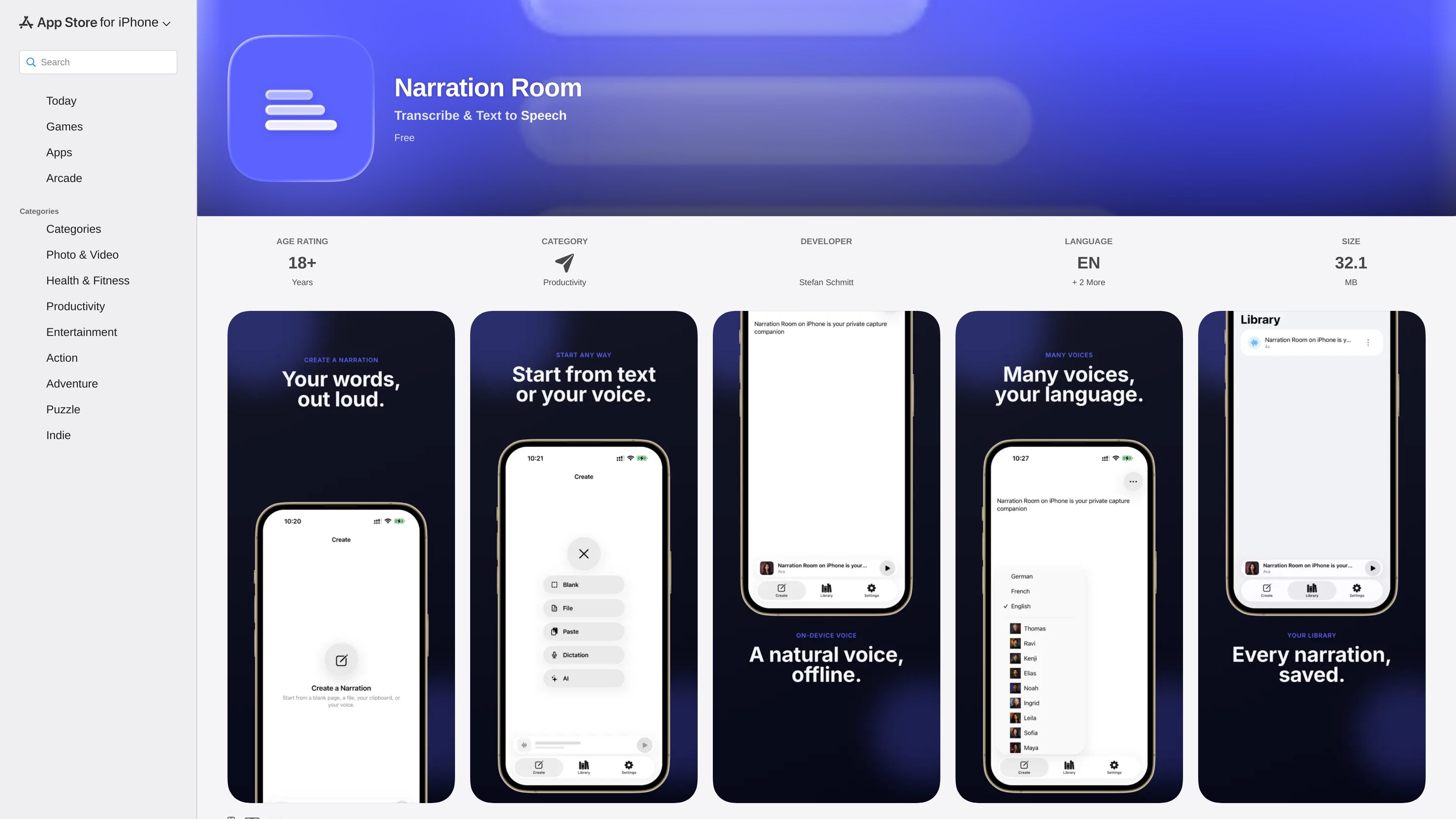
Narration Room is a Productivity app from Stefan Schmitt that turns scripts into playable narrations on Apple devices. It is described as a private pocket narration studio for short spoken pieces, with support for writing, pasting, importing, or dictating text before playback.
The app uses natural on-device voices and includes voice and language choices, a local Library for saved narrations, and optional iCloud sync for script copies. The product page also says generated audio is not uploaded, and the current release notes highlight offline playback after the first voice download, a redesigned Create flow, and a persistent player across major screens.
Start a narration from written text, pasted text, imported files, clipboard content, or dictation, then move it into playback without leaving the app.
Listen with natural on-device voices and choose among voice portraits plus language options. The release notes specifically call out English, French, and German choices.
Save narrations in a local Library so they can be replayed later, with one-tap play from library rows and explicit Edit and Delete actions.
Keep a persistent player available while moving between Create, Library, Settings, and edit screens, so playback does not disappear with navigation.
Work privately with local storage for narrations and optional iCloud sync for script copies, while generated audio stays on device according to the product text.
Use the app’s redesigned Create flow, including a source picker and inline editor, plus autosave safety net for drafts when leaving a screen or switching tabs.
Draft a short narration from a script you already have, then listen back immediately to check pacing, wording, and voice fit before sharing or saving it.
Paste or import text from another app and turn it into a playable narration without rebuilding the content manually.
Save a narration in the local Library for later replay, then return to edit the script or change the voice when you need a different version.
Use the app when you expect to be offline after setup, since the voice downloads in the background and playback works offline afterward.
Keep one player available while moving across create, library, settings, and edit screens, which is useful when you are iterating on a narration in short sessions.
Narration Room is set up to work from text you write, paste, import from files, copy from the clipboard, or dictate into the app. It then plays the script back with an on-device voice.
The app’s source text says it uses natural on-device voices and offers voice and language choices. The current release notes mention English, French, and German voice selection.
Yes. The app says the on-device voice downloads after first launch and works offline once ready. If you tap play before it finishes, the app shows a progress popup and lets you retry.
The product text says narrated audio is not uploaded. It also says script copies can optionally sync through your personal iCloud, which is separate from the audio itself.
Narration Room is listed in Productivity and is available on iPhone, Mac, and Apple Vision, with iOS 26.4 or later required on iPhone. The source does not show any public subscription or in-app purchase details on the page text provided.

Wallie is an open-source AI streamer that watches your screen, hears chat, and generates live commentary in a configurable persona. It runs locally on your machine with your own keys and is aimed at faceless content, autonomous streams, and real-time reactions.

Fylom is an AI podcast generator that turns a topic or question into a researched narrated episode. It supports typed or spoken prompts, voice selection, and recurring show-style listening.

BeFreed is a personalized audio learning app that turns books and other knowledge sources into narrated listening experiences. It helps people learn on demand through interactive audio, voice selection, and built-in learning tools.

Gemini 3.1 Flash TTS is Google’s preview text-to-speech model for generating expressive AI speech with fine-grained control over style and delivery. It is available across the Gemini API, Google AI Studio, Vertex AI, and Google Vids.

蓝藻AI是一款在线AI配音与语音合成产品,可将文字转成语音,并支持自助声音克隆。页面信息显示它面向短视频、有声书等需要配音的内容场景。

Speko is a voice AI router that benchmarks speech models by language and routes STT, LLM, and TTS through one API. It also offers a packaged infrastructure option and an enterprise contract path.