
Full HTTPS Interception
Decrypt HTTPS traffic locally with automatic certificate management and one-click trust, so application requests can be inspected without manual setup.

NetworkSpy is an HTTP traffic debugger for modern web, mobile, GraphQL, streaming, and AI applications. It helps developers inspect, replay, and modify application traffic on macOS, Linux, and Windows.
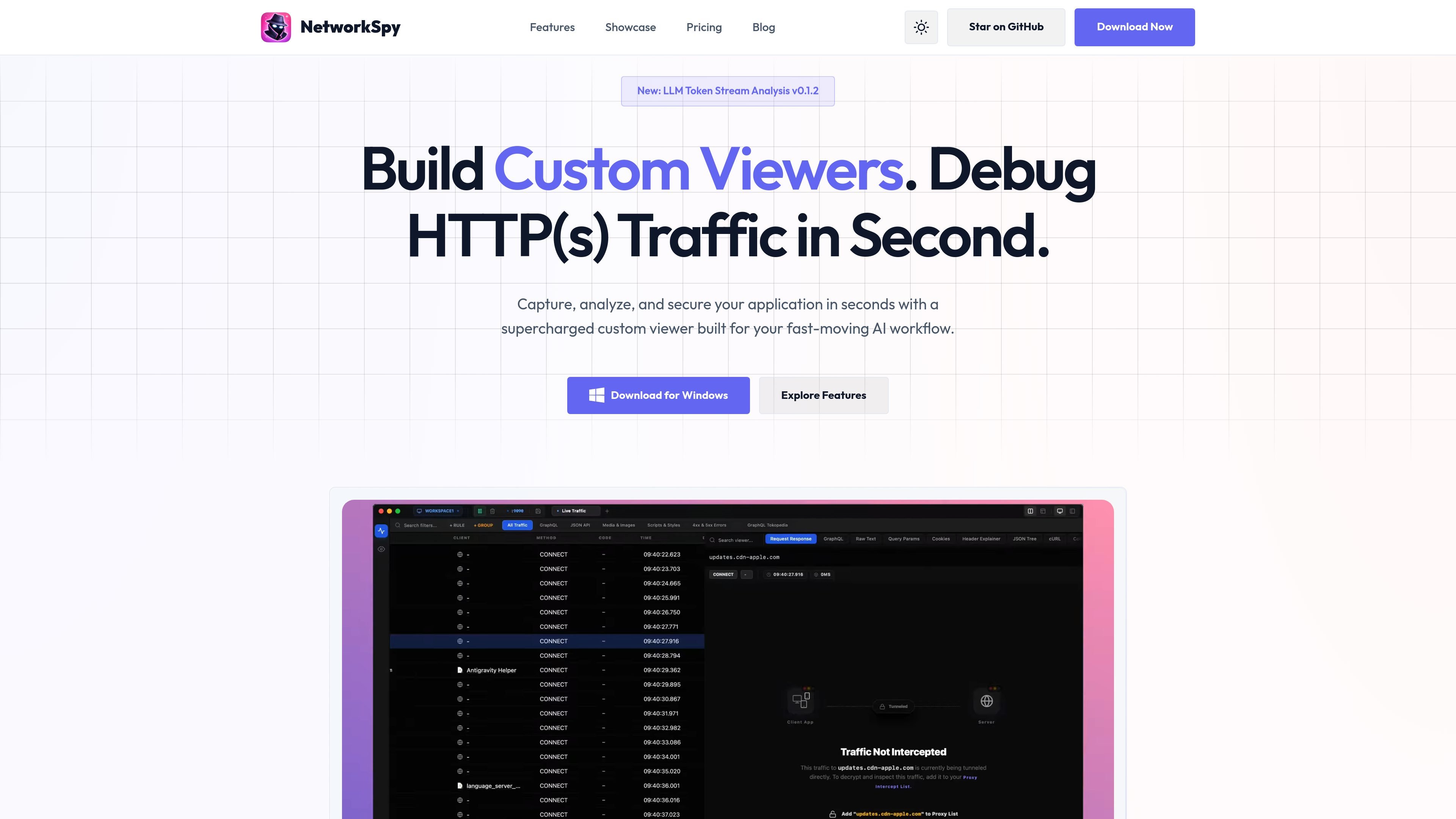
NetworkSpy is an HTTP traffic debugger for teams working on modern web, mobile, GraphQL, streaming, and AI applications. It captures and inspects application traffic locally so developers can understand request and response behavior, replay traffic, and adjust payloads during debugging.
The product focuses on application-level HTTP/HTTPS analysis rather than low-level packet inspection. Source pages highlight full HTTPS interception, GraphQL-aware inspection, WebSocket and gRPC support, request breakpoints, dynamic resource mapping, AI-assisted analysis, and a native MCP bridge for connecting traffic to AI agents.
Decrypt HTTPS traffic locally with automatic certificate management and one-click trust, so application requests can be inspected without manual setup.
Inspect headers, raw bodies, timing, and payload details for each request, giving a complete view of HTTP/HTTPS traffic.
Compare any two requests side by side to spot changes in headers, bodies, and response states during debugging or regression checks.
Modify live traffic before it reaches the client or server, or re-emit captured requests for repeat testing and API iteration.
Map remote resources to local files and automate transformations with scripting rules for rapid frontend prototyping and traffic rewriting.
Parse GraphQL queries and fragments, analyze streaming AI payloads, and build custom viewers for proprietary or structured formats.
Inspect API requests and responses for modern web or mobile apps when you need to understand headers, bodies, timing, and protocol behavior without switching to packet-level tooling.
Work with GraphQL, WebSocket, gRPC, or streaming AI traffic by decoding structured payloads and watching message flow in real time.
Pause a request, change its payload or response, and send it onward to verify edge cases, error handling, and client behavior before shipping.
Replace remote assets with local files or apply scripted transformations when prototyping frontend changes or iterating on backend behavior.
Use team plans when centralized billing, shared interception rules, or audit and support features are needed for several developers.
NetworkSpy supports full HTTPS interception and automatically installs a root certificate to decrypt traffic on your local machine.
Yes. The download page lists native support for macOS, Linux, and Windows.
An Individual license is for one user on one device. Team licenses are sold per seat and include centralized billing and shared interception rules.
NetworkSpy is free to use with core features. Paid plans add capabilities such as the Custom Viewer Builder, AI Viewer, priority support, and team features.
The pricing page says the subscription plans end at the close of the billing period if you cancel, while the Lifetime license provides perpetual access to the current version and minor updates.

ByteAsk is a terminal-first AI coding agent for C and C++ that edits repositories and verifies changes with the real compiler, debugger, sanitizers, and tests before showing a diff. It offers a free tier plus paid plans, with editor connectors and zero-retention handling described in the source.

PromptScout tracks how ChatGPT, Gemini, Google AI Overviews, and Perplexity mention your brand or competitors, then pairs those results with source analysis and website audits. It helps teams decide what to fix in content, positioning, or site readiness next.

CreateOS Sandbox is an isolated compute environment for running code and agent workloads inside Firecracker micro-VMs. It is designed for workflows that need machine-level isolation, private networking between sandboxes, and programmatic control through SDK, CLI, or MCP.

Sleek Analytics is a privacy-friendly web analytics tool with real-time visitor tracking, Core Web Vitals, and revenue attribution. It helps site owners understand traffic and conversions without cookie banners or a heavy setup.

hob is an independent workspace for coding agents that keeps agent sessions, terminals, history, and follow-up work organized around the tools and providers you already use. It is aimed at developers who want local control over routing, history, and workspace structure rather than a bundled model stack.

Ably Chat is a chat API platform for building custom realtime chat applications. It supports room-based messaging, typing indicators, presence, reactions, and message updates, with usage-based pricing options for different deployment stages.