
Capture from multiple sources
Record long-form audio, upload an audio file, paste text, import a link or file, or scan text. Notewarp is designed to start from the raw input you already have rather than a single capture format.

Notewarp is an AI note-taking tool that turns voice notes, uploads, or pasted text into cleaner notes, transcripts, summaries, and action items. It helps people capture rough ideas quickly and then edit, export, or share the result.
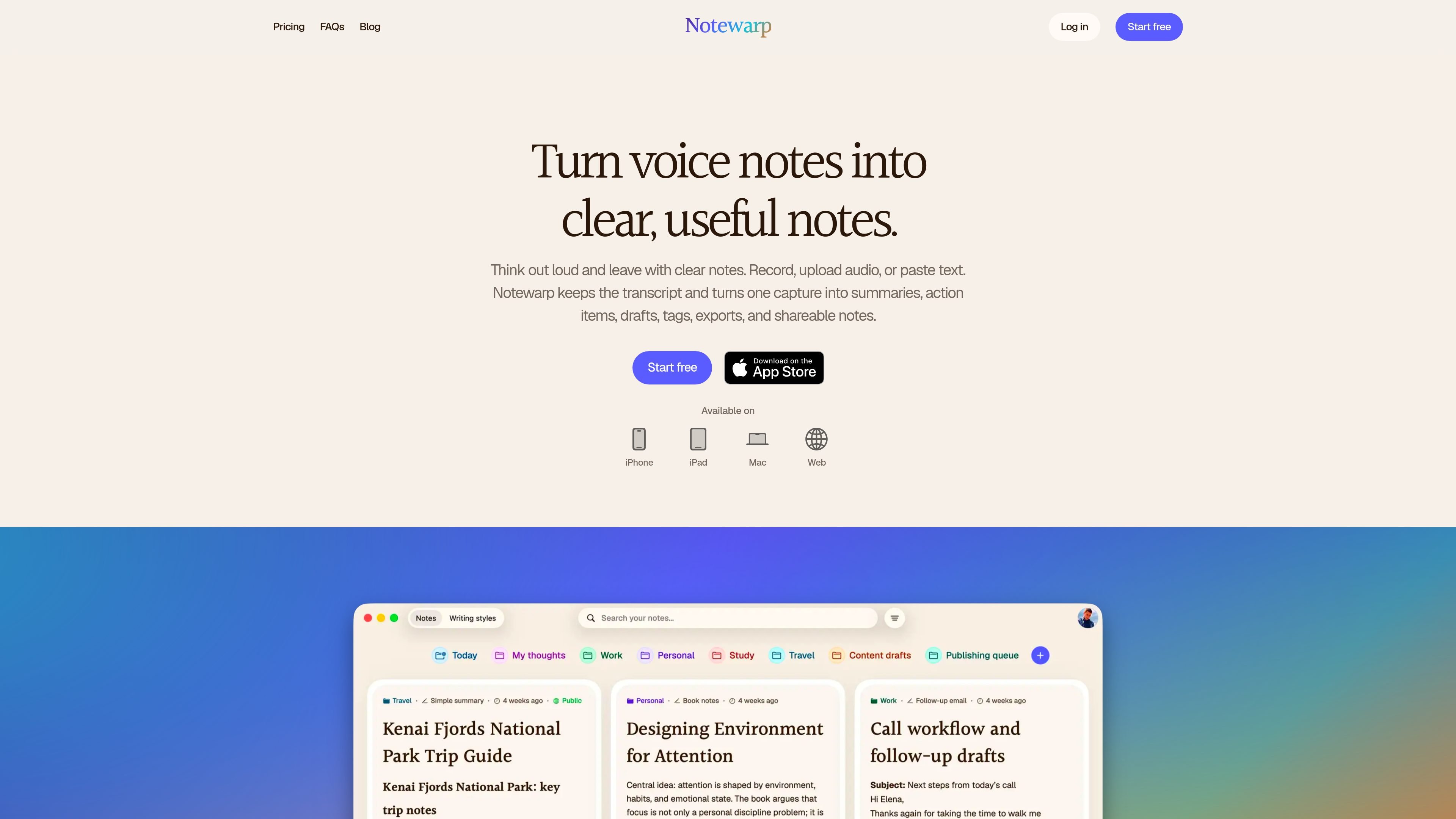
Notewarp is an AI note-taking tool for turning rough voice notes, uploads, or pasted text into cleaner writing that is easier to search, edit, export, and share. It preserves the original capture alongside the cleaned note so the source and the output stay connected.
The product is built for people who want to capture an idea quickly and shape it afterward. The site describes workflows for transcripts, summaries, action items, drafts, tags, exports, and shareable notes across web, iPhone, iPad, and Mac.
Record long-form audio, upload an audio file, paste text, import a link or file, or scan text. Notewarp is designed to start from the raw input you already have rather than a single capture format.
Notewarp keeps the original source attached while cleaning the text into a usable note. The site describes outputs such as transcripts, summaries, action items, drafts, and cleaned notes.
Choose a built-in writing style or save your own style. Notewarp reshapes structure, tone, and level of detail while keeping the original meaning close.
Save notes into color-coded folders, use an automatic outline to move through long notes, and keep notes searchable and editable after capture.
Export or share notes as PDF, Word, plain text, HTML, or Markdown. The product also mentions shareable pages and links as part of the note workflow.
The pricing page says subscriptions include note versions, AI tags, custom styles, smart folders, and more saved notes than the free preview.
Capture a spoken thought, meeting takeaway, or rough voice memo and turn it into a cleaner note without retyping everything from scratch.
Use the same source capture to produce a transcript, summary, or action list when you need something more structured than the raw recording.
Restyle a note into a follow-up email, recap, draft, or other written format while keeping the original meaning close to the source.
Organize notes by project, study topic, travel plan, or draft folder so they stay easier to find later.
Export a finished note to PDF, Word, plain text, HTML, or Markdown, or share it as a page or link when you need to hand it off.
The source pages say the free account is a limited preview for short recordings and a few saved notes. The subscription unlocks the complete app, including longer captures, audio uploads, text input, note versions, custom styles, AI tags, and additional organization features.
The pricing page states that the free preview supports audio recordings up to 2 minutes, while the subscription supports 60-minute recordings. It also shows audio uploads are not included in the free preview but are included with the subscription.
Notewarp can take several input types: you can record audio, upload audio, paste or write text, import a file or link, and scan text. The core idea is to start from a rough capture and turn it into a cleaner note.
The pages list the web app and the iPhone, iPad, and Mac as available platforms. The FAQ page also refers to the product as a web app.
From one capture, Notewarp says it can create a transcript, clean note, summary, action items, drafts, tags, exports, and shareable notes or pages. The output can be reshaped into different writing styles while keeping the original meaning close.

QuickQuill is a macOS dictation and transcription app that runs locally on the device. It helps users record meetings, transcribe audio, generate summaries, and export notes without using a cloud service.

Tactiq is an AI note taker for Google Meet, Zoom, and Microsoft Teams that transcribes meetings live and turns them into summaries, action items, and follow-up outputs. It is built around a Chrome extension and supports team workflows through sharing and integrations.

Scripta is a privacy-first AI notetaker that records, transcribes, and summarizes meetings directly on your device. The public site currently shows a Mac beta download and a Windows waitlist.

Flunkey is a voice-first productivity layer for Windows that converts speech into text, AI-assisted outputs, and remembered context. It is built for users who want to capture ideas and actions without leaving the app they are working in.

MeetStream is a meeting bot API for Zoom, Google Meet, Microsoft Teams, and Webex. It helps developers record, stream, and analyze meetings programmatically, with usage-based pricing and a $5 free credit to start.

Ein KI-gestütztes Tool, das PDF-Dokumente schnell und effizient zusammenfasst, klare Einblicke bietet und es den Benutzern ermöglicht, mit den Inhalten zu interagieren.