
Quick task capture
Type tasks in plain text or brain-dump them in the command palette, and the app turns each line into a task with inferred duration, priority, and deadline.
Nudge Task is an AI task scheduler that turns plain-text or Markdown tasks into a weekly schedule. It helps people plan, reschedule, and follow through on tasks through the web app, Slack, or Discord.
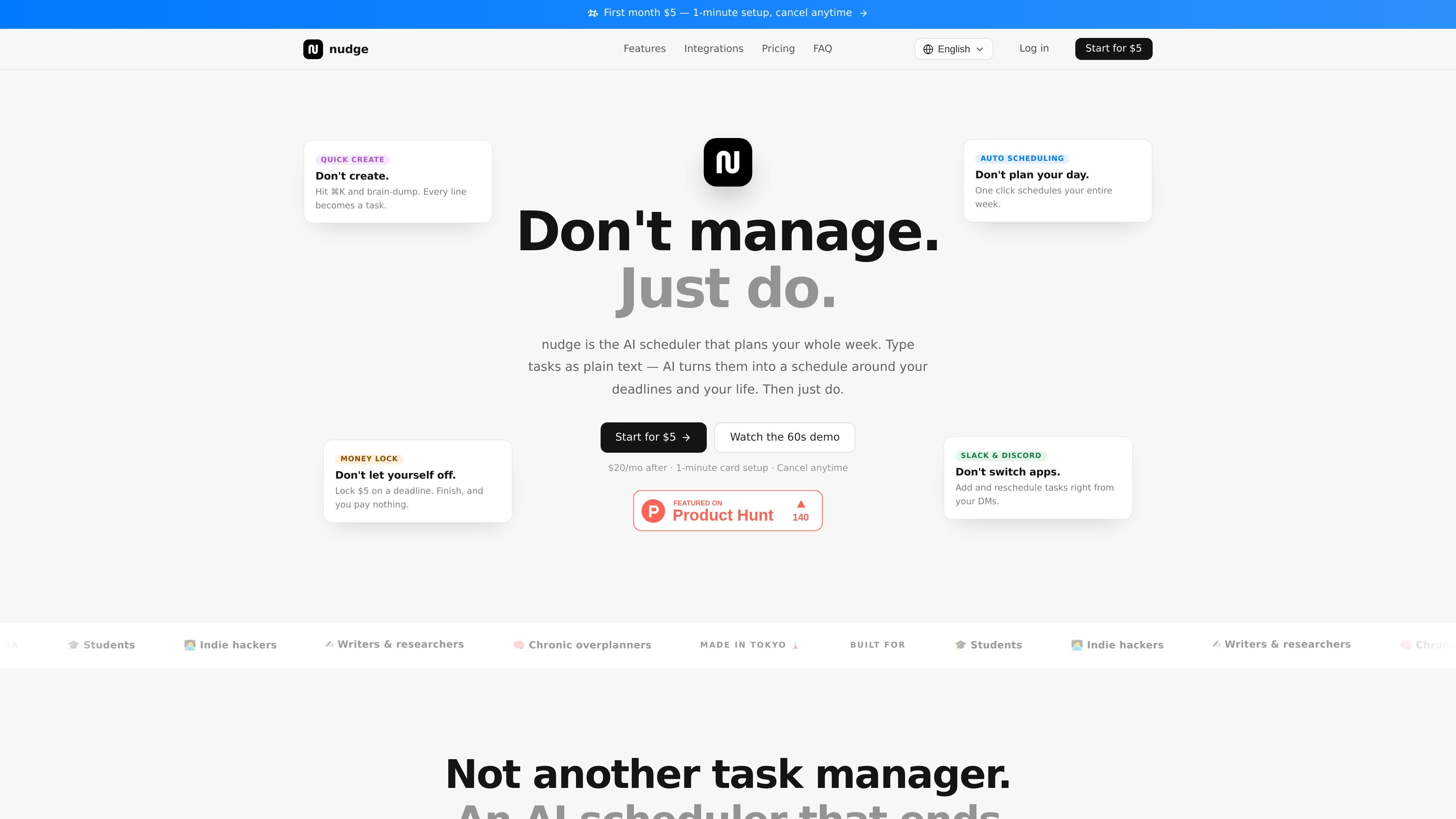
Nudge Task is an AI task scheduler that plans a week of work from plain-text or Markdown task input. It is positioned as a tool that reduces manual planning by turning a brain dump into scheduled tasks, then placing them on a calendar around deadlines and the rest of the user's life.
The product focuses on execution rather than list management. It offers automatic weekly scheduling, re-planning when the day changes, Slack and Discord task workflows, and a commitment feature called Amount Lock for tasks that need stronger follow-through. The site also shows read-only Google Calendar display support and notes that write sync is planned after Google's verification process.
Type tasks in plain text or brain-dump them in the command palette, and the app turns each line into a task with inferred duration, priority, and deadline.
One click schedules tasks into 30-minute slots across the week, using deadlines and priority while avoiding sleep, meals, fixed events, and a buffer before bed.
When a day collapses, one click can re-plan the schedule and move unfinished work into open time instead of leaving the user to rebuild it manually.
Use Slack DMs to add and reschedule tasks, receive notifications at start time, and mark tasks done from notification buttons; Discord support includes a /nudge command and DM alerts.
Set a commitment amount of $5, $10, $25, or $50 on a deadline. If the task is completed on time and verified by a photo, nothing is charged; if not, the set amount is charged.
A 4:00 a.m. dawn sweep moves unfinished tasks from yesterday into today, while finished tasks can be reclaimed from the morning report with one tap.
For users who have a large backlog of tasks, the app can turn a plain-text dump into task entries and place them into a week plan without manual sorting.
For people who want a structured day without building it by hand, one-click auto-scheduling assigns tasks into 30-minute slots around deadlines and fixed events.
For days that go off schedule, the app can move unfinished work into open time and help rebuild the plan without starting over.
For tasks that need extra accountability, Amount Lock adds a financial commitment tied to a deadline and photo proof of completion.
For users who spend most of the day in chat tools, Slack and Discord flows let them add, reschedule, and complete tasks without switching apps.
Nudge Task is a task tool that uses AI to turn plain text input into scheduled tasks. The homepage says you can brain-dump in text, and the system places tasks around deadlines, priorities, sleep, meals, and fixed events.
The pricing page shows a paid subscription model. The monthly plan is $5 for the first month and then $20 per month, and there is also a yearly plan listed at $120 per year. There is no free plan stated on the site.
The service is designed to minimize manual planning. The homepage and terms describe AI scheduling, automatic rescheduling, Slack and Discord notifications, and a read-only Google Calendar display. The terms also note that write sync for Google Calendar will roll out after Google verification.
According to the terms, the service uses Google account sign-in. The login page says you sign up or log in with Google, and users must be 18 or older to use the service.
The homepage says unfinished tasks can be moved forward with one click, and the dawn sweep automatically carries over yesterday's unfinished tasks into today's open slots at 4:00 a.m.

Gemma AI is a phone call reminder app that calls you with scheduled reminders instead of push notifications. It helps people who want a more direct way to stay on schedule, with Google Calendar sync and conversational call interactions.
MealTime ist Ihr persönlicher, offline-fähiger Rezeptbegleiter, der Ihnen hilft, Mahlzeiten zu speichern, zu organisieren, zu planen und intelligente Einkaufslisten zu erstellen, während Ihre Daten privat bleiben.

Goldfish is an AI memory app for macOS that helps you reply, write, summarize, and continue using the context already on your Mac. It stores memory locally and writes in your tone.

Biji ist eine vielseitige Plattform, die entwickelt wurde, um die Produktivität durch innovative Werkzeuge und Funktionen zu steigern.

Liam is an AI copilot for managing inboxes, writing replies, prioritizing email, and scheduling meetings. It is offered free for individuals, with custom pricing for teams and enterprise.

ClawTick is an AI agent automation platform for scheduling jobs from the CLI, dashboard, or REST API. It is aimed at developers and teams running LangChain, CrewAI, webhook, or custom agent workflows that need monitoring, alerts, and logs.