
Invisible reading window
Displays your script in a hidden window so you can read while sharing your screen without exposing the text to viewers.

Oculta App is a macOS tool for reading a script during meetings while sharing your screen and keeping eye contact with the camera. It includes a hidden-window workflow, arrow-key control, and a free basic plan with a lifetime Pro option.
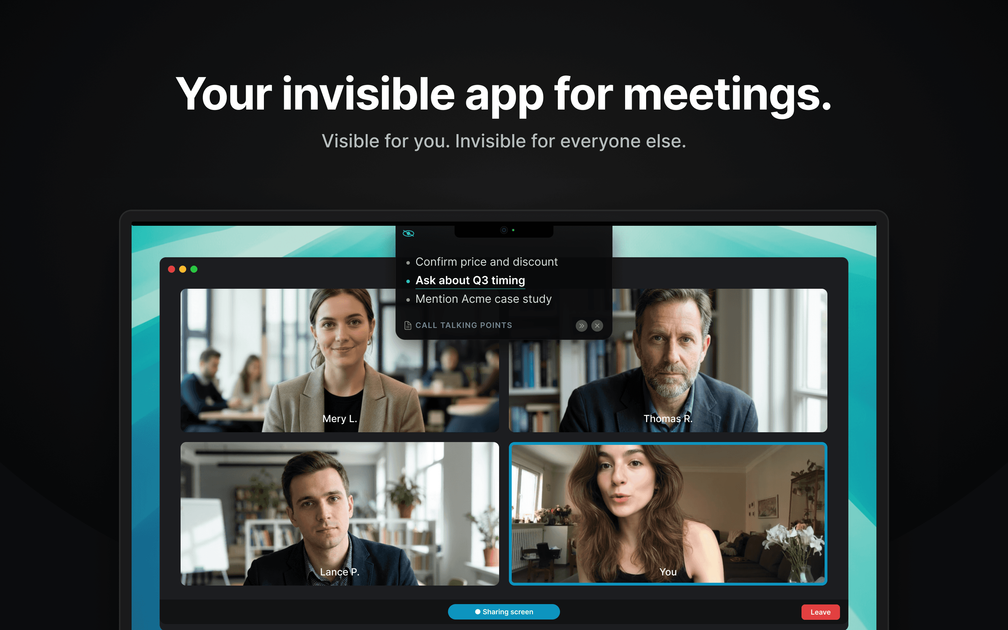
Oculta App is a macOS meeting utility that lets you read a script while sharing your screen and looking at the camera. The product is described as an "invisible interface for meetings," with a hidden window that keeps your text visible to you but not to other participants.
Its core purpose is to help presenters stay on pace and maintain eye contact during live calls, recordings, and presentations. The app is built for Macs running macOS 15 or later and is shown as available without sign-up, with a basic free plan and a lifetime Pro option listed on the site.
Displays your script in a hidden window so you can read while sharing your screen without exposing the text to viewers.
Keeps the script close to your camera view, helping you maintain eye contact while following your notes.
Lets you move through your script with the arrow keys instead of switching windows or scrolling manually.
Supports sticky notes and custom appearance options in the plan details shown on the site.
Offers a basic plan with up to 2 notes and a Pro plan with unlimited notes and the listed advanced features.
For live meetings where you need to follow prepared remarks without looking away from the camera for long periods.
For demos or walkthroughs where you want notes available while sharing your screen.
For recordings or hosted segments where keeping a steady pace matters more than freeform improvising.
For presenters who prefer short prompts and notes rather than a fully memorized script.
For Mac users who want a lightweight tool dedicated to the presentation workflow rather than a general note-taking app.
Oculta App is a macOS app that creates an invisible interface for meetings so you can read a script while sharing your screen and keeping eye contact with the camera.
The hidden window is designed to show your text to you while keeping it out of the view of other people on a call or during screen sharing.
The site says Oculta works with Zoom, Google Meet, and Microsoft Teams, and it is positioned for meetings, recordings, and presentations.
Oculta is controlled with arrow keys, which lets you advance through text without breaking your pace.
The site indicates that Oculta does not require sign-up and that the app is available for macOS on Apple Silicon and Intel Macs running macOS 15 or later.

Goldfish is an AI memory app for macOS that helps you reply, write, summarize, and continue using the context already on your Mac. It stores memory locally and writes in your tone.

Biji ist eine vielseitige Plattform, die entwickelt wurde, um die Produktivität durch innovative Werkzeuge und Funktionen zu steigern.

Liam is an AI copilot for managing inboxes, writing replies, prioritizing email, and scheduling meetings. It is offered free for individuals, with custom pricing for teams and enterprise.

Tactiq is an AI note taker for Google Meet, Zoom, and Microsoft Teams that transcribes meetings live and turns them into summaries, action items, and follow-up outputs. It is built around a Chrome extension and supports team workflows through sharing and integrations.

garden-md is an open-source Node.js CLI that turns meeting transcripts into a local company wiki. It links entities across transcripts, keeps the original text intact, and renders the result as a browsable wiki.

Redline is a budgeting tool for Claude Code that paces sessions to stay within time, token, cost, or plan-percentage limits. It uses Claude Code’s native hooks and statusline to help sessions finish with a usable result instead of stopping abruptly.