
All-in-one robotics workspace
Run teleoperation, navigation, visualization, simulation, and scripting in one browser-based environment instead of stitching together separate tools.

OLO Robotics is a browser-based robotics platform that combines simulation, visualization, teleoperation, and scripting for ROS2 workflows. It is aimed at robotics developers, hardware OEMs, and research teams that want to reduce setup time and work from a single web environment.
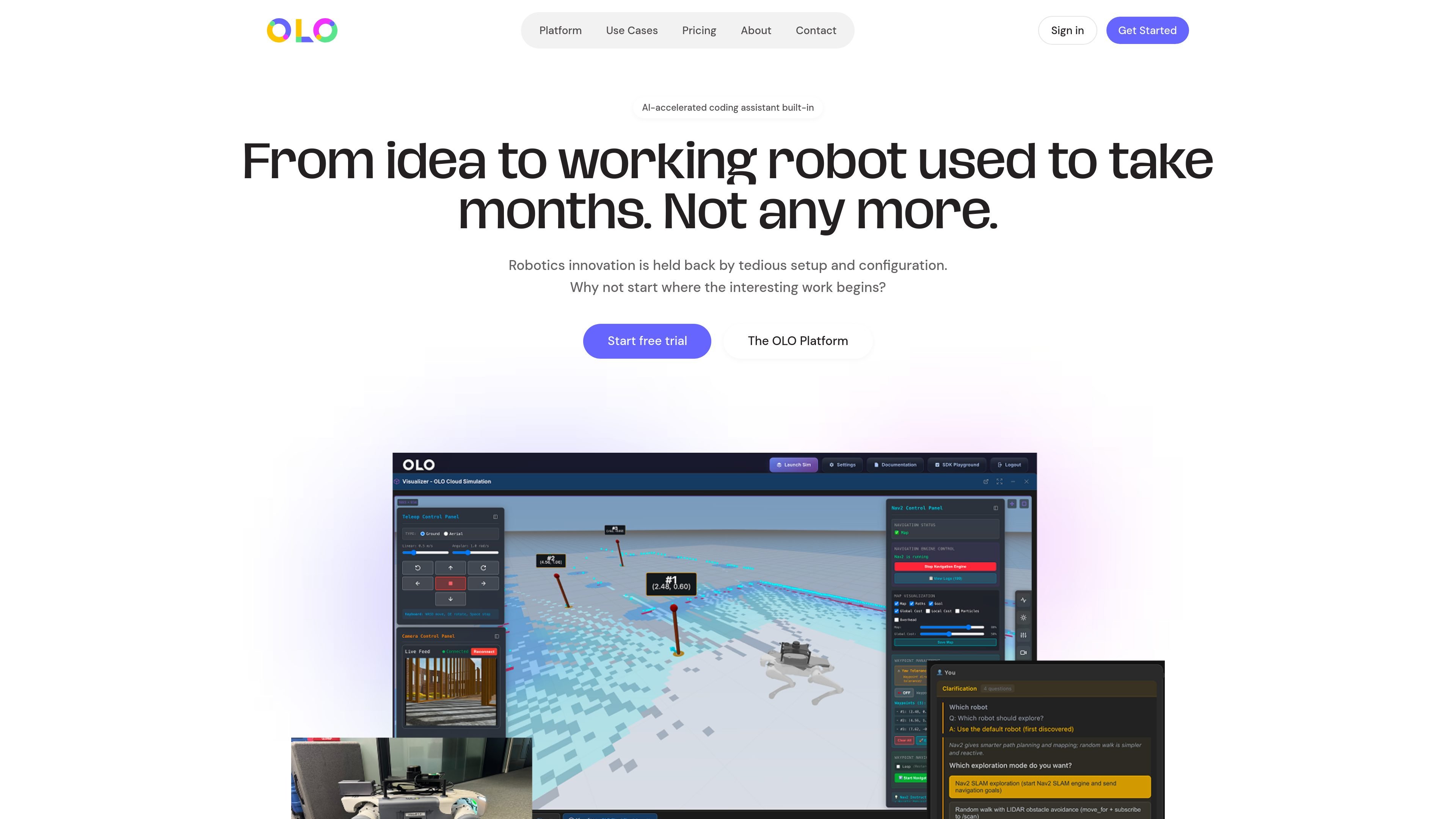
OLO Robotics is a browser-based robotics platform that combines simulation, visualization, teleoperation, control, and scripting in one web environment. The site positions it as a plug-and-play system for getting a ROS2 robot running quickly, without the usual setup and configuration overhead.
The platform is aimed at robotics developers, hardware OEMs, and research teams. Its published workflow covers connecting a ROS2-enabled robot, visualizing it in the browser, starting remote control, adding navigation, and building more advanced solutions with an SDK, AI-assisted coding, and cloud simulation.
Run teleoperation, navigation, visualization, simulation, and scripting in one browser-based environment instead of stitching together separate tools.
Write, test, and debug robotics code with a full-featured editor, AI-assisted coding, and JavaScript and Python SDK support.
Connect directly to ROS2 topics, services, and parameters, with support for ROS2-enabled robots and standard communication protocols.
Control robots remotely with low-latency teleoperation, live video streaming, recording, playback, and arm or joint control.
Use built-in navigation, including SLAM, AMCL, Nav2 integration, waypoint and pose navigation, and motion planning through MoveIt.
Test behaviors and automate workflows with cloud simulation, ROSBag recording, script orchestration, and AI-powered computer vision analysis on the OLO Appliance.
Research teams can use the browser-based environment to prototype, test hypotheses, and run experiments without spending days on installation or configuration.
Robot hardware manufacturers can ship a ready-to-use software layer for customers, reducing the support burden and giving buyers a faster start with the hardware.
Robotics developers can move from concept to prototype using the SDK Playground, AI-assisted coding, and direct ROS2 access in one environment.
Teams can validate behaviors in cloud simulation before deploying to hardware, then use recordings and workflows for debugging and repeatable testing.
Commercial robotics teams can build production solutions with the standalone SDK, automation workflows, and integration with existing development tools.
Yes. The pricing page offers a Free plan with no credit card required, and paid Standard and Premium plans for heavier use. There is also an Enterprise option for teams and organizations that need extended limits and dedicated support.
The pricing page says plans can be upgraded or downgraded at any time, and monthly plans roll automatically. It also states that you can cancel anytime.
OLO is designed for robotics work that uses ROS2. The platform page says it is built on and optimized for ROS2, and the technical sections mention ROS2-enabled robots, common sensors and cameras, and standard communication protocols.
The pricing page includes documentation, community support, and email support on paid plans, and the platform page says OLO integrates with version control systems, CI/CD pipelines, and documentation tools.
Yes. The pricing page says there is a 14-day trial for advanced features such as AI-assisted coding, cloud simulation, automation, and the standalone SDK.

Devin is an AI coding agent and software engineer that helps developers and engineering teams plan and execute complex software tasks. It is available through desktop, cloud, JetBrains, and CLI surfaces, with plans for individuals, teams, and enterprises.

ByteAsk is a terminal-first AI coding agent for C and C++ that edits repositories and verifies changes with the real compiler, debugger, sanitizers, and tests before showing a diff. It offers a free tier plus paid plans, with editor connectors and zero-retention handling described in the source.

CreateOS Sandbox is an isolated compute environment for running code and agent workloads inside Firecracker micro-VMs. It is designed for workflows that need machine-level isolation, private networking between sandboxes, and programmatic control through SDK, CLI, or MCP.

Ghost ist ein terminalbasierter KI-Assistent für Chats, Code-Generierung und Aufgaben direkt in der Kommandozeile. Mit kostenlosen Modellen, Linux, macOS und Windows. Open Source.

AakarDev AI helps teams manage AI provider access, project-level setups, logs, and analytics from one dashboard. It supports BYOK workflows and lists providers including OpenAI, Google Gemini, Anthropic, Groq, Mistral AI, and Perplexity AI.

Arduino VENTUNO Q is an edge AI computer for AI and robotics applications. It combines AI inference and deterministic control on a single board and is designed to work with Arduino App Lab.