
Incident declaration
Declare an incident from Slack or the dashboard with a title, severity, commander, and optional past start time. Monitor downtime rows can prefill the incident start time.

Openstatus is an incident management platform that connects uptime monitoring, Slack-based response, status-page updates, timelines, and postmortem drafting. It is designed for teams that want to coordinate incidents and preserve an operational record from a web dashboard or Slack.
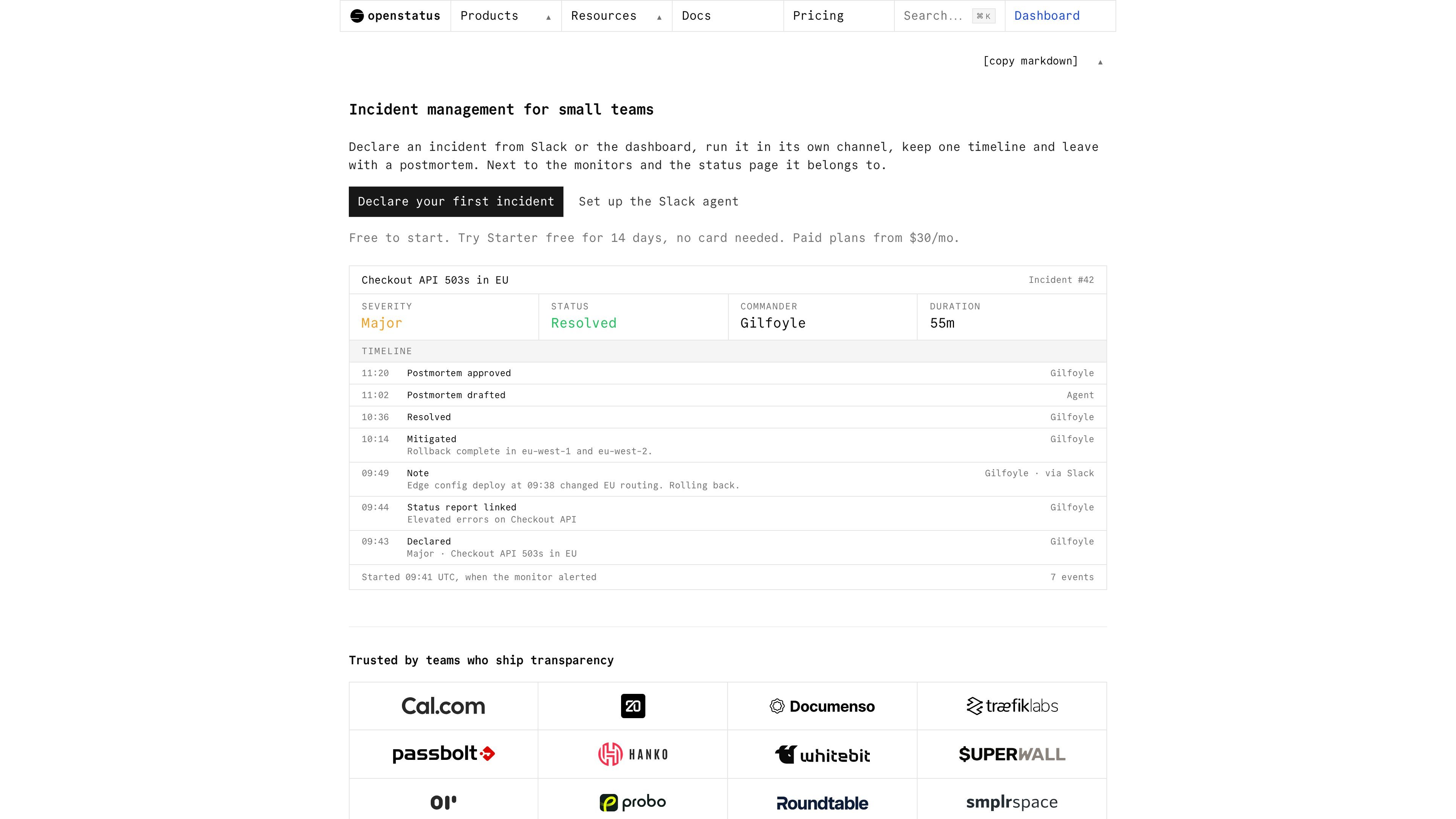
Openstatus is an open-source incident management platform for teams that already use uptime monitoring and a status page. It connects incident declaration, Slack coordination, internal timelines, customer-facing status reports, and postmortem drafting in one workspace.
Teams can declare an incident from Slack or the dashboard, assign a severity and commander, and run the response in a dedicated or linked Slack channel. Notes and status changes build a timestamped record, while public updates remain separately reviewable. Once the incident is resolved, the Slack Agent can prepare a Markdown postmortem from the recorded activity for editing and approval.
Declare an incident from Slack or the dashboard with a title, severity, commander, and optional past start time. Monitor downtime rows can prefill the incident start time.
Create a dedicated Slack channel for each incident, or link an existing channel. The channel includes a pinned incident card and displays the current severity and status.
Promote messages to timeline notes from Slack, add notes with a command, and record status transitions such as mitigation, resolution, cancellation, and reopening with accompanying notes.
Keep internal incident handling separate from the customer-facing status report. Draft or update a linked report, review its wording, and publish public updates from the workflow.
After resolution, generate a draft postmortem from the timeline, public updates, and channel history. Teams can edit it in Markdown, approve it, and close the incident.
Capture timestamped incident activity and retain the incident history for operational review and audit-oriented records. The product documentation also describes audit logs on paid plans, though detailed plan availability is not specified here.
When a monitor detects downtime, responders can declare an incident with the impact start time already populated, coordinate investigation in Slack, and record mitigation and resolution without reconstructing the sequence later.
Teams can keep operational discussion, commanders, severity, and timeline notes in a private incident channel while preparing a separate status report for customers and subscribers.
A team already working in a Slack channel can link that channel to the incident instead of moving the response into a new one; the unused incident channel is archived.
After service recovery, responders can use the recorded timeline, public updates, and channel history as the basis for a reviewable Markdown postmortem and follow-up documentation.
Openstatus provides a free Hobby plan with one monitor and one status page with three components. Paid plans include the Slack Agent; the site also offers a 14-day Starter trial without a credit card.
Install the Slack integration from Settings > Integrations, authorize the correct Slack workspace, then invite the bot to a channel or use /openstatus subscribe with a status-page URL. The setup guide lists a paid openstatus account and permission to install Slack apps as prerequisites.
Yes. Users can declare an incident from the dashboard or Slack, approve the declaration, and receive a dedicated incident channel. A team can instead link an existing channel, after which the newly created incident channel is archived.
Incident notes, status changes, public status reports, and channel history can feed the incident record. After resolution, the agent drafts a postmortem for review and approval; it does not publish changes without user confirmation in the documented workflow.
The Slack Agent is AI-powered and may occasionally interpret messages incorrectly or produce incomplete or unexpected results. The documentation advises reviewing its output, especially before publishing updates, resolving incidents, or scheduling maintenance.

ClawTick is an AI agent automation platform for scheduling jobs from the CLI, dashboard, or REST API. It is aimed at developers and teams running LangChain, CrewAI, webhook, or custom agent workflows that need monitoring, alerts, and logs.

OpenFlags is an open-source, self-hosted feature flag platform for modern JavaScript teams. It supports local evaluation, targeted rollouts, and controlled launches while keeping flag data in your own infrastructure.

EAS Observe is a production performance monitoring tool for Expo and React Native apps. It shows startup metrics, session timelines, release markers, and errors inside the Expo dashboard.

PromptScout tracks how ChatGPT, Gemini, Google AI Overviews, and Perplexity mention your brand or competitors, then pairs those results with source analysis and website audits. It helps teams decide what to fix in content, positioning, or site readiness next.

Biji ist eine vielseitige Plattform, die entwickelt wurde, um die Produktivität durch innovative Werkzeuge und Funktionen zu steigern.

Sleek Analytics is a privacy-friendly web analytics tool with real-time visitor tracking, Core Web Vitals, and revenue attribution. It helps site owners understand traffic and conversions without cookie banners or a heavy setup.