
Video reframing for new aspect ratios
Expands a vertical or otherwise framed video into a new canvas so the output fits widescreen or other target ratios.

Outpaint Ad Reframe expands vertical or other source videos into new aspect ratios for connected TV and other screens while keeping the original footage pixel-perfect. It is aimed at teams repurposing existing social ads or UGC for wider placements without a reshoot.
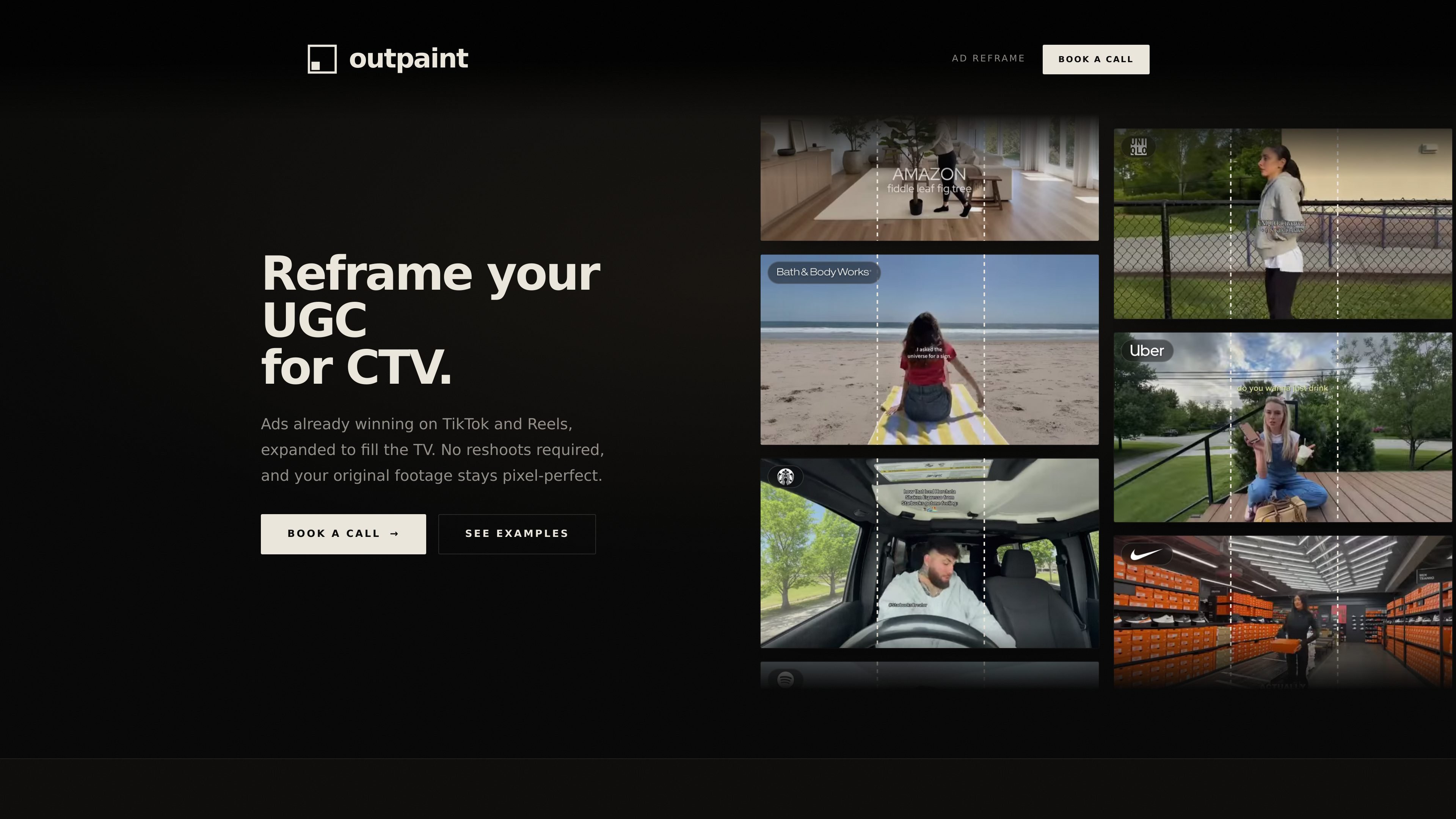
Outpaint Ad Reframe is a video outpainting service for turning vertical social ads and other source clips into wider formats for connected TV and other screens. The core job is to expand footage beyond the original frame while keeping the original pixels intact, so the source creative can be reused without reshoots or fresh production.
The ad-reframe page positions the product around UGC and social video that already performs on TikTok or Reels. It is presented as a way to convert that existing creative into 16:9 CTV output, with examples and case studies showing reframed ads used for living-room screens and other video placements.
Expands a vertical or otherwise framed video into a new canvas so the output fits widescreen or other target ratios.
Leaves the original footage untouched and generates only the area outside the source frame, preserving the source pixels.
Supports a broad set of outputs, including 16:9, 1:1, vertical, square, ultrawide, 1.43 IMAX, 180° fisheye, and 360° equirectangular.
Accepts uploaded video files or pasted links, with the site saying any format, length, or resolution can be sent.
Returns a reframed cut in days, with the product page describing the turnaround as fast and requiring no reshoot.
Offers API access for automated video reframing on the main site, alongside a manual book-a-call flow on the ad-reframe page.
Brands with strong TikTok or Reels creative can adapt those assets for connected TV without organizing a new shoot.
Teams that want to test connected TV quickly can send an existing ad and receive a reframed version in days instead of waiting on an agency timeline.
Marketers can turn a single source clip into multiple delivery formats, including 16:9, 1:1, and other aspect ratios for different placements.
Video teams that already have footage but need a TV-friendly presentation can use the service to fill widescreen canvases without pillarboxing or blurred side treatments.
Organizations looking for repeatable production can use the API access mentioned on the main site to automate video reframing workflows.
You can send a finished social ad or a raw clip, and the team expands it beyond the original frame for a new aspect ratio.
No. The source footage is preserved; the product only generates the area outside the original frame to fill the target canvas.
The site says it can handle 16:9 and 1:1 for connected TV and feeds, and also vertical, square, ultrawide, and other formats.
The reframed cut is described as suitable for connected TV, linear, OTT, FAST, YouTube, Amazon, OLV, programmatic, and paid social.
The main site says API access is available for automated video reframing, while the ad-reframe page also points to a manual process with a booked call.

Video Effects SDK adds real-time webcam effects such as background blur, background replacement or removal, denoising, framing, beautification, and color grading. It is built for teams shipping live video experiences on web, desktop, and mobile platforms.

DeepMotion is a web-based AI motion capture and 3D animation platform with Animate 3D for video-to-animation and SayMotion for text-to-animation. It helps creators and teams generate motion in a browser and export results in common production formats.

Optimo is a free, open-source CLI for optimizing and converting images and videos with format-specific commands built on ImageMagick and FFmpeg. It helps developers prepare web assets, batch process media, and automate compression from the shell or a Node.js script.

OpenChatCut is an open-source, local-first AI video editor that lets agents edit a real multitrack timeline instead of generating a flattened video. It is built for creators, editors, and developers who want conversational editing with editable exports and optional external-agent workflows.

FlexClip is an AI-powered online video maker and editor that helps users create videos from templates or from scratch. It combines browser-based editing with AI tools for scripting, voiceover, subtitles, translation, and background removal.

Virvid is an AI shorts generator for creators and marketers who want to make faceless short-form videos for TikTok, Instagram Reels, and YouTube Shorts. It supports both manual video creation and automated daily posting workflows.