
Agent workflow telemetry
Hooks into Claude Code, Cursor, and Codex to record session starts and ends, prompts, model changes, tool calls, failures, compaction, background tasks, and related workflow events.

Pheebs is an open-source telemetry tool for understanding how developers use Claude Code, Cursor, and Codex. It records lightweight workflow signals to help teams analyze model spend, verification habits, rework, and adoption without storing code or raw prompt text in normal event records.
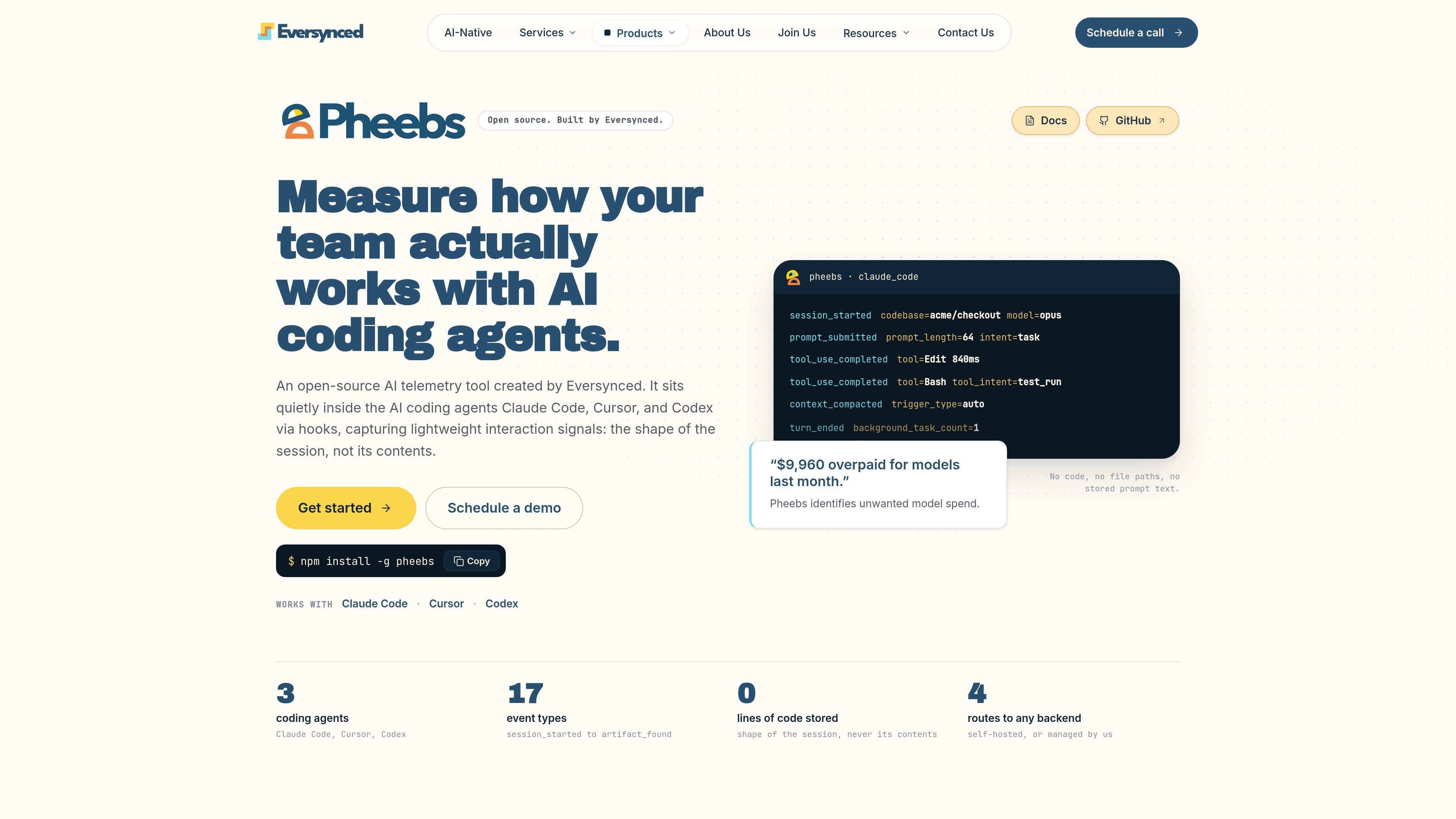
Pheebs is an open-source telemetry tool from Eversynced for measuring how developers work with AI coding agents. It connects through hooks to Claude Code, Cursor, and Codex, recording interaction signals about sessions, models, prompts, tools, verification, and orchestration rather than storing the contents of the work.
The tool is intended to help teams understand model spend, workflow proficiency, and adoption of agent capabilities. Pheebs can operate locally or send events to a self-hosted or Eversynced-managed backend, where complete session data can be used to examine model fit, verification habits, rework, and enablement patterns.
Hooks into Claude Code, Cursor, and Codex to record session starts and ends, prompts, model changes, tool calls, failures, compaction, background tasks, and related workflow events.
Stores lightweight fields such as event type, durations, counts, model selection, trigger types, prompt length, and optional intent labels instead of the underlying interaction text.
Uses task sizing, model choice, effort settings, verification activity, repair prompts, and related signals to evaluate whether model capacity matched the work and estimate potential spend gaps.
Keeps a durable local JSONL copy and can forward events to a configured backend without blocking the coding agent; transport failures are handled asynchronously and are not retried by the client.
Supports a self-hosted or Eversynced-managed backend through a base URL and developer token, with documented routes for ingestion, validation, optional prompt classification, insights, and OTLP passthrough.
Configures native OpenTelemetry export for Claude Code and Codex through the Pheebs proxy, while hooks provide the main event capture path for all supported agents.
Review model selection against task scope, effort settings, and repair prompts to identify sessions where a larger model was used than the work required or where an under-powered choice created rework.
Measure whether AI-generated changes were followed by tests, typechecks, builds, or review passes, helping teams see where verification is present or missing in the agent loop.
Track recurring use of skills, slash commands, sub-agents, context files, MCP connections, and other agent configuration to determine which enablement investments are actually adopted.
Use session, orchestration, compaction, background-task, and tool-failure signals to understand how developers structure AI-assisted work across a team without collecting project contents.
Install Pheebs globally with npm install -g pheebs, then run pheebs init. The interactive setup detects Claude Code, Cursor, and Codex, configures selected agents, and can be verified with pheebs doctor.
By default, Pheebs writes events to a local JSONL log at ~/.pheebs/logs/. Events are sent to a backend only after both a base URL and token are configured. A blank endpoint keeps the installation local-only.
Pheebs records interaction signals such as event types, durations, counts, models, trigger types, tool intents, and prompt length. It does not store source code, file contents, file paths, directory structures, prompt text, or command strings as raw text. Optional prompt classification sends prompt text to the configured backend and stores only the returned label.
Pheebs can use a self-hosted backend or a backend managed by Eversynced. The client is backend-agnostic and uses a base URL and per-developer token; the documented contract includes ingestion, token validation, optional prompt classification, and an OTLP passthrough.
Pheebs is designed for Claude Code, Cursor, and Codex. Claude Code and Codex can also export native OpenTelemetry metrics and logs through the Pheebs proxy; Cursor has no native OpenTelemetry export configured by Pheebs.

ByteAsk is a terminal-first AI coding agent for C and C++ that edits repositories and verifies changes with the real compiler, debugger, sanitizers, and tests before showing a diff. It offers a free tier plus paid plans, with editor connectors and zero-retention handling described in the source.

Epherem is a static security scanner for web apps built with AI coding tools such as Lovable, Bolt, v0, Replit, Cursor, and Claude Code. It checks source files and dependencies for common security mistakes, then provides categorized findings and suggested fixes without running the app.

PromptScout tracks how ChatGPT, Gemini, Google AI Overviews, and Perplexity mention your brand or competitors, then pairs those results with source analysis and website audits. It helps teams decide what to fix in content, positioning, or site readiness next.

SaveMRR is a Stripe retention tool for SaaS teams that scans billing data for churn and MRR leaks, then automates recovery through dunning, cancel-save offers, win-back emails, and onboarding nudges. It is built for founders and bootstrapped teams using Stripe.

CreateOS Sandbox is an isolated compute environment for running code and agent workloads inside Firecracker micro-VMs. It is designed for workflows that need machine-level isolation, private networking between sandboxes, and programmatic control through SDK, CLI, or MCP.

Hype is a web tool for finding trending YouTube topics by category, time range, and scoring mode. It helps creators spot emerging ideas, inspect source videos, and decide what to cover next.