
Generative wallpaper shapes
Generate wallpapers from eleven built-in shapes, including Flow, Mesh, Plasma, Ripple, Aurora, Cells, Topo, Whorl, Sonar, Mosh, and Weave. Each shape is seed-based, so changing the seed rearranges the result.

Pixel Soup is a Mac app that generates dithered wallpapers from procedural shapes or imported photos. Users can apply them as still images, let them move slowly behind desktop icons, rotate designs automatically, and export PNGs.
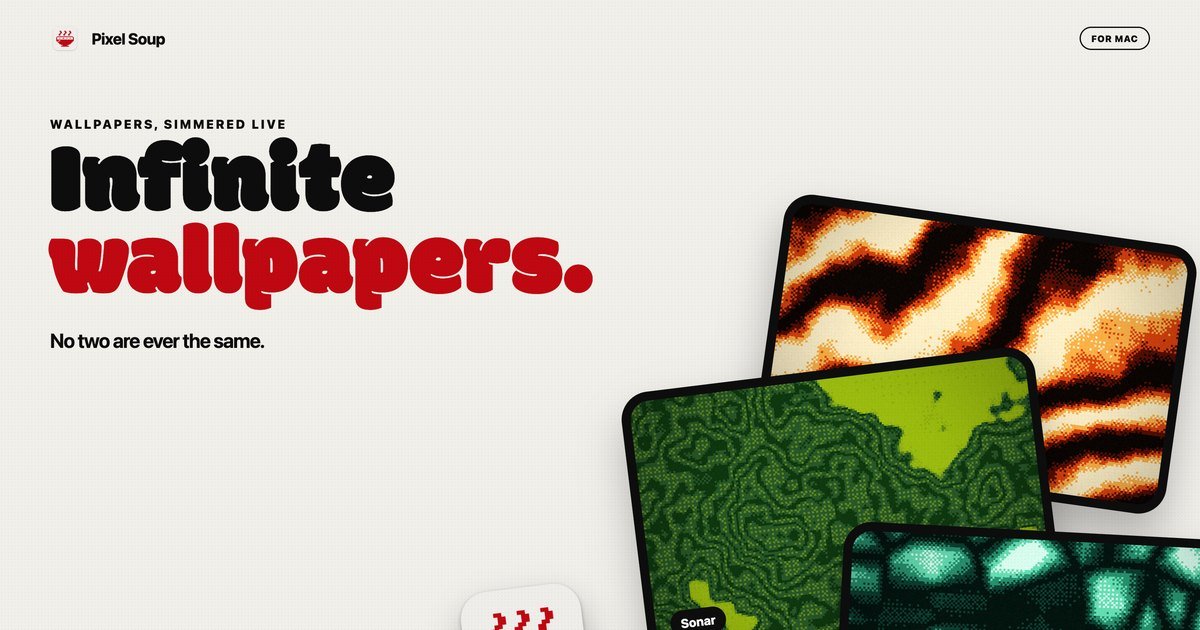
Pixel Soup is a generative wallpaper app for Mac. It creates dithered desktop backgrounds from eleven procedural shapes or from a user-supplied photo, combining a seed, palette, and visual treatment so the results can be regenerated and rearranged rather than selected from a fixed image library.
The app can leave a chosen frame still or render it as a slowly moving desktop background behind the icons. A compact edge handle and menu-bar control open the editor without adding a Dock icon, while the app keeps its wallpaper generation, imported photo data, and analytics-free workflow on the Mac according to the product site.
Generate wallpapers from eleven built-in shapes, including Flow, Mesh, Plasma, Ripple, Aurora, Cells, Topo, Whorl, Sonar, Mosh, and Weave. Each shape is seed-based, so changing the seed rearranges the result.
Choose from twelve palettes, create a custom palette with up to five colours, or extract a palette from an imported photo.
Apply ten visual treatments, including Smooth, Poster, Bayer 4 and 8, Noise, Halftone, Lines, Diamond, ASCII, and Benday dots. Pixel size and colour count are adjustable.
Keep a wallpaper drifting behind desktop icons at a selected speed, or freeze the current frame as a conventional still desktop picture. Animated rendering pauses when the desktop is covered.
Import JPEG, PNG, or HEIC photos through the Image pattern and have Pixel Soup dither them. The app stores a copy so the wallpaper continues to work if the original file is moved or deleted.
Shuffle designs manually or enable Fresh Bowl to receive a new wallpaper every hour or day. Previous restores the last wallpaper, and PNG export supports display-size, 6K, iPhone, and 2048-square outputs.
Choose a shape, palette, dither, and seed, then shuffle until a composition fits the workspace. The still mode turns the selected frame into a conventional desktop picture.
Use the animated mode for a subtle desktop backdrop that continues drifting behind icons. The app limits the frame rate and pauses drawing when windows cover the desktop, which suits users who want motion without a constantly visible video loop.
Import a photo, extract or refine its palette, and apply a dither treatment to produce a pixel-oriented version. This gives photographers and designers a way to turn an existing image into a desktop background rather than starting from a procedural shape.
Export the current design as a PNG at display size, 6K, iPhone, or 2048 square for use beyond the desktop. The site says exported wallpapers may be used commercially, making this useful for preparing background assets as well as using them on a Mac.
Pixel Soup runs on macOS 14 Sonoma or later and supports both Apple silicon and Intel Macs. The site describes it as a universal, notarized Mac app.
The download from the product site is the full app with a three-day free trial. It does not require an account or card during the trial; after the trial, a licence is a one-time purchase.
In the editor, choose a shape, palette, dither, pixel size, and colour count, then press Apply. You can apply the current frame as a still desktop picture or let it continue moving behind the icons.
Yes. Pixel Soup can export the current wallpaper as a PNG at your display size, 6K, iPhone, or 2048-square dimensions. You choose the destination folder, and exported images can be used commercially according to the site.
Animated wallpapers are GPU-rendered, run at up to 30 frames per second, pause when windows cover the desktop, and drop to 15 frames per second in Low Power Mode. A still wallpaper is a normal desktop image and uses no ongoing animation resources.

Black Wallpapers is a free web collection of black and dark wallpapers for phones and desktops. It offers 4K downloads with separate mobile and desktop formats, plus wallpaper detail pages that show resolution, aspect ratio, license, and tags.

Orbl is a macOS live wallpaper and desktop widget app that turns the desktop into a calm dashboard for time, weather, focus, system status, and premium integrations. It is free to use with built-in widgets, with a one-time Premium upgrade for integrations.

Mac+ is a macOS desktop customization app for animated wallpapers, custom folder icons, and desktop widgets. It offers GPU-rendered scenes, palette controls, user media backgrounds, and multi-display behavior.

Bing is Microsoft’s web search product with access to Images, Videos, Shopping, Maps, News, Translate, Visual Search, and Copilot. It helps people search, identify content from images, and move into related tasks from one browser-based interface.

BackDrop_ is a Windows app that plays local video files as a transparent desktop overlay or live wallpaper-style background. It is aimed at people who want to keep watching while they keep working, with click-through playback, adjustable opacity, and a local-only workflow.

VoxelWall is a native macOS live wallpaper engine with 37 original scenes that react to music playing on a Mac. It is aimed at Mac users who want a live, audio-responsive desktop and includes lifetime access through a one-time purchase.