
Skeleton-free motion transfer
Upload a reference character image and a separate driving video. SCAIL 2 transfers motion from the driving clip without requiring skeleton extraction, rigging, or local model installation.

SCAIL 2 is a browser-based AI video generator that animates a reference character from a driving video without skeleton extraction or rigging. It offers Animate and Replace modes, 480p or 720p output, and a free starting balance of 15 credits with no card required.
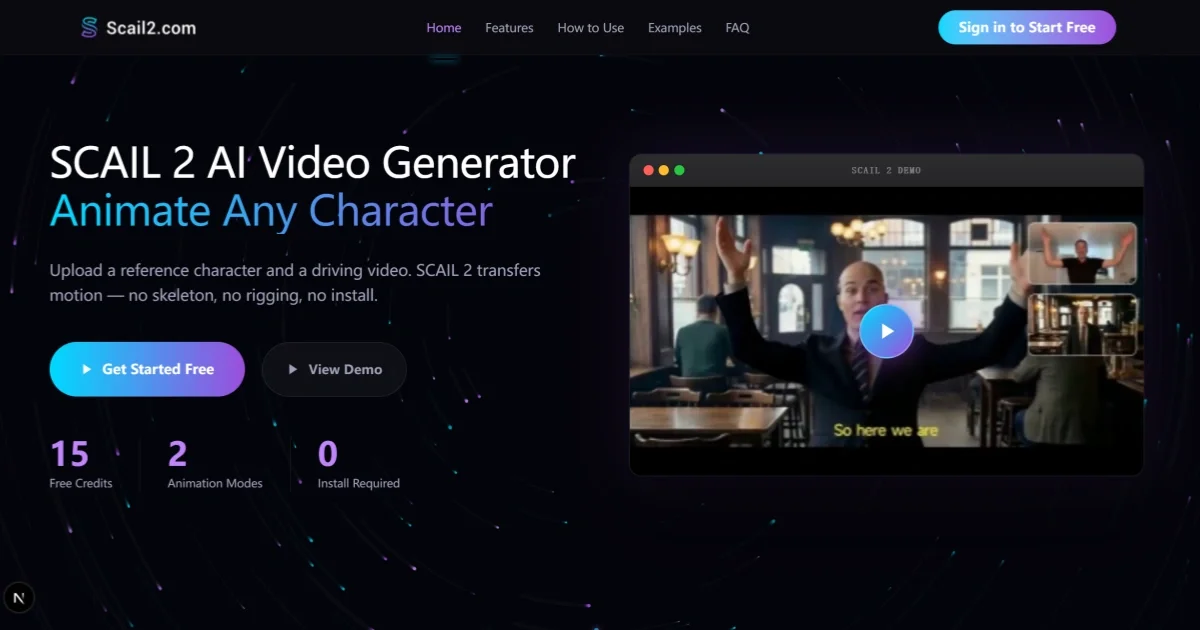
SCAIL 2 is an AI video generator for character animation. It takes a reference character image and a driving video, then transfers the motion into the character without skeleton extraction, rigging, or local installation.
The product is built for people who need quick character animation in a browser, with two online modes, Animate and Replace, plus 480p and 720p output options. The site positions it for creators, marketers, indie animators, and teams making previews, social content, branded videos, or concept animations.
Upload a reference character image and a separate driving video. SCAIL 2 transfers motion from the driving clip without requiring skeleton extraction, rigging, or local model installation.
The site supports two online modes: Animate and Replace. Animate transfers motion to the reference character, while Replace swaps character identity while keeping the original motion.
Choose between 480p and 720p output. The site recommends 480p for quick previews and 720p for final deliverables that need more detail.
The product is designed to work with photos, illustrations, mascots, animals, and stylized character references. The site also notes support for non-human figures and group scenes.
Generation happens in the browser, with no Python, GPU setup, or local installation required. The result can be previewed and downloaded from the web app.
Credits are purchased as one-time packs rather than subscriptions, and the pricing page says credits never expire. The page also notes commercial use rights are included under the applicable plan and Terms of Service.
Use a concept image plus a motion reference to produce an animated preview for creatures or other non-humanoid characters before committing to a heavier production workflow.
Keep a recurring character consistent across lessons, explainer episodes, or kids' content by pairing the same character asset with different driving clips.
Animate mascots, webtoon figures, VTuber-style assets, or other stylized illustrations without building a rig first.
Film the action you want, upload a brand character, and generate an animated clip for product launches, explainers, social ads, or campaign assets.
Create short motion-based clips for TikTok, Reels, or Shorts when you need a simple character animation that can be posted after a browser-based render.
Yes. The home page says you can start with 15 free credits on signup and no card is required. The pricing page also states that free credits are available on signup.
Upload a reference character image and a driving video, choose a resolution and mode, then generate the video in your browser. The site says the current online modes are Animate and Replace.
SCAIL 2 supports 480p and 720p output. The pricing page says output length matches the input video, with a minimum of 5 seconds and a maximum of 120 seconds.
The pricing page says credits never expire, are billed per second of generated video, and commercial use is included under the applicable plan and Terms of Service.
The pricing page says credits are refunded automatically if a generation fails due to a system error, and paid purchases may be eligible for a refund within 7 days if less than 10% of credits have been used.

Wallie is an open-source AI streamer that watches your screen, hears chat, and generates live commentary in a configurable persona. It runs locally on your machine with your own keys and is aimed at faceless content, autonomous streams, and real-time reactions.

VIDEOAI.ME is an AI video generator for making spokesperson-style videos, ads, explainers, and social content from a script. It is aimed at founders, marketers, agencies, and creators who want to produce videos without filming.

Official HeyGen API documentation for building AI avatar videos, translations, lipsync, and interactive video-agent sessions. It supports direct API use plus MCP and CLI-style workflows for developers and AI agents.

Wisry is an AI advertising studio for ecommerce brands that researches competitor ads, develops evidence-backed campaign concepts, and generates static and video creatives. It also supports editing and connected campaign workflows for Meta and Google.

艺映AI is a free AI video creation tool for generating video from text, images, or existing footage. It is positioned for short-form social content, promotional clips, and stylized AI video projects.

PixelForge turns a single photo into a game-ready 2D character sprite pack, including a 4×4 sheet, transparent frames, direction strips, and looping walk GIFs. It is designed for engine-ready use in Godot, Unity, Phaser, GameMaker, and web games.