
Collects reporting lines by DM
Snitch asks each person in Slack who they report to, records the answer, and lets other people ask about reporting lines in plain language.

Snitch for Slack is a Slack bot that builds and maintains an org chart by asking each person who they report to, then answers org-chart questions in Slack. It helps teams keep reporting lines current without a separate HR system.
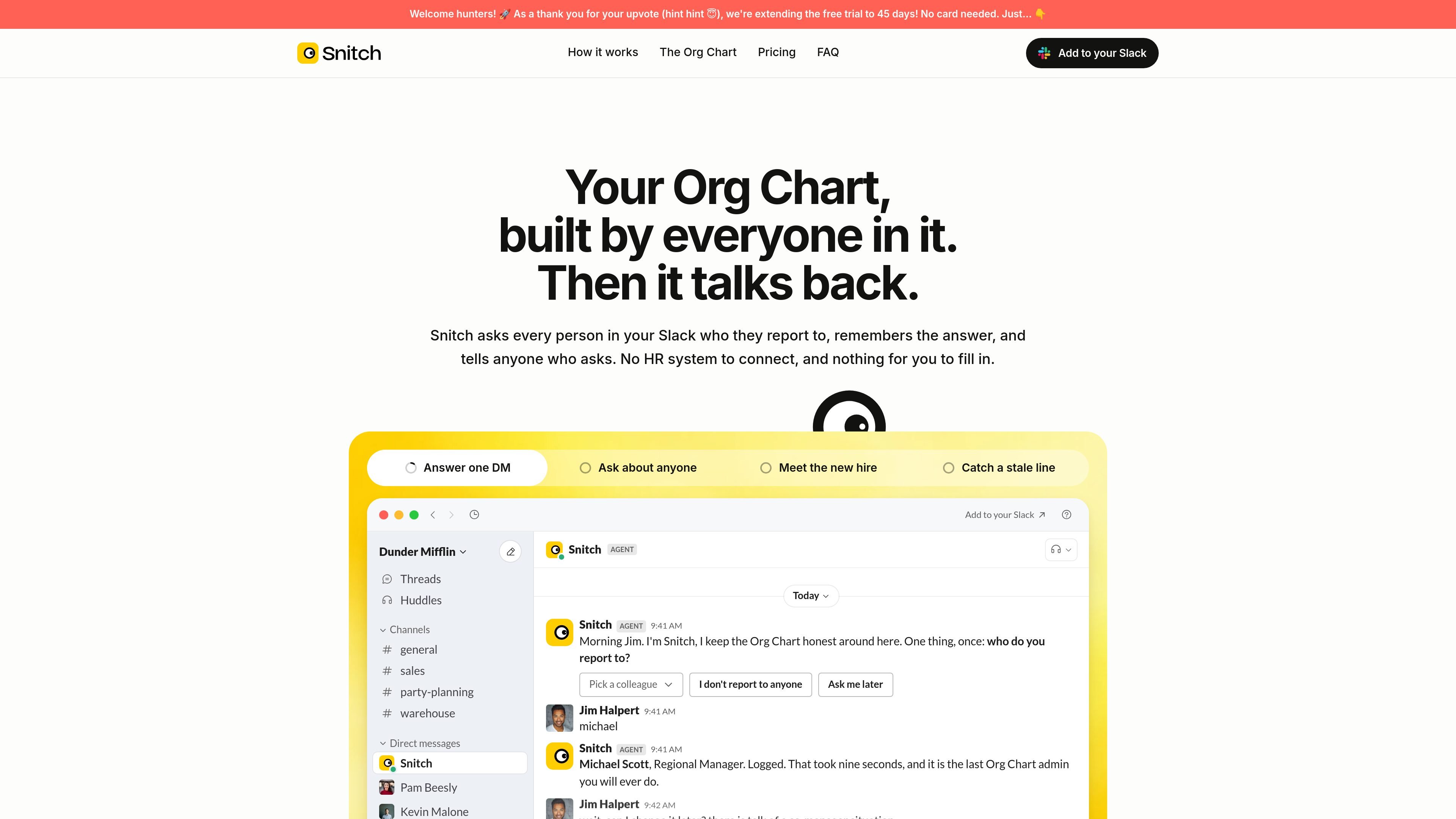
Snitch for Slack is a Slack bot that builds an org chart by asking each person one question: who they report to. It stores those answers, uses them to draw a live org chart, and answers org-chart questions in plain language inside Slack.
The product is designed for teams that do not have a separate HR system to connect or do not want to maintain a chart manually. It asks new joiners automatically, lets people update reporting lines when they change, and flags situations that suggest the chart has gone stale.
Snitch asks each person in Slack who they report to, records the answer, and lets other people ask about reporting lines in plain language.
Admins review the exact wording before any messages go out, and no one is contacted until the install flow is approved.
The chart updates when new people join or when reporting lines change, so it is meant to stay current rather than become a static snapshot.
It flags reporting loops, departed managers, missing managers, and situations that look like a second CEO instead of silently drawing them into the chart.
Each person fills in their own profile card with optional fields such as pronouns, location, timezone, phone, email, start date, fun fact, Slack username, and custom fields.
Snitch can be asked in any channel using @Snitch, and it answers in plain language without requiring people to leave Slack.
When a team is small but growing, Snitch can gather reporting lines without asking one person to keep a spreadsheet current.
When a new employee joins, Snitch can ask them who they report to and place them on the chart without requiring an HR admin to update a record.
If a manager leaves or a reorg happens, Snitch can flag the stale line and prompt the affected people to confirm the new reporting structure.
Teams can ask questions such as who reports to whom or how many people sit under a manager, and get answers in Slack.
During setup, teams can exclude contractors, executives, or other accounts they do not want included in the chart.
Yes. Installing Snitch requires a Slack admin to grant permission to read the member directory and send direct messages. If you are not the admin, you can forward the install page to the right person and answer your own DM when it arrives.
Snitch counts actual humans nightly. If your workspace grows past the plan size, you get a nudge rather than a lockout, and the chart keeps working. Past 200 people, the company asks you to email before installing.
No. The chart remains readable after cancellation or after the trial ends. If the trial runs out without a subscription, Snitch stops asking and answering, but nothing is deleted or locked.
During setup, you can exclude people such as contractors, executives, or other accounts you do not want Snitch to bother, and you can change that list later.
Only signed-in members of the Slack workspace can view the chart. There are no public charts or secret-link charts.

BookAI ermöglicht es Ihnen, mit Ihren Büchern zu chatten, indem Sie einfach den Titel und den Autor angeben.

Goldfish is an AI memory app for macOS that helps you reply, write, summarize, and continue using the context already on your Mac. It stores memory locally and writes in your tone.

Lasso is an ecommerce product data platform for enriching catalog records, processing supplier files, generating product content, and monitoring competitors. It combines a web app with a REST API, SDK, and MCP server for teams and developers.

ArtDeck is a visual reference board app for iPhone, iPad, and Mac that lets artists collect mixed reference material on one canvas and study it with ToolBox lenses. It works offline, supports optional iCloud sync, and is sold as a one-time purchase with no account required.

Struere is an AI-native platform for turning spreadsheet data into structured operational software with dashboards, alerts, and automations. It is aimed at teams that want to replace manual spreadsheet workflows without building custom tools from scratch.

Ably Chat is a chat API platform for building custom realtime chat applications. It supports room-based messaging, typing indicators, presence, reactions, and message updates, with usage-based pricing options for different deployment stages.