
Script-to-presenter video
Start from a written script or a simple idea and produce a presenter-led video within Syllaby’s connected workflow.

Syllaby Avatars 2.0 creates presenter-led videos from a script or simple idea using a reusable AI avatar, natural voice, B-roll and subtitles. It is intended for creators and teams that need consistent video content without recording every installment or hiring on-camera talent.
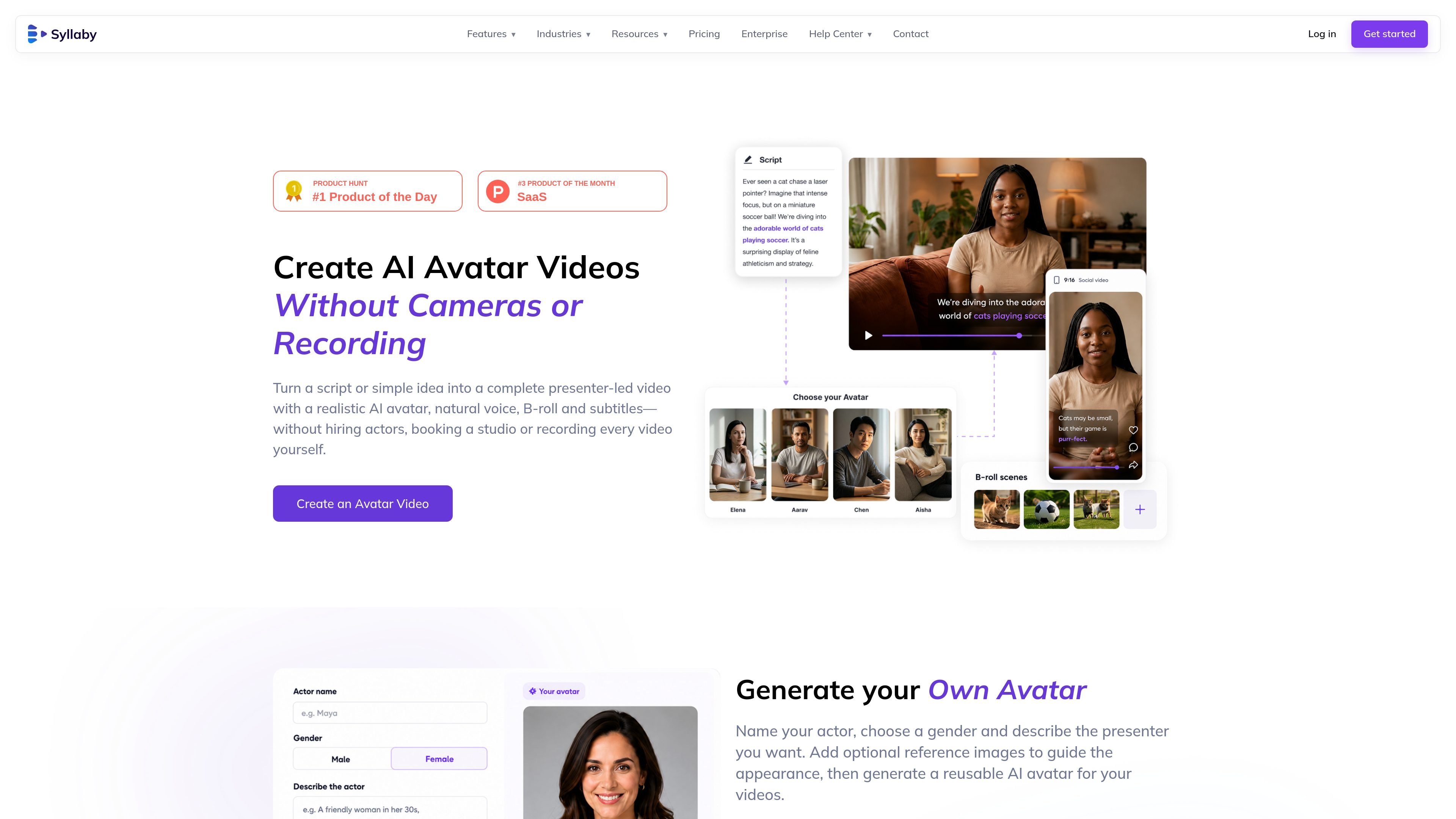
Syllaby Avatars 2.0 is an AI avatar video feature for creating presenter-led videos from a script or simple idea. It combines a realistic AI presenter with a natural voice, B-roll and subtitles, so users can produce videos without hiring actors, booking a studio or recording every installment themselves.
The feature is designed around repeatable content production: users can describe and generate an avatar, optionally provide reference images, and reuse the presenter in subsequent videos. Syllaby also presents the process as a connected workflow spanning the script, presenter, scenes, B-roll, subtitles and publishing.
Start from a written script or a simple idea and produce a presenter-led video within Syllaby’s connected workflow.
Generate an avatar by naming the actor, selecting a gender and describing the presenter you want to use.
Add optional reference images to help guide the avatar’s appearance during generation.
Reuse a generated avatar across videos to maintain a consistent presenter and brand presence.
Combine the avatar with a natural voice, scenes, B-roll and subtitles as part of the video-creation process.
The page positions the workflow as covering script, presenter, scenes, B-roll, subtitles and publishing rather than requiring separate production steps.
Create repeatable educational or explanatory videos with a consistent presenter, without arranging a new on-camera recording for each topic.
Use a described avatar and a stable visual presence for recurring brand or marketing content that needs the same presenter across multiple videos.
Turn a short idea into a structured presenter-led video with scenes, supporting B-roll and subtitles when a team needs to produce content without a traditional shoot.
Build a series around a recognizable virtual host for announcements, updates or other recurring communications where consistency matters more than changing on-camera talent.
You can start with a script or a simple idea, then choose an AI presenter and customize the video workflow. Syllaby describes the workflow as including the script, presenter, scenes, B-roll, subtitles and publishing steps.
The feature page says users can name an actor, choose a gender, describe the presenter and add optional reference images to guide the avatar’s appearance. The resulting avatar is intended to be reusable in later videos.
Syllaby presents Avatars 2.0 as a way to create presenter-led videos without hiring actors, booking a studio or recording each video yourself. The page does not specify a required camera or recording workflow for generated avatars.
The pricing page lists Characters as included on the Basic, Standard and Premium plans, while the Starter plan lists Characters as not included. The page does not provide more detailed avatar-generation limits.
Syllaby’s separate Real Clone pages describe a different custom-avatar process that requires an actor consent video and, for the studio workflow, green-screen recording guidance. These requirements should not be assumed to apply to the generated avatars described on the Avatars 2.0 feature page.

艺映AI is a free AI video creation tool for generating video from text, images, or existing footage. It is positioned for short-form social content, promotional clips, and stylized AI video projects.

Coursebox AI Training Video Generator creates training videos from scripts, slides, or avatar-based setups. It is aimed at course authors and teams that want to produce training content without filming equipment or manual editing.

Wallie is an open-source AI streamer that watches your screen, hears chat, and generates live commentary in a configurable persona. It runs locally on your machine with your own keys and is aimed at faceless content, autonomous streams, and real-time reactions.

VIDEOAI.ME is an AI video generator for making spokesperson-style videos, ads, explainers, and social content from a script. It is aimed at founders, marketers, agencies, and creators who want to produce videos without filming.

Official HeyGen API documentation for building AI avatar videos, translations, lipsync, and interactive video-agent sessions. It supports direct API use plus MCP and CLI-style workflows for developers and AI agents.

Wisry is an AI advertising studio for ecommerce brands that researches competitor ads, develops evidence-backed campaign concepts, and generates static and video creatives. It also supports editing and connected campaign workflows for Meta and Google.