
Two main workflow pillars
The homepage presents two bundled operating systems: Engineering OS for software delivery and infrastructure, and Marketing & Growth OS for acquisition, SEO, GEO, and publishing workflows.

SyncAgents is a local library of AI skills and specialist agent playbooks for Claude Code, Google Antigravity, and Codex. It helps technical founders and teams run engineering, security, SEO, content, and growth workflows from inside their own repository.
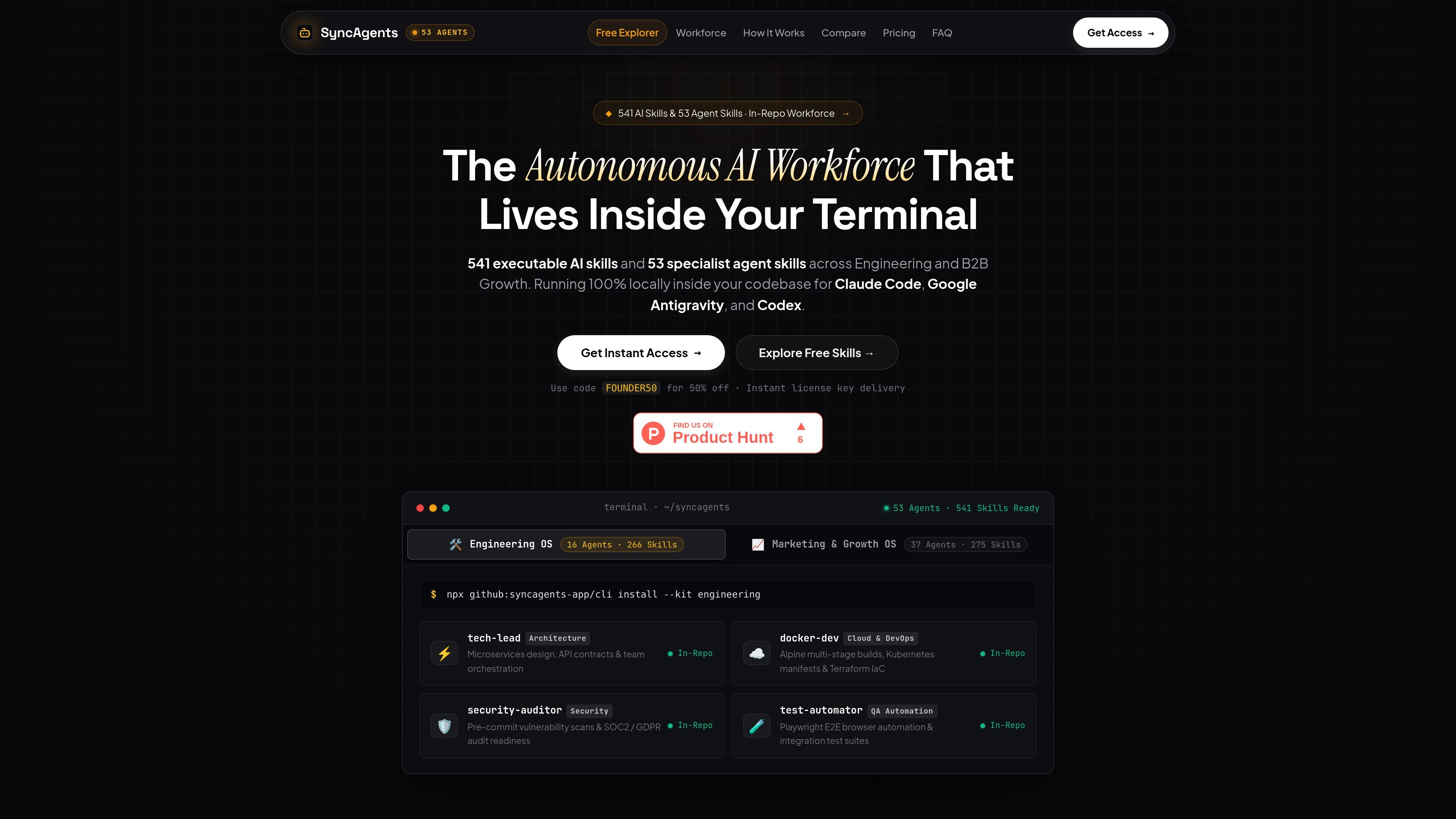
SyncAgents is a local skill library for agentic coding tools. The site presents it as a collection of executable AI skills and specialist agent skills that can be installed into Claude Code, Google Antigravity, and Codex from a developer’s project terminal.
Its stated purpose is to let technical founders and teams run repeatable workflows for engineering, security, technical SEO, content, and growth from inside their own repository context. The homepage emphasizes local execution, structured playbooks, and a multi-platform workflow rather than browser-only prompting.
The homepage presents two bundled operating systems: Engineering OS for software delivery and infrastructure, and Marketing & Growth OS for acquisition, SEO, GEO, and publishing workflows.
The product says it includes 53 specialist agents and 541 production skills, with the free explorer exposing a smaller set of 27 verified playbooks for preview and testing.
SyncAgents is described as working in Claude Code, Codex, and Google Antigravity, with local installation paths for .claude/ and .agents/ so the skills live inside the project workspace.
The installation flow uses a CLI command from the project terminal and writes structured playbooks plus an immutable cryptographic manifest, which the site says helps preserve local modifications.
Example engineering skills shown on the site include Docker hardening, Kubernetes manifests, AWS architecture with Terraform, security auditing, SOC2 prep, API review, and Playwright testing.
Example growth skills shown on the site include technical SEO crawling, GEO for AI search, evidence-led blog drafting, content verification, CRO, and paid ad workflows.
Use the Engineering OS playbooks when you need structured help with Dockerfiles, Kubernetes manifests, Terraform, API contracts, test automation, or security scans inside a repo.
Use the technical SEO and GEO playbooks to audit crawlability, schema, sitemaps, Core Web Vitals, and AI-search citation readiness for a site with many pages.
Use the content and publishing workflows when you want evidence-based articles, fact checking, multilingual publishing, or content structured for technical topics.
Use the growth OS workflows for landing pages, onboarding, pricing-page optimization, ad campaigns, and conversion-oriented iteration.
Use the free explorer to inspect a smaller set of verified playbooks before deciding whether the full 541-skill bundle fits your workflow.
SyncAgents is installed into local coding environments such as Claude Code, Google Antigravity, or Codex. The source says the installer writes skill playbooks into .agents/ and .claude/ from the project terminal.
The source positions SyncAgents as a local, in-repo system for executing specialized engineering, security, SEO, and growth workflows. It is meant for founders and technical teams working inside a project repository rather than in a browser-only chat interface.
The homepage describes two core operating systems: Engineering OS and Marketing & Growth OS. The free explorer also shows individual playbooks for tasks such as Docker hardening, Kubernetes, AWS/Terraform, security audits, API review, Playwright testing, and technical SEO.
The site says the Founder OS bundle is available as a one-time purchase with lifetime updates, and the pricing page references a $24.50 launch price. A separate pricing page was not available beyond that reference, so plan structure and any ongoing costs are not clearly documented on the source pages.
The site says SyncAgents works across Claude Code, Codex, and Google Antigravity. It also presents the installed skills as local files and manifests under the project, so the workflow is centered on the user’s own repository context.

ByteAsk is a terminal-first AI coding agent for C and C++ that edits repositories and verifies changes with the real compiler, debugger, sanitizers, and tests before showing a diff. It offers a free tier plus paid plans, with editor connectors and zero-retention handling described in the source.

CreateOS Sandbox is an isolated compute environment for running code and agent workloads inside Firecracker micro-VMs. It is designed for workflows that need machine-level isolation, private networking between sandboxes, and programmatic control through SDK, CLI, or MCP.

hob is an independent workspace for coding agents that keeps agent sessions, terminals, history, and follow-up work organized around the tools and providers you already use. It is aimed at developers who want local control over routing, history, and workspace structure rather than a bundled model stack.

Manta AI is an autonomous web app testing tool for teams that want to map application behavior, catch regressions, and generate tests without writing scripts or maintaining selectors. It works from a URL and supports plain-English test flows, run results with screenshots, and scheduled or deployment-triggered checks.

SonOf connects to your repo and PM tool, audits the codebase and surrounding product context, and turns approved work into shipped tickets with senior engineering review. It is aimed at founders and engineering leaders who need backlog help without hiring a full team immediately.

Ghost ist ein terminalbasierter KI-Assistent für Chats, Code-Generierung und Aufgaben direkt in der Kommandozeile. Mit kostenlosen Modellen, Linux, macOS und Windows. Open Source.