
Camera-based word capture
Point the camera at a nearby object and the app identifies it, then shows the word, translation, and pronunciation for the selected language pair.

TakeWord is a camera-first language-learning app that identifies real-world objects and turns them into vocabulary cards for review. It helps learners capture words in context, then practice them with tests and spaced repetition.
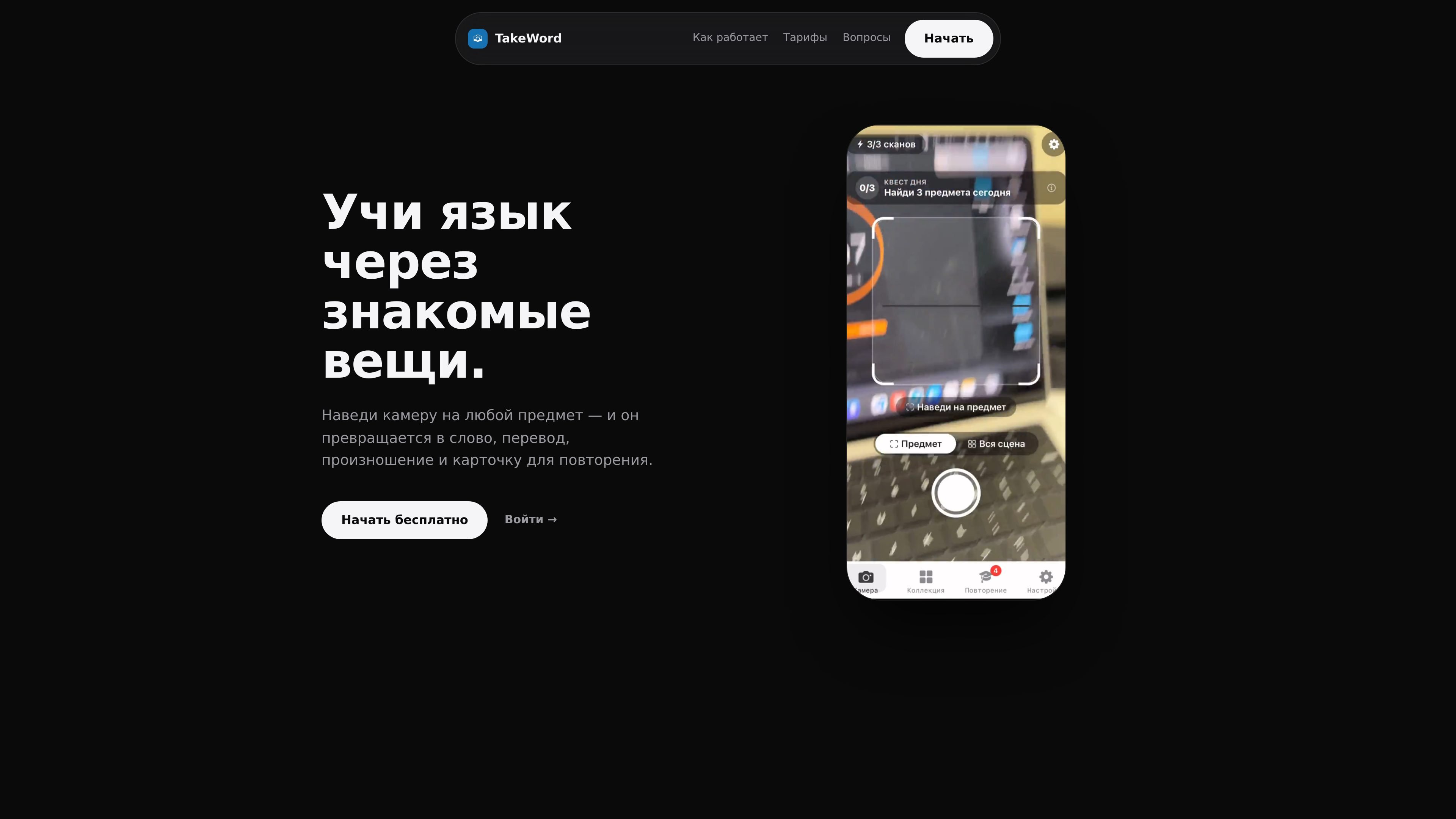
TakeWord is a language-learning app built around the camera. You point it at a physical object, and it returns the corresponding word, translation, and pronunciation for the selected language pair. The product frames this as a way to connect a scene, an image, and a word so vocabulary is easier to remember.
After a word is captured, it is turned into a card-like item with translation, transcription, examples, and notes, then fed into review tools based on tests and spaced repetition. The result is a workflow that moves from real-world discovery to organized study without requiring the learner to manually build vocabulary lists.
Point the camera at a nearby object and the app identifies it, then shows the word, translation, and pronunciation for the selected language pair.
Captured items are saved as card-like entries with translation, transcription, examples, and notes, turning observations into a reviewable collection.
The collection can be sorted by date and topic, which helps keep vocabulary organized as it grows.
Smart tests and spaced repetition bring words back for review at the moment you are likely to forget them.
The site shows support for audio pronunciation and AI-generated examples on Premium, helping learners connect written words with how they sound and how they are used.
Premium unlocks all language pairs, removes the scan limit, and adds a 'whole scene' mode that can detect up to 8 words.
Useful when you are in a home, café, or travel setting and want to learn the name of an object you can see immediately.
Helpful for building vocabulary by saving each discovered word as a card, then returning to it later through the review flow.
Fits learners who want review practice that is based on recall and spaced repetition rather than passive reading.
Relevant for users working with more than one language pair, since Premium opens access to all supported pairs.
Works for learners who want broader object coverage in one frame, since Premium includes a 'whole scene' mode that can detect up to 8 words.
TakeWord is designed to work from the camera on a phone or other device: you point it at a real-world object and it returns the word, translation, and pronunciation for that object on the study language pair shown on the site. The published pages do not describe a separate desktop setup flow.
The source pages show one free language pair and a paid Premium tier that unlocks all language pairs. The free plan is limited to 10 scans, while Premium removes that scan limit and adds features such as AI examples and synchronization.
The pricing page lists a monthly Premium plan and a yearly Premium plan, with the yearly option presented as the better-value choice and including a 7-day free trial. It also states that cancellation is available at any time.
The published content does not describe team accounts, shared workspaces, or classroom-specific features. Based on the available pages, the product is presented as a personal language-learning tool.
The pages do not document export, sync destinations, or third-party integrations. The only connected workflow mentioned is synchronization as part of Premium, but no external apps or services are named.

Lingofable is a story-based language learning app that helps learners practice reading at an appropriate level and review new vocabulary in context. It currently supports Spanish, with Android listed as coming soon.

GameGrad turns PDF study material into quiz questions that appear inside arcade games, so users can practice active recall while they play. It offers a free tier with one PDF and a Pro plan with more uploads, more questions, and answer explanations.

LangPanda is a browser extension for learning languages from streaming video and other supported sites. It combines instant subtitle lookup, flashcard creation, vocabulary tracking, and spaced-repetition review for 36 languages.

Asụsụ Ọma is a free guided Igbo learning app for beginners, with short lessons, native-speaker audio, memory practice, games, and speaking rehearsal. It is designed for adult and young-adult learners, diaspora learners, children, and families studying Igbo at home or abroad.

Snapmark is a VS Code extension that lets you annotate clipboard screenshots before pasting them into AI chats. It supports blur redaction, numbered callouts, and automatic resizing for large images.

Arduino VENTUNO Q is an edge AI computer for AI and robotics applications. It combines AI inference and deterministic control on a single board and is designed to work with Arduino App Lab.