
Minimal daily logging
The main interface centers on a single text prompt, “what did you do?”, which suggests quick manual logging without a complex form.

tasktrack is a minimal web-based task tracker for logging what you did in plain language and reviewing it later. The site shows CSV import, JSON export, and prompts for project and team use.
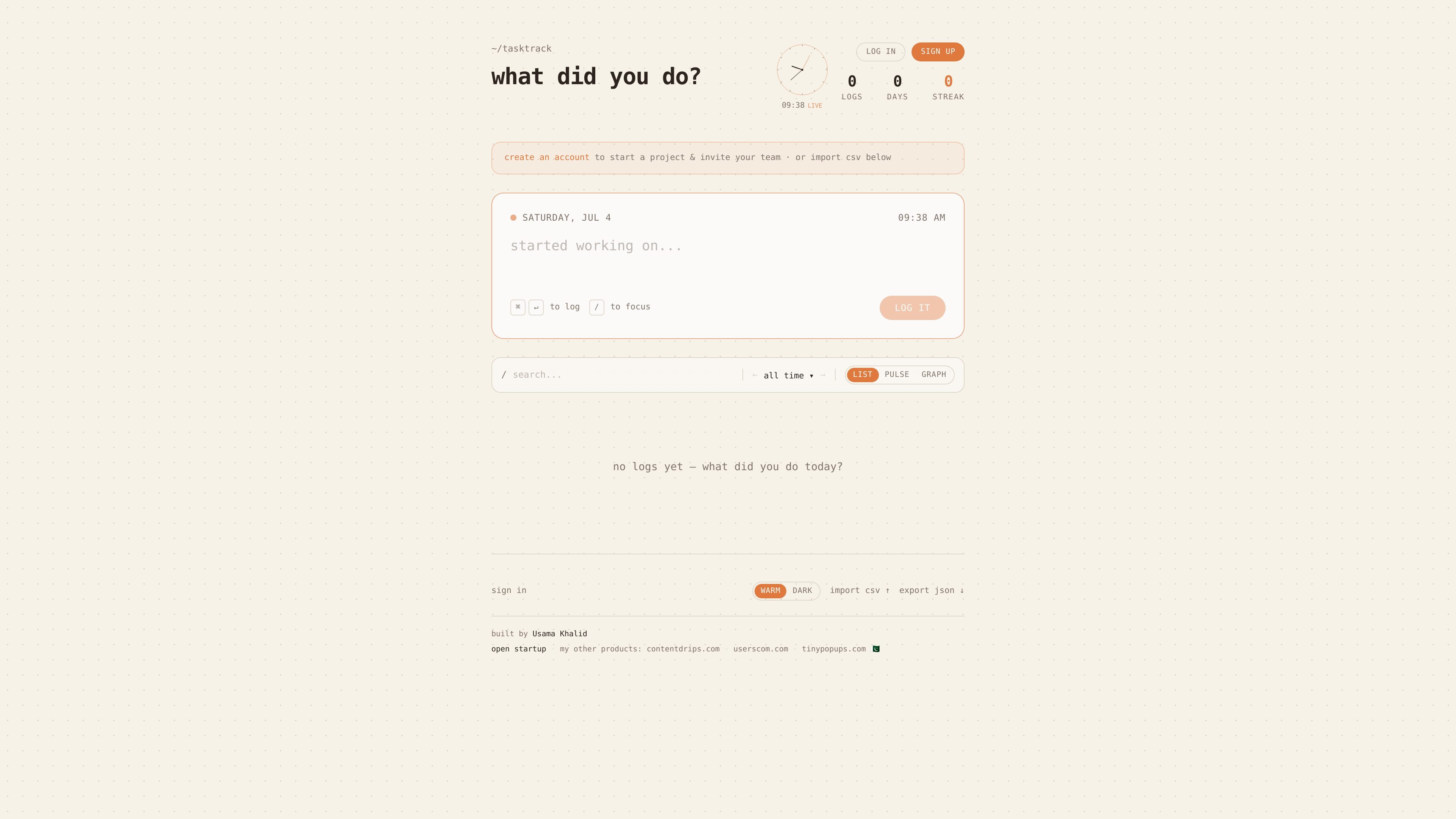
tasktrack is a minimal task tracker for recording what you did in plain language. The homepage positions it as a lightweight way to enter work quickly, then review it later instead of managing a heavy project system.
The visible interface focuses on fast capture: a single prompt, a live log view, and shortcuts for signing up, importing CSV data, and exporting JSON. The product also shows project and team invite prompts, which suggests it can be used for both individual tracking and small shared workflows, although the source does not spell out the full collaboration model.
The main interface centers on a single text prompt, “what did you do?”, which suggests quick manual logging without a complex form.
The page includes a project-oriented signup path with an invitation prompt, indicating support for organizing work around a project and team setup.
A visible CSV import action lets users bring existing logs into the app instead of starting from scratch.
An export JSON action is shown on the homepage, giving users a way to download their tracked entries.
The interface shows alternate views labeled list, pulse, and graph, suggesting different ways to review tracked work over time.
A focus-oriented shortcut appears next to the logging flow, indicating the app can support both logging and focused entry from the same screen.
Use tasktrack to capture the work you finished each day in short entries, then revisit the history when you need a quick summary of activity.
Use the project creation and team invitation prompts when a small group wants a shared record of what each person has done.
Import existing records from a CSV file if you are moving from a spreadsheet or another tracker and want to preserve prior entries.
Switch between list, pulse, and graph views when you want a different perspective on activity over time, such as a chronological review or a more visual summary.
Use the single-screen logging flow when you want to record an update quickly without navigating through a larger task-management setup.
The site presents tasktrack as a minimal task tracker built around a simple logging flow: type what you did, then look back later. The homepage also shows options to sign up, sign in, import CSV, and export JSON.
The homepage suggests tasktrack supports account sign-up for creating a project and inviting a team, but the available source does not confirm detailed team features beyond that prompt.
Yes. The homepage includes an import CSV option, and it also shows an export JSON action for downloading data.
The source does not provide a confirmed pricing page or plan details. The /pricing URL returned a 404 in the collected evidence.
The open-startup page indicates a public building-in-public area, but it did not load stats in the collected source. No additional operational or analytics details were confirmed.

Biji ist eine vielseitige Plattform, die entwickelt wurde, um die Produktivität durch innovative Werkzeuge und Funktionen zu steigern.

Goldfish is an AI memory app for macOS that helps you reply, write, summarize, and continue using the context already on your Mac. It stores memory locally and writes in your tone.

Redline is a budgeting tool for Claude Code that paces sessions to stay within time, token, cost, or plan-percentage limits. It uses Claude Code’s native hooks and statusline to help sessions finish with a usable result instead of stopping abruptly.

Claude Overlay is a Windows desktop overlay for Claude Code that reads your screen so you can ask questions, inspect content, and request edits without leaving the current app. It runs on your existing Claude subscription through the Claude CLI, so no separate API key is required.

SonOf connects to your repo and PM tool, audits the codebase and surrounding product context, and turns approved work into shipped tickets with senior engineering review. It is aimed at founders and engineering leaders who need backlog help without hiring a full team immediately.

Macuse is a macOS app that lets AI assistants control native Mac apps through MCP and use Computer Use for any app. It works with clients like Claude Desktop, Cursor, and Raycast, and keeps automation on-device.