
Drop-in proxy integration
Point an existing app at Tokenwise’s proxy by changing the base URL and sending a live key. The docs describe this as a one-line integration with no client library to install and no SDK to maintain.

Tokenwise is an LLM observability and cost optimization proxy for production apps. It helps teams monitor usage, detect waste, and apply guarded cost-saving changes without rewriting their SDK integration.
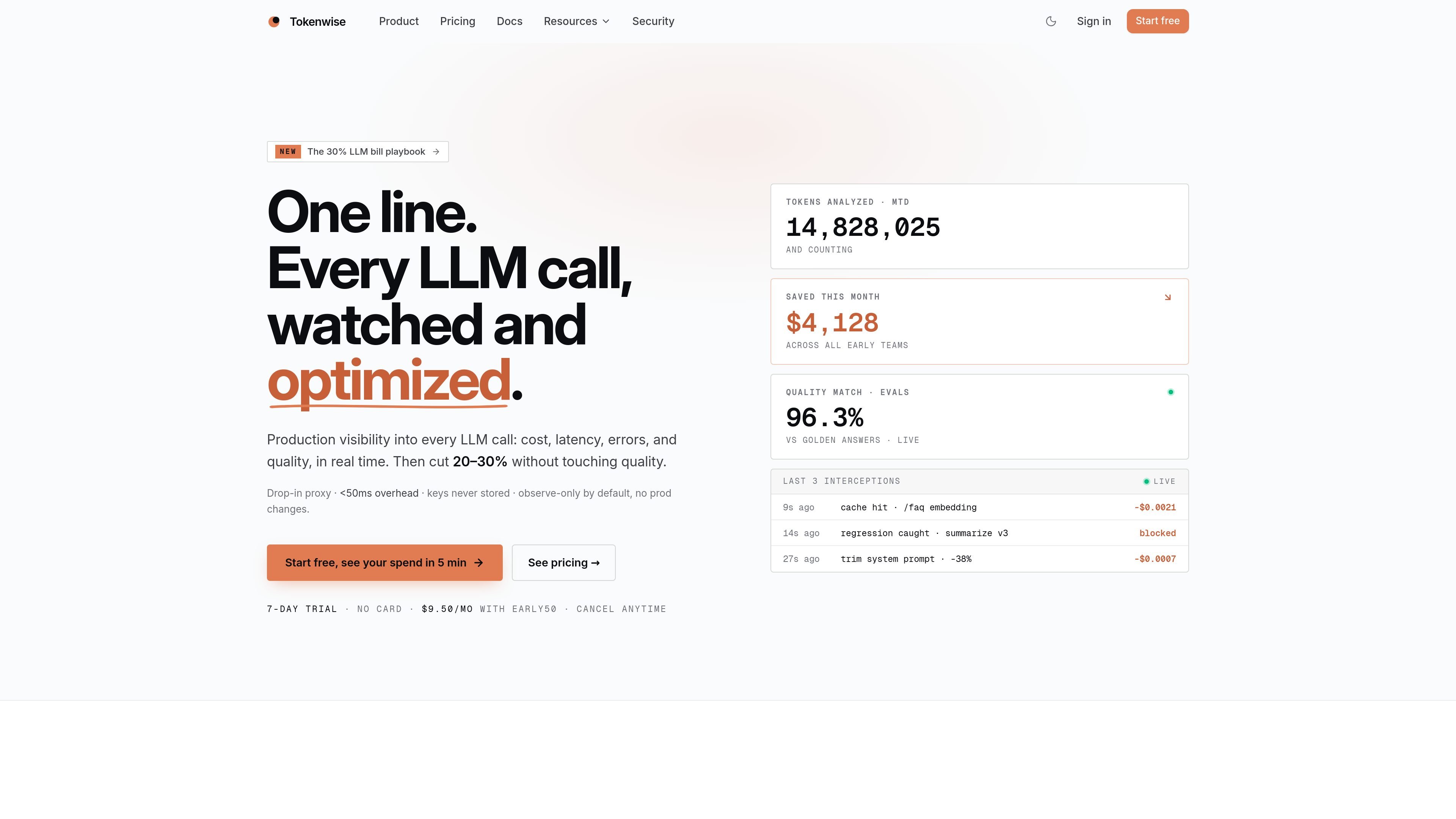
Tokenwise is an LLM observability and cost optimization proxy that sits between your application and model providers. It is designed to give teams production visibility into cost, latency, errors, tokens, and quality while keeping the existing SDK and routing model in place.
The product’s core workflow is to observe traffic, identify waste, and suggest or apply changes such as model swaps, caching, prompt trims, fallback chains, and A/B splits. Tokenwise emphasizes a low-friction setup, observe-only behavior by default, and replay-checked recommendations so cheaper output does not silently degrade quality.
Point an existing app at Tokenwise’s proxy by changing the base URL and sending a live key. The docs describe this as a one-line integration with no client library to install and no SDK to maintain.
Track cost, tokens, latency, errors, and quality for each call, with views sliced by model, app, or tag. The dashboard also shows a 14-day forecast and live updates as traffic changes.
Detect common sources of LLM waste such as oversized prompts, cache misses, and expensive model choices. Tokenwise quantifies the likely savings and shows recommendations on the traffic you actually send.
Apply model switches, caching, prompt trims, fallback chains, A/B splits, and tag overrides from the rules engine. The product says these changes can be replay-checked against your quality baseline before rollout.
Protect production with alerts for spend spikes, latency regressions, and quality dips. The security and docs pages also describe rollback, webhook delivery, and notification routes such as email, Slack, and Discord.
Support multiple providers through OpenAI-style or provider-specific paths, including OpenAI, Anthropic, Google Gemini, xAI Grok, OpenRouter, Groq, DeepSeek, and Mistral. The docs also mention Cohere, Together, Fireworks, Perplexity, and Bedrock.
Use Tokenwise to see which models, prompts, or endpoints are driving spend, then break costs down by app or tag instead of relying on provider dashboards alone.
Review recommendations for model swaps, caching, and prompt trimming when traffic volume makes manual cost analysis too slow.
Set alerts for cost spikes, latency regressions, and quality dips so the team can respond before users notice a production issue.
Adopt the proxy without changing application code structure beyond the endpoint and headers, which suits teams that already use OpenAI-style SDKs.
Use the rules engine and replay checks to test cheaper configurations against a quality baseline before rolling them into production.
Tokenwise is an HTTP proxy that sits between your app and LLM providers. The docs say you can point an existing SDK at its base URL with a live key, so setup is designed to work without installing a separate client library or rewriting your app.
The product is built for teams that want visibility into LLM spend, latency, errors, and quality while keeping their existing SDKs. The site highlights use by production apps and teams shipping agents, not just one-off experiments.
The dashboard and rules engine are built to show every call, surface waste, and let you apply changes such as model swaps, caching, prompt trims, fallbacks, and A/B splits. Those changes are replay-checked against a quality baseline before being applied.
The site supports OpenAI, Anthropic, Google Gemini, xAI Grok, OpenRouter, Groq, DeepSeek, Mistral, Cohere, Together, Fireworks, Perplexity, and Bedrock, plus Vercel AI SDK and common OpenAI-compatible paths.
Tokenwise positions itself as observability and optimization infrastructure, not a full replacement for your model provider. It is observe-only by default, and some deeper controls such as payload storage, eval scoring, and prompt-version drift detection depend on enabling payload storage.

AakarDev AI helps teams manage AI provider access, project-level setups, logs, and analytics from one dashboard. It supports BYOK workflows and lists providers including OpenAI, Google Gemini, Anthropic, Groq, Mistral AI, and Perplexity AI.

ByteAsk is a terminal-first AI coding agent for C and C++ that edits repositories and verifies changes with the real compiler, debugger, sanitizers, and tests before showing a diff. It offers a free tier plus paid plans, with editor connectors and zero-retention handling described in the source.

PromptScout tracks how ChatGPT, Gemini, Google AI Overviews, and Perplexity mention your brand or competitors, then pairs those results with source analysis and website audits. It helps teams decide what to fix in content, positioning, or site readiness next.

CreateOS Sandbox is an isolated compute environment for running code and agent workloads inside Firecracker micro-VMs. It is designed for workflows that need machine-level isolation, private networking between sandboxes, and programmatic control through SDK, CLI, or MCP.

Sleek Analytics is a privacy-friendly web analytics tool with real-time visitor tracking, Core Web Vitals, and revenue attribution. It helps site owners understand traffic and conversions without cookie banners or a heavy setup.

hob is an independent workspace for coding agents that keeps agent sessions, terminals, history, and follow-up work organized around the tools and providers you already use. It is aimed at developers who want local control over routing, history, and workspace structure rather than a bundled model stack.