
Bullseye board workflow
The board organizes all 19 traction channels into outer, middle, and inner rings so you can rank them, narrow to your real bets, and keep each project separate.

Traction is a marketing workflow tool that helps founders map 19 traction channels, run experiments, and track which channel is actually working. It also includes directory submission support, a DR Checker, and AI-assisted planning on paid projects.
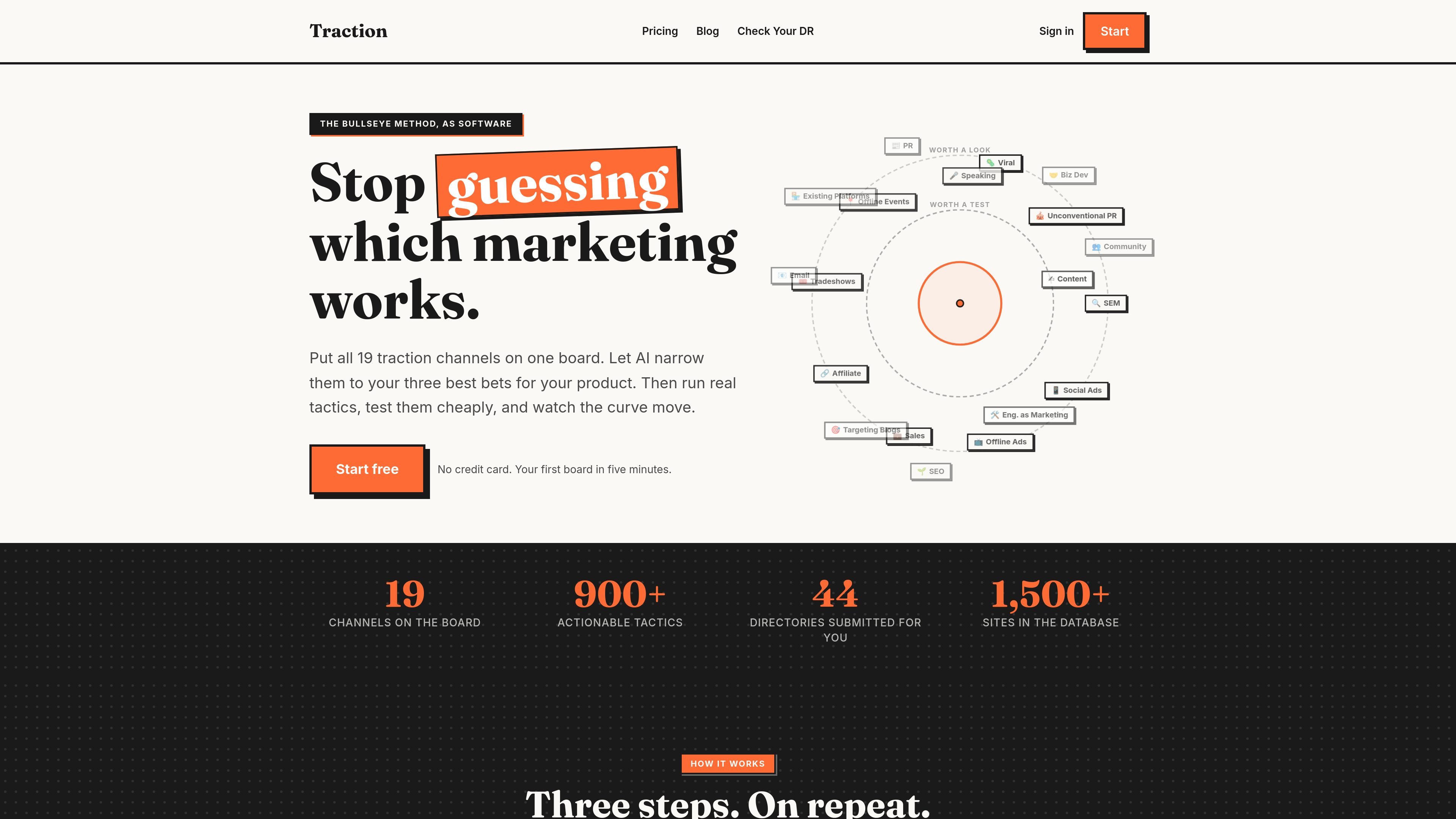
Traction is a marketing workflow tool built around the Bullseye framework. It helps founders and small teams map the 19 traction channels, pick a small set of channels to test, and keep the experiments and results tied to those channels instead of spread across separate tools.
The product combines a board, a tactics library, experiment tracking, directory submission support, and a DR Checker. The site positions it for any business with a website, including SaaS, local businesses, ecommerce, agencies, and content sites, with the main goal of reducing guesswork about which marketing channel is actually working.
The board organizes all 19 traction channels into outer, middle, and inner rings so you can rank them, narrow to your real bets, and keep each project separate.
AI can draft a first pass at the traction map from your product description, then help sharpen tactics, autofill experiment plans, suggest the next test, research channels, and find relevant events.
The tactics library contains 900+ actionable tactics with steps, cost, timeframe, and channel labels, and each tactic can be turned into a cheap, time-boxed experiment.
Traction tracks hypotheses, metrics, and verdicts such as win, kill, or continue, while keeping learnings attached to the channel and connected to the board.
The directory workflow includes a database of more than 1,500 sites, filterable by category and backlink type, plus autofill for directory forms in the Chrome extension.
The DR Checker page says it can track Domain Rating weekly and, on Pro, monitor weekly backlinks plus referring domains and compare up to 3 competitors.
A founder can use the board to place all 19 channels on a single map, choose the three strongest candidates, and turn that shortlist into weekly experiments instead of trying every channel at once.
A team can use the tactics library and experiment tracker to turn a marketing idea into a hypothesis, set a metric and budget, and record whether the test should be won, killed, or continued.
A website owner can browse the directory database, filter for high-DR or free dofollow listings, and submit or autofill forms as part of a backlink campaign.
A site owner can connect Stripe and review the growth curve next to the tactics and experiments that were run, using dated revenue history rather than a vague sense of progress.
A Pro user can ask the AI tools to generate tactics, research channels, or find relevant events for a niche product, then use those outputs as inputs to the board and experiments.
Yes. The pricing page says free accounts can create up to 3 projects and include the Bullseye Board method, 19 channel playbooks, the experiment tracker, a weekly 50% rule time logger, 400/900+ tactics, a browser-extension autofill flow for 5 directory forms per project, and the DR Checker with tracking. Pro unlocks the full tactics library, all directory database access, unlimited autofill, AI features, and unlimited projects for one website after redeeming a credit.
A credit is one website. Redeeming a credit on a project permanently unlocks Pro features for that site, with no subscription and no recurring fee.
The site says the board, tactics, playbooks, experiment tracker, and DR Checker are available free, while Pro adds AI channel research, AI tactic generation, AI event finding, full directory database access, and unlimited autofill in the Chrome extension.
The pricing page describes a one-time Done-For-You service for $299 per project. The team manually submits to 50 directories that cannot be auto-submitted, with a 4-6 day turnaround and unique descriptions per directory.
Free accounts can create up to 3 projects. The pricing page says redeeming a credit lifts the 3-project cap for that website, and Pro unlocks unlimited projects overall.

PromptScout tracks how ChatGPT, Gemini, Google AI Overviews, and Perplexity mention your brand or competitors, then pairs those results with source analysis and website audits. It helps teams decide what to fix in content, positioning, or site readiness next.

Codex Plugins bundle reusable skills, app integrations, and MCP servers into workflows you can install in the Codex app or use from Codex CLI. They help extend Codex with connected-service tasks, reusable instructions, and shared team workflows.

Struere is an AI-native platform for turning spreadsheet data into structured operational software with dashboards, alerts, and automations. It is aimed at teams that want to replace manual spreadsheet workflows without building custom tools from scratch.

ClayHog ist eine KI-Sichtbarkeitsplattform für die Suche, die zeigt, wie Marken in ChatGPT, Gemini, Perplexity, Claude und Google AI Overviews erscheinen.

Wysera is an AI business platform that combines PostWyse for content and OpsWyse for CRM and revenue workflows, powered by the shared Wyse AI. It is built for solo operators, teams, and agencies that want approval-first automation across publishing, lead follow-up, and related operations.

OpenFlags is an open-source, self-hosted feature flag platform for modern JavaScript teams. It supports local evaluation, targeted rollouts, and controlled launches while keeping flag data in your own infrastructure.