
Dictate where you already write
Use Dictate in messages, email, notes, documents, and other apps where you already type. It is positioned as an input tool rather than a separate destination.
Dictate is a speech-to-text app for iPhone and Mac that turns spoken input into cleaned-up text for messages, notes, email, and other apps. It offers a free tier, a Pro plan, and one account across both devices.
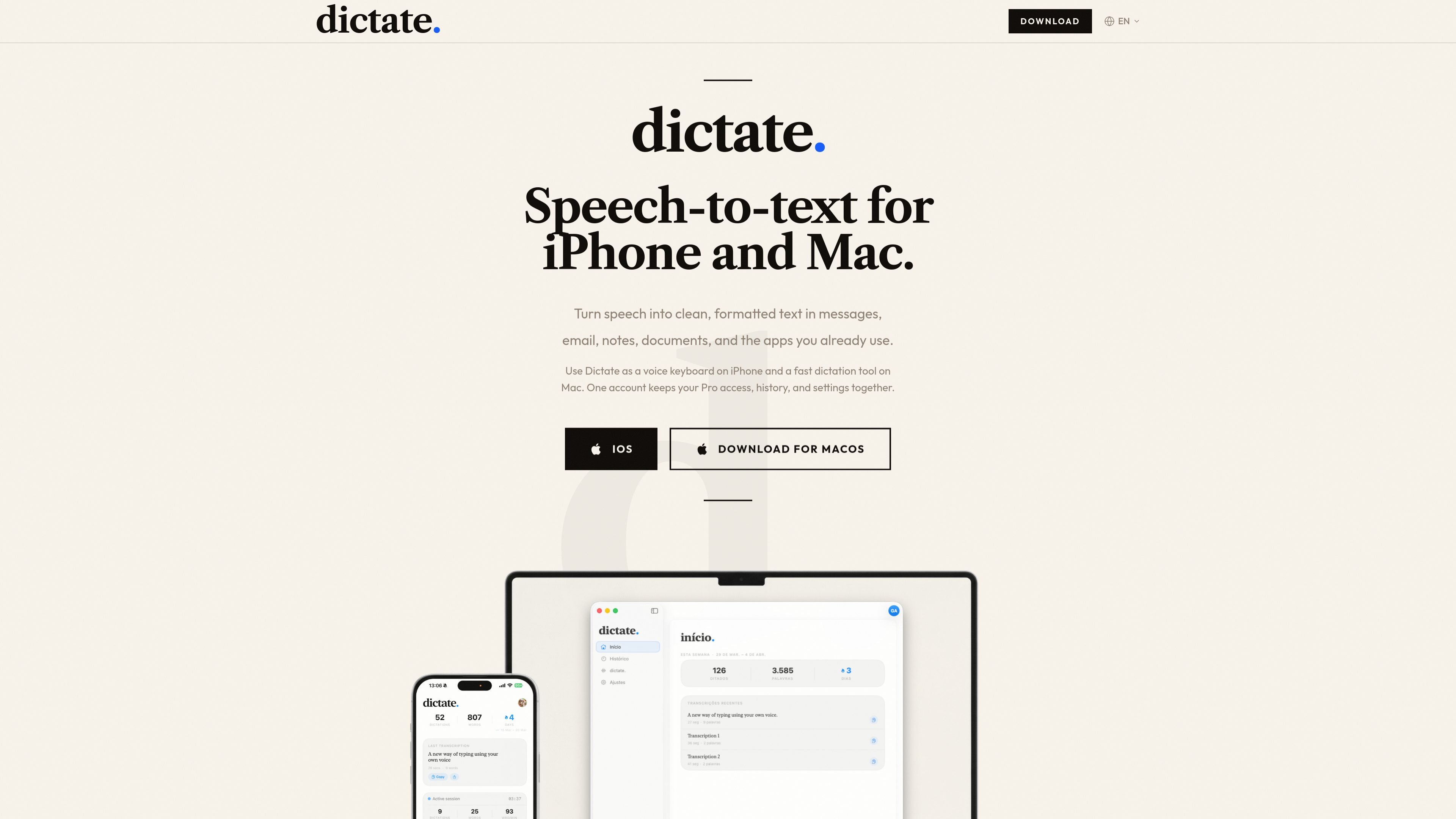
Dictate is a speech-to-text app for iPhone and Mac. It is designed to turn spoken input into clean text that can be used in messages, email, notes, documents, and other apps you already use.
On iPhone, Dictate works as a voice keyboard. On Mac, it works as a dictation tool that inserts text into the active app. One account keeps Pro access, history, and settings connected across both devices.
Use Dictate in messages, email, notes, documents, and other apps where you already type. It is positioned as an input tool rather than a separate destination.
The app cleans up punctuation, formatting, and structure so spoken input becomes usable text with less manual editing.
The product supports multiple languages, including Portuguese, English, Spanish, and French, and lets you switch languages as needed.
You can dictate in one language and write the final text in another, which is useful for drafting or translating while speaking.
Anything you dictate is kept searchable in history, so addresses, ideas, drafts, and partial notes can be found later.
The pricing page lists AI-powered formatting, tone and style adjustment, and priority support for Pro users.
Speak a message, email, or note and get text that is already cleaned up for punctuation and structure, reducing the amount of manual editing after dictation.
Use Dictate as a keyboard on iPhone when you want to speak instead of type, especially for short replies or mobile writing sessions.
On Mac, press the shortcut and dictate into the active app to add text where you are already working, without switching to a separate writing window.
Switch languages during the day, or dictate in one language while writing in another, for multilingual workflows and translation-assisted drafting.
Keep addresses, ideas, snippets, and half-formed thoughts searchable so you can return to them later instead of losing them in a stream of dictation.
Dictate is a speech-to-text app for iPhone and Mac. On iPhone it works as a keyboard, and on Mac it works as a dictation tool that inserts text into the active app.
The pricing page shows a free tier and a Pro plan. Free includes 70 transcriptions per week, and Pro includes unlimited transcriptions on iPhone and Mac.
The homepage says Dictate supports Portuguese, English, Spanish, French, and more, and that you can switch languages as you work.
The site says Dictate works in messages, email, notes, documents, and everyday apps. On Mac it uses a shortcut to dictate into the active app, so it is meant to work across many writing contexts.
The homepage says Dictate cleans up punctuation, formatting, and structure so the result is ready to send, paste, or edit. The Mac plan also mentions AI-powered formatting, real-time translation, and tone and style adjustment.

Sanota is an app that turns spoken memories, reflections, and interviews into clear written stories. It supports personal storytelling, family history, and shared memories, with guided prompts and subscription pricing.

Goldfish is an AI memory app for macOS that helps you reply, write, summarize, and continue using the context already on your Mac. It stores memory locally and writes in your tone.

Tactiq is an AI note taker for Google Meet, Zoom, and Microsoft Teams that transcribes meetings live and turns them into summaries, action items, and follow-up outputs. It is built around a Chrome extension and supports team workflows through sharing and integrations.

Tavus is an AI video platform for building real-time, face-to-face agents, digital twins, and AI companions. It combines APIs, custom replicas, and multilingual conversational workflows for developers and teams.

ProWritingAid is a writing assistant for storytellers that offers grammar checking, style editing, paraphrasing, and story analysis inside popular writing apps. It includes a free plan, paid tiers, and tools for chapter critique, manuscript review, and collaborative editing.

Paperpal 是一款面向学术写作的 AI 工具,提供文献阅读、语言润色、引用、查重、AI 检测和投稿前检查。它适合需要在英文论文和学术材料上进行写作、修改与合规自检的学生、研究人员和教师。