
Timestamp generation
Generates clean chapter-style timestamps from a video, with the homepage positioning them as better than auto-chapters and aligned to the points viewers tend to scrub for.

Vidrunner turns a video URL into YouTube timestamps, keyword-focused tags, and Amazon product links. It is aimed at creators who want a quicker way to prepare publish-ready metadata and affiliate links.
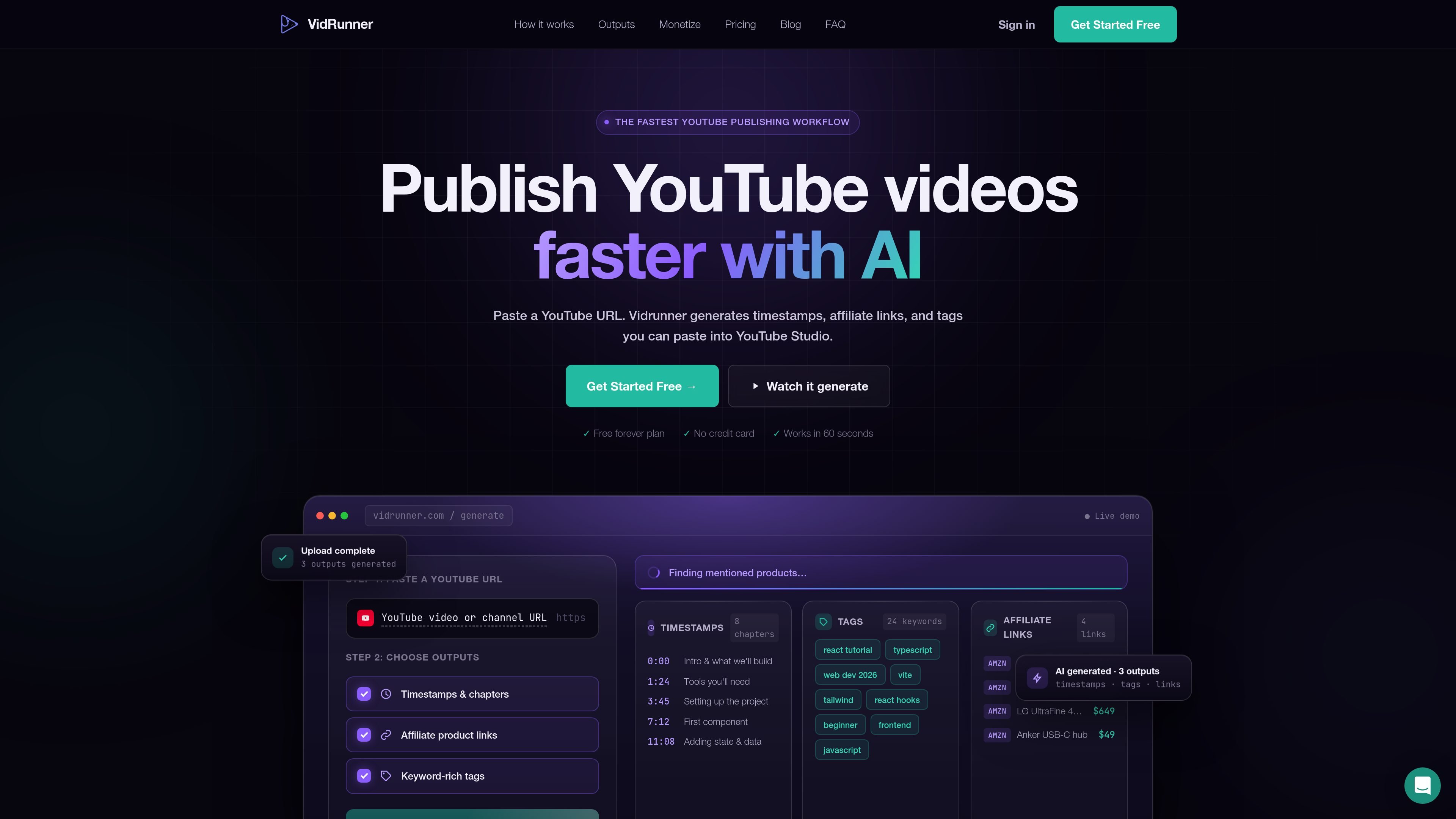
Vidrunner is a web product for turning a video URL into YouTube-ready metadata and affiliate links. The homepage presents three outputs: timestamps, keyword-focused tags, and Amazon product links.
Its main purpose is to reduce manual work for creators who publish videos with chapters, searchable tags, and product mentions. The site describes a paste-a-URL workflow where users choose the output they need and copy it into YouTube or their publishing process.
Generates clean chapter-style timestamps from a video, with the homepage positioning them as better than auto-chapters and aligned to the points viewers tend to scrub for.
Creates keyword-rich tags with high-search terms up front and longer-tail phrases behind them to support discovery-oriented metadata.
Produces Amazon product links for mentioned items and associates them with a tracking ID, so affiliate links do not need to be built manually.
Uses a paste-a-URL workflow, then lets the user pick the output they need and copy it for use in YouTube.
Presents the output in a simple step sequence: timestamps, tags, then affiliate links, which makes the product’s purpose easy to understand at a glance.
Useful for YouTube creators who want chapter markers without building them manually from scratch.
Useful for creators optimizing video metadata with tags that include both broad search terms and longer-tail phrases.
Useful for affiliate-focused videos where product mentions need Amazon links with a tracking ID.
Useful for solo creators who want a faster publish-time workflow by generating multiple pieces of metadata from one video URL.
Vidrunner generates three outputs from a video URL: timestamps, keyword-focused tags, and Amazon product links tied to a tracking ID.
The homepage says you paste a URL, choose what you need, and copy the result into YouTube. That suggests a simple paste-and-copy workflow rather than a complex editor.
The site shows timestamps, tags, and affiliate product links as the supported outputs. It does not show separate documentation for integrations, exports, or additional output formats.
The site’s pricing page is not available in the collected evidence, so no pricing or plan details can be confirmed from these sources.

PromptScout tracks how ChatGPT, Gemini, Google AI Overviews, and Perplexity mention your brand or competitors, then pairs those results with source analysis and website audits. It helps teams decide what to fix in content, positioning, or site readiness next.

Hype is a web tool for finding trending YouTube topics by category, time range, and scoring mode. It helps creators spot emerging ideas, inspect source videos, and decide what to cover next.

DailyPlay.ai is a behavioral growth platform that uses AI site scanning and micro-games to help brands improve engagement and conversion. It supports web, mobile, and other digital touchpoints, with a one-line script setup and a free engagement scan.

Topple.lol is a public pay-to-rank leaderboard where listings start at $1 and their bid balance decays over time and with clicks. It helps makers and marketers buy short-term visibility for product sites or X profiles while tracking live board stats.

ClayHog ist eine KI-Sichtbarkeitsplattform für die Suche, die zeigt, wie Marken in ChatGPT, Gemini, Perplexity, Claude und Google AI Overviews erscheinen.

beehiiv is a newsletter platform for creators, publishers, and brands that want to build, grow, and monetize email newsletters and websites from one place. It offers a free Launch plan, plus paid tiers for more advanced growth, monetization, and support features.