

AgentBase
AgentBase는 PR 리뷰를 위한 원페이지 워크스페이스로 diff·스레드 맥락·작성자 의도와 AI Q&A 패널을 한곳에 모아 Slack 알림으로 빠르게 안내합니다.
AgentBase란?
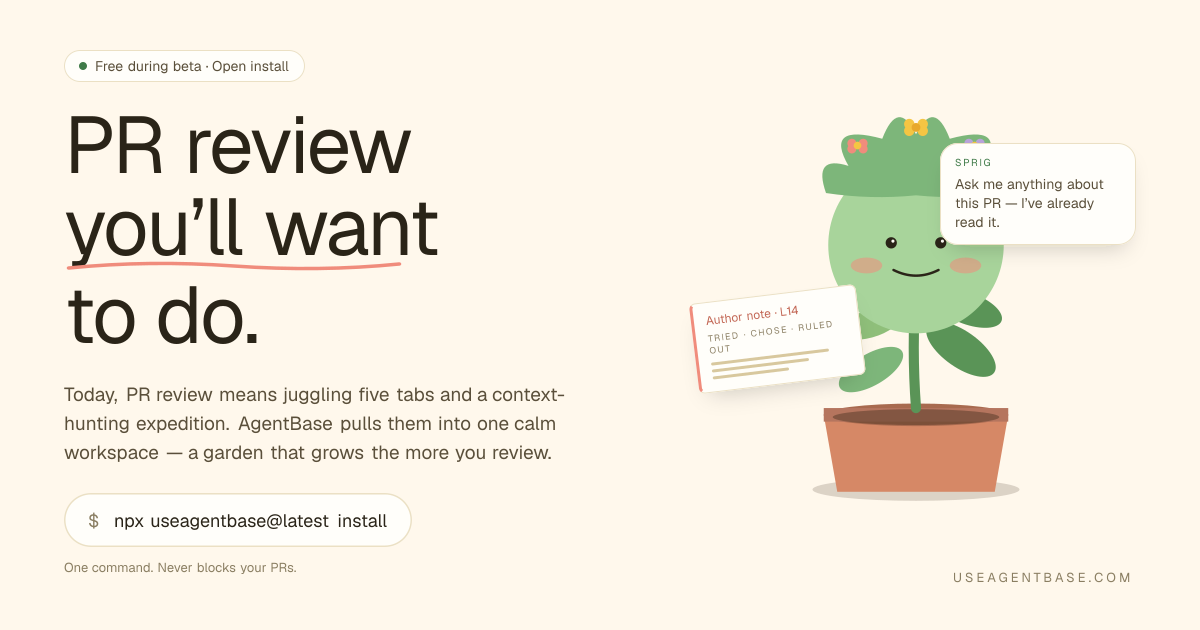
AgentBase는 풀 리퀘스트 리뷰를 위해 여러 도구를 한 페이지에 통합한 PR 리뷰 워크스페이스입니다. GitHub diff와 PR 의도 및 맥락을 결합하며, 작성자 노트와 Q&A 스타일 패널(“Ask me anything”)을 포함해 리뷰어가 변경 사항과 이유를 이해하도록 돕습니다.
핵심 목적은 PR 리뷰 중 탭 전환을 줄이기 위해 리뷰어가 일반적으로 필요로 하는 자료—diff, 스레드 맥락, 티켓/의도, 코드 탐색—를 하나의 워크플로에 모으고, 같은 패널에서 후속 질문을 답변할 수 있는 기능을 추가하는 것입니다.
주요 기능
- 원페이지 PR 리뷰 인터페이스 (여러 탭 대신): diff, 토론/스레드 맥락, blame/히스토리 뷰, 티켓/이유 맥락, AI Q&A 패널을 하나의 워크스페이스에 통합합니다.
- 구조화된 의도를 포함한 Slack 기반 리뷰어 핑: PR 의도, 범위, 변경된 관련 코드 로직, 예상 읽기 시간을 포함한 Slack 메시지를 보내 리뷰어가 PR을 열기 전에 빠르게 파악할 수 있습니다.
- diff와 연동된 PR “작성자 노트”: 변경 이유를 담은 작성자 노트(참조 티켓 링크 포함)를 관련 diff 라인 옆에 표시합니다.
- 심층 질문에 대한 맥락 로딩: 리뷰어가 질문(예: 함수 호출 위치나 blast radius)할 때 AgentBase가 PR과 관련 코드베이스 리뷰 패턴을 로드해 브랜치 전환 없이 답변을 표시합니다.
- 레닥션과 함께한 대화록 처리: 대화록 저장 전 시크릿을 제거(예: API 키/토큰/비밀번호/개인 키를
[REDACTED]로 대체)하며, 설명된 내용 외 다른 정보는 저장하지 않습니다. - 캡처 범위의 프라이버시 중심: 리뷰어가 PR을 열 때 해당 PR에 대한 AI 대화와 기본 PR 메타데이터(레포, 브랜치, 커밋)만 캡처합니다.
AgentBase 사용법
- 베타 기간 설치 및 열기: 사이트에
npx useagentbase@latest install로 설치 표시. - PR 리뷰 시작: 풀 리퀘스트를 열면 diff, 작성자 의도, 지원 맥락이 통합된 리뷰 페이지를 제시합니다.
- 패널에서 후속 질문: 페이지에서 Sprig으로 표시된 “Ask me anything” 인터페이스를 사용해 “함수 호출 위치”나 “이 변경이 영향을 미치는 다른 부분” 등의 세부 사항을 요청하며, PR과 코드베이스에서 사용 가능한 내용에 인용을 연결합니다.
- Slack 핑을 진입점으로 사용: AgentBase가 적합한 리뷰어에게 의도, 범위, 변경된 핵심 로직, 읽기 시간을 Slack 메시지로 보내 초점 영역을 결정하도록 돕습니다.
사용 사례
- 엣지/미들웨어 인증 리팩토링: PR이 인증/레이트 리미팅 로직을 라우트 핸들러에서 엣지 미들웨어로 이동하면, 리뷰어가 패널로 범위(파일/패키지) 확인, diff에 고정된 이유, 모든 호출 사이트 마이그레이션 여부를 검증할 수 있습니다.
- 마이그레이션 중 “blast radius” 리뷰: 변경이 함수(예:
fetchSession을 헤더 기반 읽기로 대체) 교체 시, 리뷰어가 레포 전체 영향과 고아 호출 사이트 여부를 질문할 수 있습니다. - 변경 사항과 이유 빠르게 파악: 코드 diff와 의도 노트(티켓 링크, 작성자 이유)를 포함한 PR에서, 리뷰어가 탭 검색 대신 설명 라인 옆 “작성자 노트”를 읽을 수 있습니다.
- 리뷰 중 일관성 질문 답변: 유사 리팩토링 패턴(예: 이전 세션 미들웨어 리팩토링)이 이전에 배포되었는지 확인하려면 Q&A 패널에서 직접 비교 요청 가능.
- 팀 리뷰 큐 트리아지: PR이 큐에 쌓이면 Slack 핑이 효율적 리뷰 시작을 위한 구조화된 요약(예상 읽기 시간 포함)을 제공합니다.
자주 묻는 질문
-
PR을 열 때 AgentBase가 수집하는 것은? 해당 변경에 대한 AI 대화와 기본 PR 세부 정보(레포, 브랜치, 커밋)를 캡처합니다. 코딩 중이나 노트북의 다른 콘텐츠를 모니터링하지 않습니다.
-
AgentBase가 AI 대화의 시크릿을 저장하나요? 대화록은 저장 전 스크러버를 거칩니다. API 키, 토큰, 비밀번호, 개인 키는 자동으로
[REDACTED]로 대체됩니다. -
diff 뷰 외 질문을 할 수 있나요? 네. 인터페이스가 후속 질문(예: 함수 호출 위치, blast radius)을 지원하며, 패널이 PR과 코드베이스에서 로드된 관련 정보를 인용합니다.
-
알림은 어떻게 작동하나요? 사이트에서 적합한 리뷰어에게 PR 의도, 범위, 변경된 핵심 로직, 예상 읽기 시간을 포함한 Slack 메시지 설명.
-
AgentBase 설치는 어떻게 하나요? 페이지에
npx useagentbase@latest install로 설치(베타 기간 사용 가능) 표시.
대안
- 표준 GitHub UI + 별도 노트로 수동 PR 리뷰: 리뷰어는 diff를 열고 대화를 확인하며 검색/blame을 직접 사용할 수 있습니다. 이는 통합 원페이지 워크스페이스보다 더 많은 컨텍스트 전환을 요구합니다.
- PR 탭과 병행 사용하는 AI 코드 어시스턴트: 설명이나 답변을 생성하는 도구를 GitHub와 함께 사용할 수 있지만, diff 컨텍스트, blame, 티켓/의도를 하나의 리뷰 표면에 자동으로 중앙화하지 않을 수 있습니다.
- 역할별 PR 라우팅 및 Slack 알림을 보내는 워크플로 시스템: 일부 팀은 리뷰어를 알리기 위해 자동화를 사용하지만, “diff + 의도 + Q&A”를 한 곳에 통합하지 않습니다.
- 코드 리뷰 체크리스트 및 템플릿: 팀은 표준화된 체크리스트와 PR 템플릿으로 놓친 컨텍스트를 줄일 수 있습니다; 이는 일관성을 돕지만 diff와 코드베이스에 연결된 PR 전용 Q&A를 동일하게 제공하지 않습니다.
대안

Devin
Devin은 AI 코딩 에이전트로 코드 마이그레이션과 대규모 리팩터링을 서브태스크 병렬로 수행해요. 엔지니어 승인 하에 진행

Codex Plugins
Codex Plugins로 스킬, 앱 통합, MCP 서버를 재사용 워크플로로 묶어 Gmail·Google Drive·Slack 같은 도구 접근을 확장하세요.

ClawTick
ClawTick은 크론 스케줄로 웹훅 태스크를 실행하는 CLI-first AI 에이전트 자동화 플랫폼입니다. 모니터링·알림·재시도·실행 로그 제공

Falconer
Falconer는 고속 팀을 위한 자체 업데이트 지식 플랫폼으로, 내부 문서와 코드 맥락을 한곳에서 작성·공유·찾아보세요.

OpenFlags
OpenFlags는 오픈소스 셀프호스팅 피처 플래그 시스템으로, 앱 SDK에서 로컬 평가와 REST 제어 플레인을 통해 안전한 점진적 배포를 지원합니다.

AakarDev AI
AakarDev AI는 원활한 벡터 데이터베이스 통합을 통해 AI 애플리케이션 개발을 간소화하는 강력한 플랫폼으로, 신속한 배포와 확장성을 가능하게 합니다.