
AI-assisted batch renaming
Upload images and short videos, then let Archivist identify their contents and suggest readable filenames based on a selected structure.

Archivist is a web-based tool that uses AI and naming presets to turn unclear image and short-video filenames into consistent, descriptive names. It helps individuals, studios, agencies, and developers organize assets, download clean batches, and share client-ready collections by link.
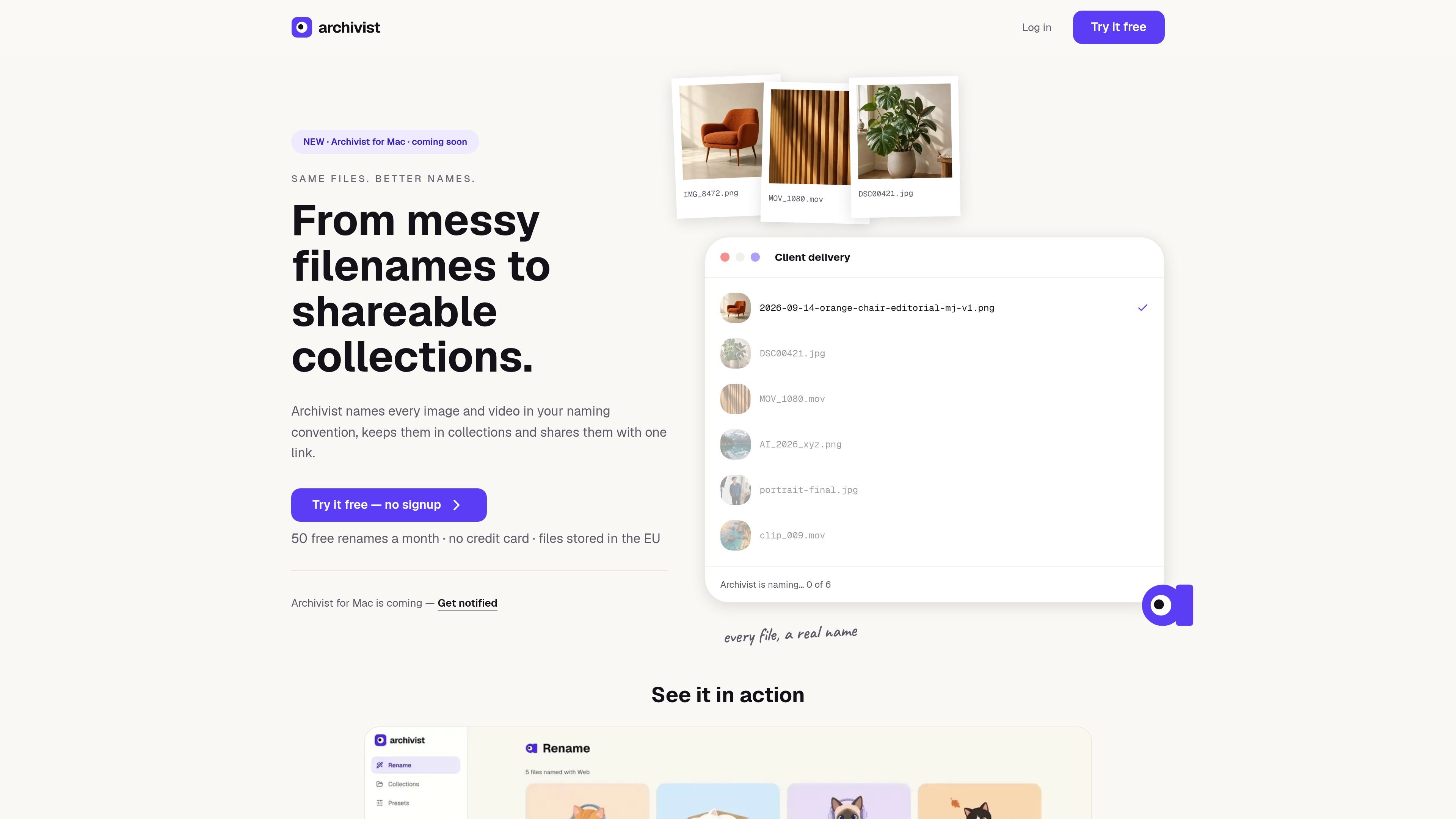
Archivist is a web-based file organization and delivery tool for images and short videos. It uses AI to detect file content, then applies a naming preset to produce readable, consistent filenames instead of camera, export, or generation defaults such as IMG_8472.png or image_47_final.png.
The workflow is upload, define or select naming rules, preview the proposed results, approve the changes, and download or share the files. Collections and access-controlled links make it suitable for organizing personal assets, preparing website or client handoffs, and keeping naming consistent across recurring creative work.
Upload images and short videos, then let Archivist identify their contents and suggest readable filenames based on a selected structure.
Choose Web, Social, Product, Documentation, or AI presets. Pro users can create custom conventions for project or client requirements.
Review proposed names before applying them, edit individual names, and download a ZIP containing the renamed files. Original filenames remain visible.
Group files into collections and share them through one link. Shared collections can be view-only or allow downloads, with expiry options available.
Set keyword rules that add newly named files to a collection after batch naming. Auto-collection uses the resulting names and does not consume extra renames.
Keep files in private EU storage, lock files against accidental deletion, and delete files when they are no longer needed.
Apply a repeatable structure to exports from image generators such as Midjourney, or to short clips from tools such as Runway, Sora, or Pika. This turns opaque generated filenames into assets that can be searched and understood later.
Use the Web preset to create lowercase, hyphenated, descriptive filenames before handing images to a developer or uploading them to a CMS. Recipients can browse a collection before downloading.
Save a client-specific naming convention as a preset, group final assets into a delivery collection, and send a link with optional expiry instead of a confusing folder or ZIP.
Clean up screenshots and exports from design tools by previewing consistent names that identify the tool, feature, state, or version.
Upload images, screenshots, AI-generated files, or short videos, choose a system or custom naming preset, preview the proposed names, then approve and download the renamed files. Archivist also supports collections and share links for delivery.
It supports JPG, PNG, WebP, and HEIC images, plus MP4 and MOV videos up to 60 seconds. Videos up to 60 seconds do not count against the image-rename quota.
No. Archivist shows proposed filenames before anything changes, and the original filename remains visible. You approve the rename before downloading the result.
Free includes 50 image renames per month and 500 MB of storage. Pro includes 3,000 image renames per month and 5 GB of storage. Videos up to 60 seconds do not count against the image quota.
Files are stored in the EU in a private account until you delete them. Collections can be shared with links, and sharing options include expiry dates; clients can download without an Archivist account.

ArtDeck is a visual reference board app for iPhone, iPad, and Mac that lets artists collect mixed reference material on one canvas and study it with ToolBox lenses. It works offline, supports optional iCloud sync, and is sold as a one-time purchase with no account required.

Codex Plugins bundle reusable skills, app integrations, and MCP servers into workflows you can install in the Codex app or use from Codex CLI. They help extend Codex with connected-service tasks, reusable instructions, and shared team workflows.

Snapmark is a VS Code extension that lets you annotate clipboard screenshots before pasting them into AI chats. It supports blur redaction, numbered callouts, and automatic resizing for large images.

PDFTools is a browser-based suite of free and premium PDF utilities for editing, conversion, and document handling. It helps users work on PDFs locally in the browser without uploading files to a server.

Open Computer Use is an open-source Computer Use service wrapped as MCP for macOS, Linux, and Windows. It helps AI agents and MCP clients run desktop automation workflows through client setup commands or manual MCP configuration.

CloudFuze provides a guided workflow for migrating Claude conversation history and context into Gemini for organizations moving their AI assistant. It helps IT teams preserve user continuity by moving exported conversations into Google Drive and making them accessible in Gemini Gems.