

Local mix-to-drum transcription
Open a full mix and use the local HTDemucs separation pipeline to isolate drums before transcription, or skip separation when you already have a drum stem.
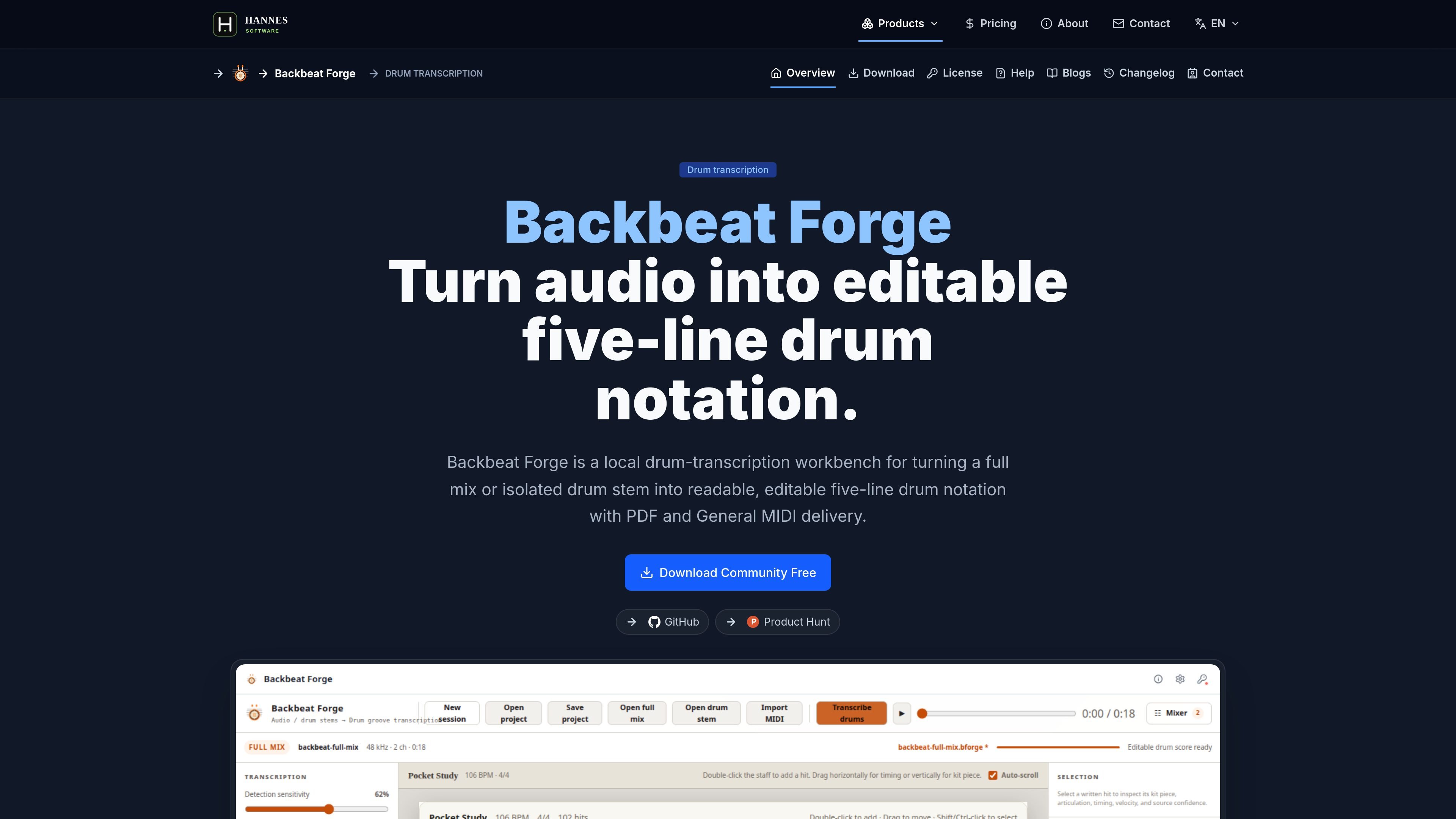
Backbeat Forge is a local drum-transcription workbench that turns a full mix or isolated drum stem into readable, editable five-line drum notation. It is designed for source-first review: the recording, detected hits, score edits, playback, and export stay connected in one desktop workflow.
The product supports a full-mix path that can use local drum separation, a direct isolated-stem path, and MIDI performance import. After transcription, you can correct kit-piece assignments, articulation, timing, velocity, and notation details, then export the reviewed result as a printable PDF drum chart or General MIDI percussion.
Open a full mix and use the local HTDemucs separation pipeline to isolate drums before transcription, or skip separation when you already have a drum stem.
Review hits in a five-line drum score instead of a piano roll, with editable note placement, kit-piece mapping, articulation, velocity, timing, and written rhythm.
Load an existing drum stem directly for onset analysis and notation review without running full-mix separation first.
Import drum MIDI performances into the same notation workspace to inspect and edit without audio analysis.
Balance generated drums and accompaniment during playback with master gain, per-track volume, mute, and solo controls.
Export the current edited draft to printable A4 PDF charts or General MIDI percussion for use in other tools.
Start with a song that only exists as a full mix, let the local separation pipeline find the drum part, and then clean up the generated notation before printing or exporting.
Skip separation when you already have a clean drum stem and move directly into onset analysis, score review, and notation correction.
Bring a drum MIDI performance into the same score editor when you need to inspect or refine a written part without analyzing audio first.
Use the score view and playback tools to compare the transcription against the recording, then adjust timing, kit-piece placement, and articulation until the chart matches the performance.
Export a reviewed chart as PDF for rehearsal, lessons, or printing, or send the edited part as General MIDI percussion to another application.
Backbeat Forge imports a local full mix or an isolated drum stem in WAV, MP3, FLAC, OGG, M4A, or AAC, and it also accepts percussion MIDI in .mid or .midi. Full mixes can be separated locally before transcription; isolated stems go straight into onset analysis.
The published workflow is desktop-based rather than cloud-based. The download page says it is built for focused desktop work, and the product copy describes it as a local drum-transcription workbench.
It exports the reviewed, edited score as a printable PDF drum chart and as General MIDI percussion on channel 10. The export uses the current edited draft, not the first machine analysis pass.
The product page shows a Community Free path for evaluating drum detection and five-line score viewing. A one-time paid unlock adds advanced editing, quantization, MIDI export, and PDF export.
The source pages indicate Windows and Linux desktop builds. Windows uses an installer or Microsoft Store delivery, while Linux is offered as DEB, RPM, or AppImage packages.

Tactiq is an AI note taker for Google Meet, Zoom, and Microsoft Teams that transcribes meetings live and turns them into summaries, action items, and follow-up outputs. It is built around a Chrome extension and supports team workflows through sharing and integrations.

CAMB.AI Streams dubs live audio in multiple languages in real time for broadcasts on platforms like YouTube, Twitch, and X. It plugs into existing live workflows using common streaming protocols and avoids a post-production step.

SpeakoFlow is a free, open-source desktop voice-to-text app for Windows, macOS, and Linux. It supports dictation into any app, voice-driven writing with Flow, cleanup, translation, and a screen-aware assistant.

Notewarp is an AI note-taking tool that turns voice notes, uploads, or pasted text into cleaner notes, transcripts, summaries, and action items. It helps people capture rough ideas quickly and then edit, export, or share the result.

Scripta is a privacy-first AI notetaker that records, transcribes, and summarizes meetings directly on your device. The public site currently shows a Mac beta download and a Windows waitlist.

LALAL.AI is an AI audio processing platform for stem separation, voice cleanup, and voice transformation. It supports browser-based upload, preview, and download workflows for audio and video files, plus premium and enterprise options.