

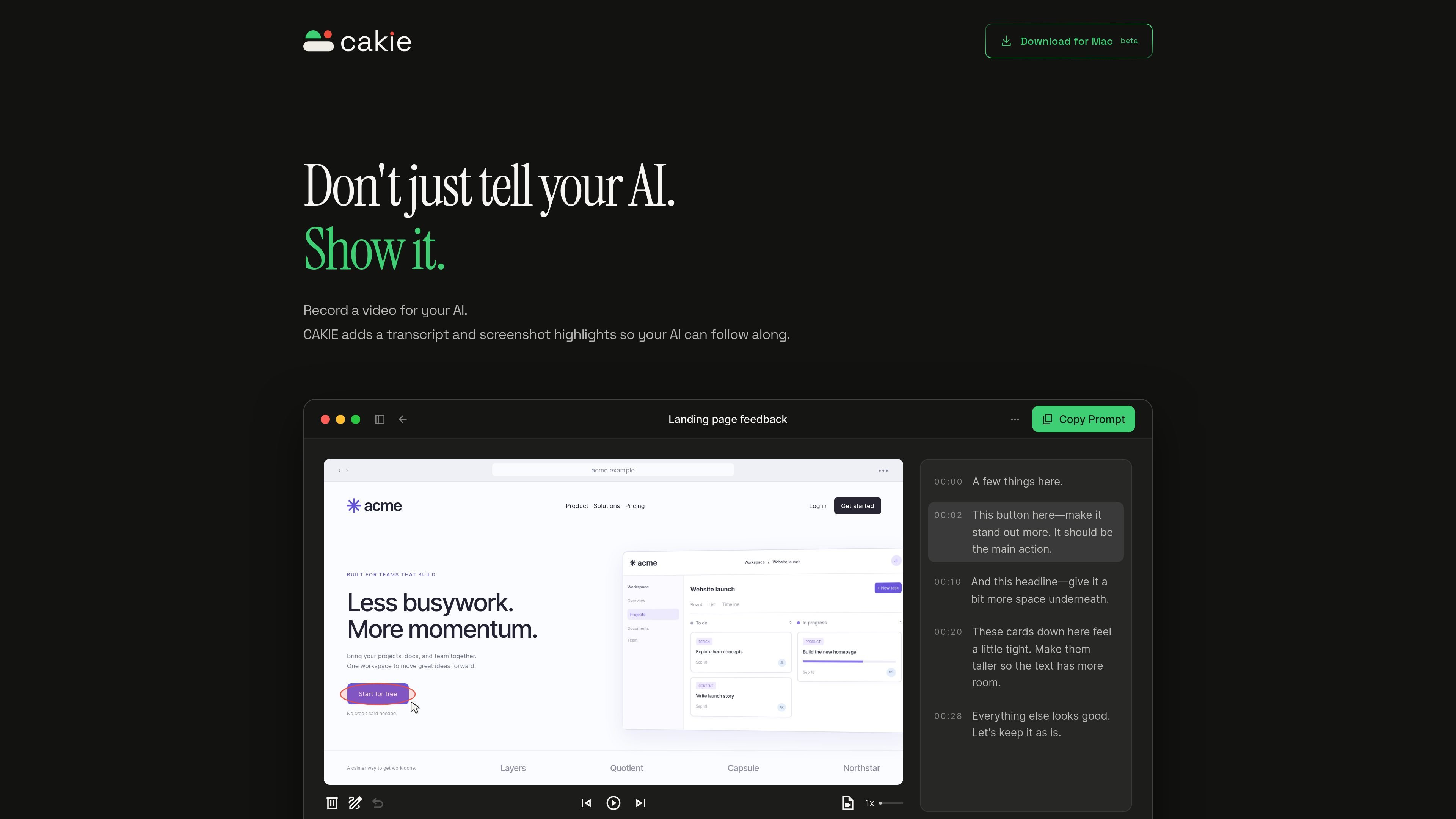
Screen and voice recording
Capture what is happening on your screen while explaining it aloud, using macOS microphone and screen-recording access.
CAKIE is a Mac screen-recording app designed for giving AI agents visual and spoken context. Instead of describing a screen state only in text, you record the screen while talking through what you want the AI to understand.
After recording, CAKIE provides a transcript and screenshot highlights. You can review the video, highlights, and transcript, then use Copy Prompt to paste a handoff into an AI agent. The workflow is intended for situations where a written request alone does not adequately convey what is on screen or which details matter.
Capture what is happening on your screen while explaining it aloud, using macOS microphone and screen-recording access.
Review a text version of the spoken explanation alongside the recording before handing it to an AI agent.
CAKIE provides screenshot highlights that point an AI to relevant visual context from the recording.
Use the built-in Copy Prompt action to create a handoff containing references to the transcript, highlights, and saved video.
Switch between Video and Highlights while reviewing the result, and attach screenshots when an AI app cannot access local files.
Show an AI agent a website, app, or interface while narrating the change you want, so the request includes both the visible design and your verbal direction.
Walk through a screen with several relevant details and use screenshot highlights to preserve the parts the AI should consider when responding.
Record a task or problem as it happens instead of reconstructing the sequence in text, then paste the resulting prompt into an AI agent for assistance.
Review the video and transcript before sending a request, correcting or withholding the handoff until the intended context is clear.
CAKIE is a Mac app that records your screen and voice, then adds a transcript and screenshot highlights so an AI agent can follow the explanation.
Record and review the video, then select Copy Prompt and paste the generated prompt into your AI agent. The prompt references the transcript, screenshot highlights, and saved video.
Recording and transcription happen on your Mac. If you enable optional online AI features, the text and images needed for those features may be sent through CAKIE's servers to AI providers.
Yes. You can switch between Video and Highlights and review the transcript before sharing. Nothing is shared with another app until you paste or attach it there.
CAKIE is a Mac app and uses macOS microphone and screen-recording permissions to capture your voice and on-screen context.

SpeakoFlow is a free, open-source desktop voice-to-text app for Windows, macOS, and Linux. It supports dictation into any app, voice-driven writing with Flow, cleanup, translation, and a screen-aware assistant.

QuickQuill is a macOS dictation and transcription app that runs locally on the device. It helps users record meetings, transcribe audio, generate summaries, and export notes without using a cloud service.

Zen Whisper is a local-first dictation and transcription app for Apple Silicon Macs running macOS 14 or later. It lets users dictate into most Mac text fields, transcribe media or supported public links, and work across 110 spoken language options.

Capso is a native macOS screenshot and screen recording app for capturing, annotating, recording, and extracting text from screen content. It is free forever, open source, and positioned as an alternative to CleanShot X.

Speech to Text Converter is a browser-based transcription tool for live dictation and uploaded audio or video files. It offers a free tier for short tasks and a Pro plan for unlimited transcription, AI summaries, translation, speaker identification, and advanced exports.

Flunkey is a voice-first productivity layer for Windows that converts speech into text, AI-assisted outputs, and remembered context. It is built for users who want to capture ideas and actions without leaving the app they are working in.