
Database-to-calendar sync
Connect selected Notion databases to iCloud Calendar, with a separate calendar created for each database.

Calnio syncs dates from selected Notion databases to iCloud Calendar as editable Apple Calendar events, with optional two-way updates back to Notion. It is designed for people who manage tasks, deadlines, or other dated Notion records and want them available across Apple devices.
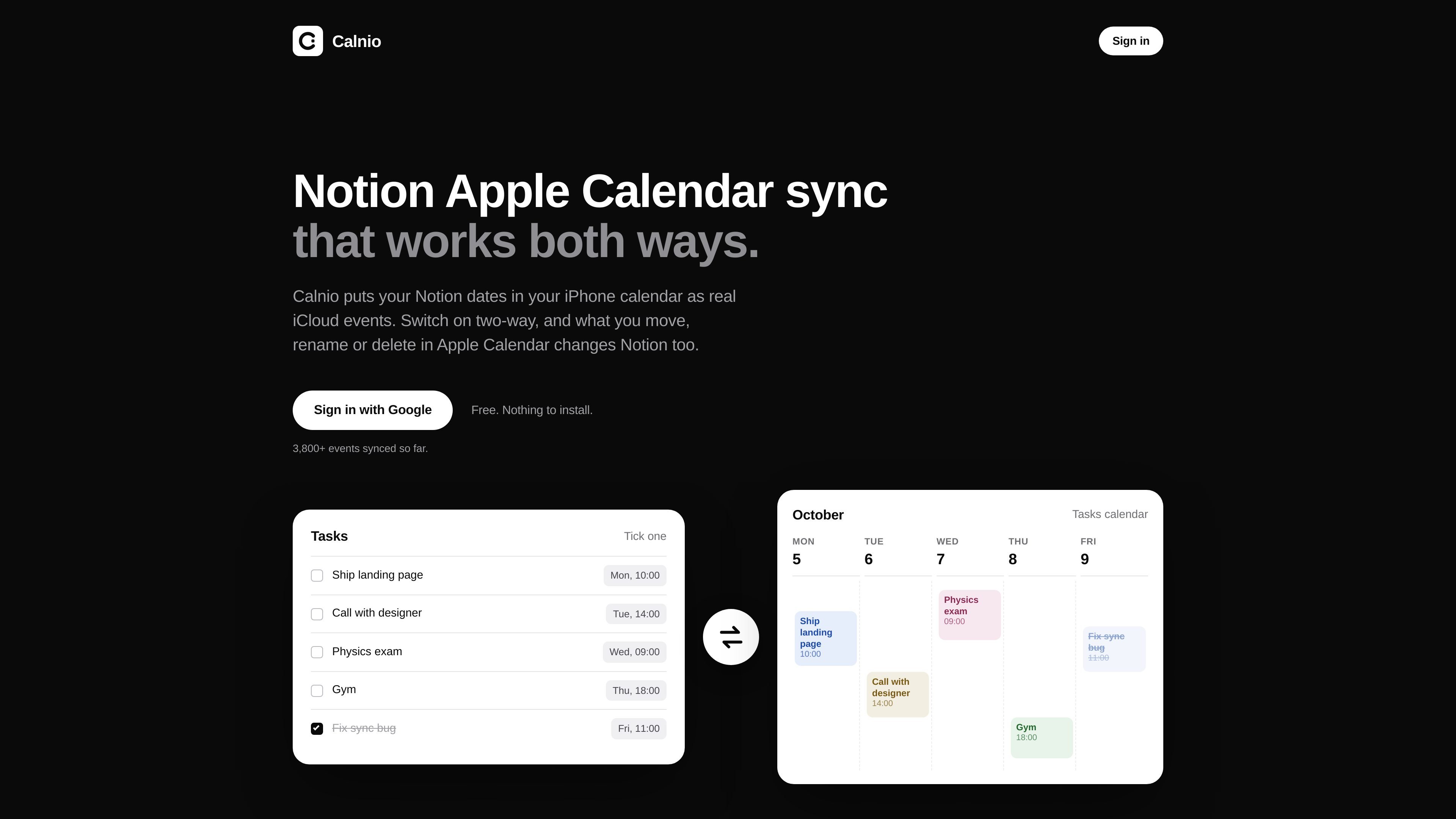
Calnio is a hosted synchronization service that puts dates from selected Notion databases into iCloud Calendar. The resulting items are ordinary Apple Calendar events, so they appear on iPhone, iPad, Mac, Apple Watch, and iCloud.com rather than requiring a separate calendar app.
The service supports one-way Notion-to-calendar syncing by default and optional two-way editing for each sync. A Notion date can become an all-day or timed event, and calendar edits can be sent back to Notion when two-way mode is enabled. Calnio is designed for people who manage tasks, deadlines, meetings, or other dated database entries in Notion but want to see them in Apple Calendar.
Connect selected Notion databases to iCloud Calendar, with a separate calendar created for each database.
A date without a time becomes an all-day event, while timed dates and date ranges are represented with their corresponding timing.
Notion changes to titles, dates, and trashed or cleared-date pages are reflected in Apple Calendar on the next sync run.
When enabled for a sync, calendar edits can rename pages, move their dates, trash pages, or create new Notion pages from newly created events.
Calnio uses iCloud Calendar events rather than a read-only webcal subscription, so events can use normal Apple Calendar alerts and appear across Apple devices.
The service stores sync metadata and credentials needed for operation, but not the content of synced Notion pages; Notion and iCloud credentials are encrypted before storage.
Keep Notion due dates visible in the iPhone Calendar app, where they can use the alert settings already configured for Apple Calendar.
Turn Notion deadlines, appointments, or dated project records into separate iCloud calendars that can be shown, hidden, colored, or shared like other calendars.
Use Apple Calendar as the editing surface while retaining Notion as the database: move or rename an event, or delete it, and the corresponding Notion page is updated when two-way sync is on.
Create an event in a calendar assigned to one sync and have a new page added to the connected Notion database, subject to Calnio’s two-way import rules.
Yes. Calnio has no paid plan, trial, or card requirement. It is hosted by the developer and available at no charge.
You need a Notion database with a date column, a Google account for sign-in, and an Apple Account with two-factor authentication so you can create an app-specific password for iCloud Calendar. Setup involves signing in, sharing databases with Calnio, connecting iCloud, and selecting the databases to sync.
Notion dates are written to iCloud Calendar as ordinary events. A date without a time becomes an all-day event; a timed date becomes an event at that time, usually lasting one hour unless the Notion date includes an end time. Each database gets its own calendar unless you select another existing calendar.
Notion-to-Apple Calendar syncing runs automatically, with checks every 15 minutes. The first sync starts immediately after adding a database or enabling a sync.
No. Calnio writes to iCloud Calendar, which is displayed by Apple Calendar on iPhone, iPad, Mac, Apple Watch, and iCloud.com. It does not support Google Calendar or Outlook.

Goldfish is an AI memory app for macOS that helps you reply, write, summarize, and continue using the context already on your Mac. It stores memory locally and writes in your tone.

ArtDeck is a visual reference board app for iPhone, iPad, and Mac that lets artists collect mixed reference material on one canvas and study it with ToolBox lenses. It works offline, supports optional iCloud sync, and is sold as a one-time purchase with no account required.

Biji는 혁신적인 도구와 기능을 통해 생산성을 향상시키기 위해 설계된 다목적 플랫폼입니다.

Malyatko is a baby tracker for logging feeding, sleep, growth, teething, and milestones in one app. It works on iPhone, Apple Watch, and widgets, with no sign-up, offline use, and family sharing through iCloud.

Liam is an AI copilot for managing inboxes, writing replies, prioritizing email, and scheduling meetings. It is offered free for individuals, with custom pricing for teams and enterprise.

Gemma AI is a phone call reminder app that calls you with scheduled reminders instead of push notifications. It helps people who want a more direct way to stay on schedule, with Google Calendar sync and conversational call interactions.