
Unified API source workflow
Combine API definitions and Markdown in a configured project, with contract validation before generation.

Cortex Docs is an open-source workflow that turns API specifications and Markdown into interactive documentation, typed SDKs, and MCP servers. It helps developers and AI agents explore APIs and generate integration code with structured context.
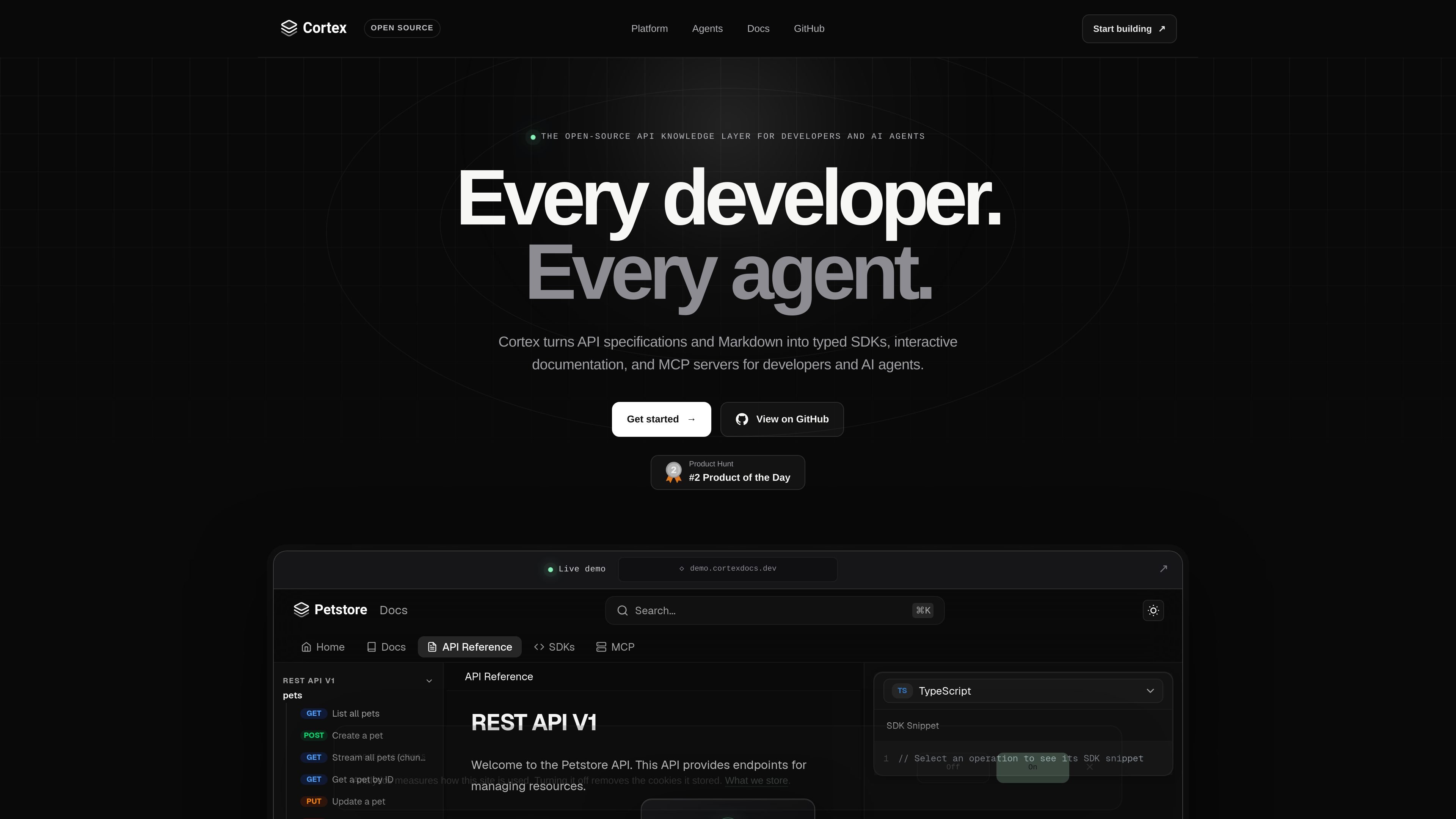
Cortex Docs is an open-source API tooling workflow for turning API specifications and Markdown into three developer-facing outputs: interactive documentation, typed SDKs, and MCP servers. Its configuration model brings multiple API surfaces into one project and validates the contract before generation.
The product is designed for teams that need both a human interface for exploring an API and an agent interface for AI-assisted integration. Generated documentation can be self-hosted, while templates and generated code can be adapted and published through infrastructure chosen by the user.
Combine API definitions and Markdown in a configured project, with contract validation before generation.
Produce searchable guides, interactive references, copy-ready examples, and a live request builder in a documentation site.
Generate typed clients for TypeScript, Python, Go, Java, Kotlin, Ruby, PHP, C#, Rust, C++, and C, with authentication, timeouts, streaming, retries, and package metadata included in the site’s examples and feature claims.
Map API operations to typed MCP tools and package specifications, SDK guidance, and project documentation alongside the server.
Use open templates and sparse overrides to adapt generated code, publish packages to your own registries, and run documentation wherever Node runs.
Maintain API definitions and Markdown in a single configured project, validate the contract, and regenerate the documentation surface as the API changes.
Give application developers searchable reference material, runnable request exploration, copy-ready examples, and typed clients for integrating with an API.
Offer clients in the conventions of their ecosystems, using generated packages for languages such as TypeScript, Python, Go, Java, Kotlin, Ruby, PHP, C#, Rust, C++, and C.
Expose API operations as typed MCP tools with specifications and SDK guidance so AI agents can discover interfaces and produce more grounded integration code.
Override templates, publish generated packages to internal or public registries, and host the documentation on infrastructure that supports Node.
Cortex Docs takes API specifications and Markdown as project sources, then generates interactive documentation, typed SDKs, and MCP servers from a configured workflow.
The site shows a cortex.config.yml workflow with OpenAPI and GraphQL sources. It also states that REST, realtime, GraphQL, gRPC, and JSON-RPC sources can be combined in one project, although the available source formats and setup requirements should be confirmed for a specific implementation.
Generated documentation can be self-hosted, and generated output can be deployed wherever Node runs. The project also supports exporting and overriding templates, including publishing generated packages to your own registries.
The generated MCP server provides typed tools mapped from API operations, along with embedded specifications, SDK guides, and project documentation intended to give AI agents more context during integration.

ByteAsk is a terminal-first AI coding agent for C and C++ that edits repositories and verifies changes with the real compiler, debugger, sanitizers, and tests before showing a diff. It offers a free tier plus paid plans, with editor connectors and zero-retention handling described in the source.

CreateOS Sandbox is an isolated compute environment for running code and agent workloads inside Firecracker micro-VMs. It is designed for workflows that need machine-level isolation, private networking between sandboxes, and programmatic control through SDK, CLI, or MCP.

GitBot is a local browser-based workspace for creating reusable coding bots powered by Claude Code, Codex, or OpenCode. It helps developers run those agents across repository folders with persistent threads and configurable permissions.

hob is an independent workspace for coding agents that keeps agent sessions, terminals, history, and follow-up work organized around the tools and providers you already use. It is aimed at developers who want local control over routing, history, and workspace structure rather than a bundled model stack.

Ably Chat is a chat API platform for building custom realtime chat applications. It supports room-based messaging, typing indicators, presence, reactions, and message updates, with usage-based pricing options for different deployment stages.

Manta AI is an autonomous web app testing tool for teams that want to map application behavior, catch regressions, and generate tests without writing scripts or maintaining selectors. It works from a URL and supports plain-English test flows, run results with screenshots, and scheduled or deployment-triggered checks.